The Complete Guide to Google Business Profile for Pet Stores

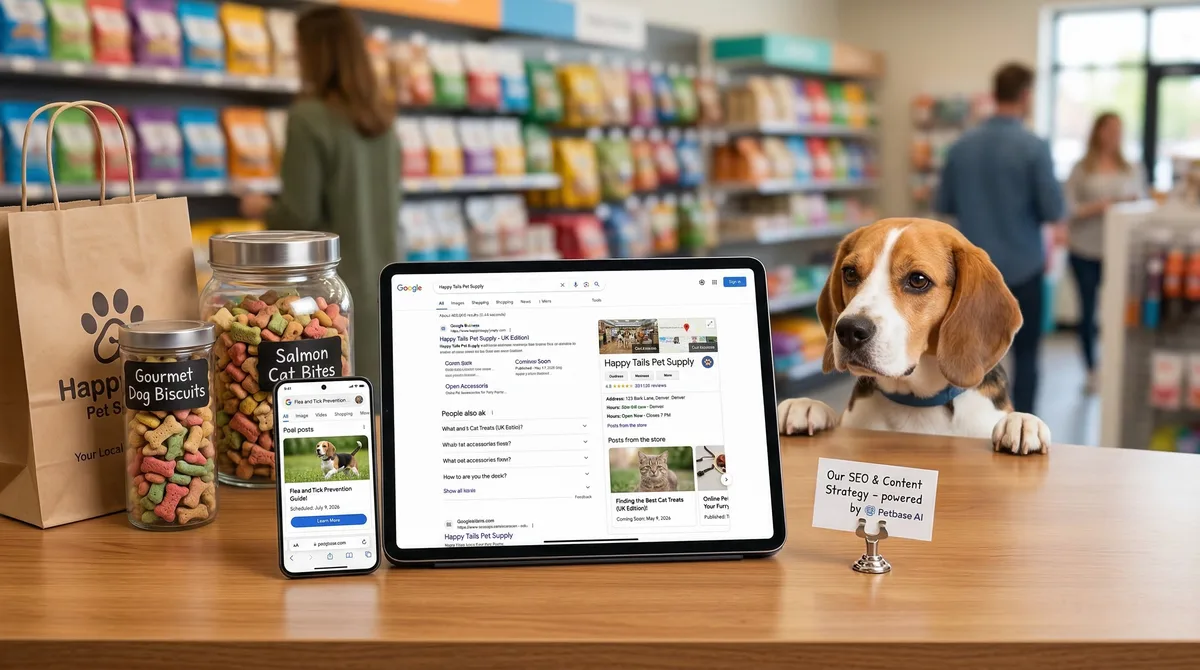
Table of Contents +
- Why Google Business Profile Matters for Pet Stores
- How to Set Up Your Pet Store's Google Business Profile
- Which Categories Should a Pet Store Select?
- How to Write a Business Description That Converts
- What Photos Should a Pet Store Upload?
- How to Get and Manage Customer Reviews
- How to Use Google Posts for Pet Store Promotions
- How GBP Connects to Your Website and Content Strategy
- Common Google Business Profile Mistakes Pet Stores Make
- Frequently Asked Questions
- References
Set up and optimize your pet store's Google Business Profile. Covers categories, photos, reviews, Google Posts, and mistakes that cost you local customers.
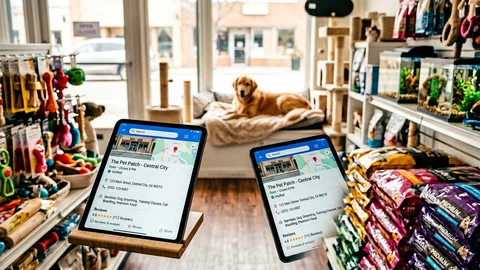
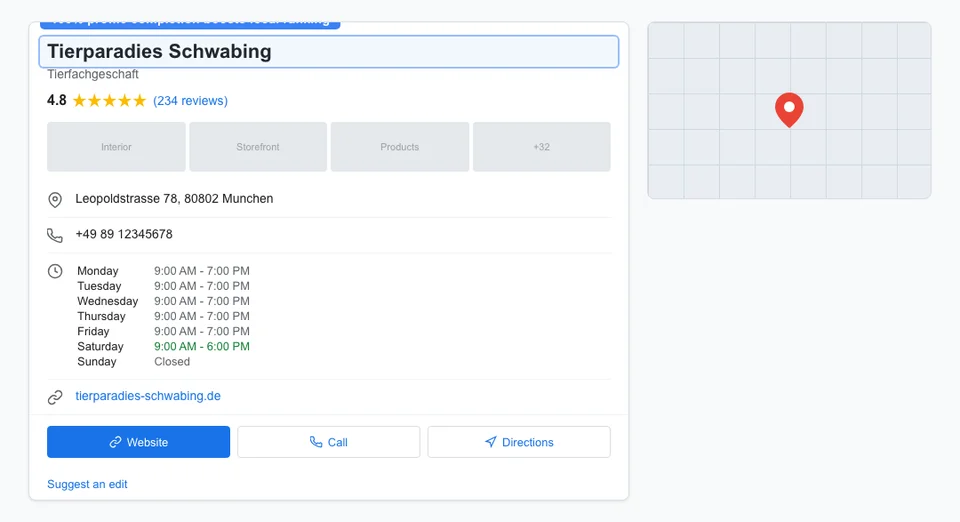
Your Google Business Profile is the first thing most customers see when they search for a pet store. It appears before your website, before your social media, and before any paid ads. It shows your location on the map, your hours, your photos, your reviews, and a snapshot of what you offer - all without the searcher clicking a single link.
Yet most pet stores treat their Google Business Profile as a set-it-and-forget-it listing. They fill in the basics during setup and never touch it again. This is a mistake. A complete profile generates up to 80% more search appearances and 4x more visits than an incomplete one[1]. That is free traffic you are leaving on the table.
This guide covers everything: setup, optimization, categories, photos, reviews, posts, and the common mistakes that cost pet stores customers.
Why Google Business Profile Matters for Pet Stores
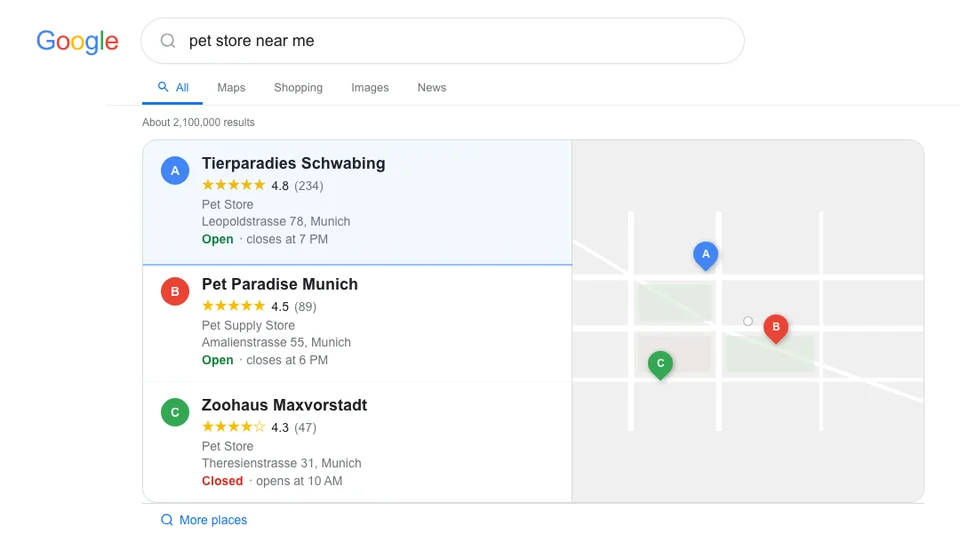
Google Business Profile (GBP) is the single most important local SEO factor for pet stores with physical locations. 46% of all Google searches have local intent[2], and "near me" searches now exceed 1.5 billion per month - a growth of more than 500% over the past five years[2]. When someone searches "pet store near me," "dog food [city]," or "pet groomer open now," Google displays the Local Pack - a map with three business listings. That Local Pack captures 44% of all clicks, and it appears in 93% of local searches[2].
Your GBP determines whether you appear in the Local Pack and how your listing looks when it does. A complete, active profile with strong reviews and regular updates outranks competitors with neglected profiles - even if those competitors are closer to the searcher.
The numbers for pet stores are compelling:
- 98% of consumers search online for local businesses[2]
- GBP listings with quality photos get 42% more direction requests and 35% more website clicks[3]
- 68% of consumers will only use a business with a 4+ star rating[2]
- The pet services market reached $60.08 billion in 2024[4] - local visibility determines which stores capture that spend
A mid-size pet store in a European city can realistically generate 150-400 GBP-driven actions per month (calls, direction requests, website visits) with a fully optimized profile. At a conservative 20% conversion rate, that is 30-80 new customers per month from GBP alone - at zero ad cost.
For the full local SEO strategy that works alongside GBP, read our local SEO guide for pet businesses.
Petbase automates SEO content for pet stores - publishing 10 optimized articles monthly so you can focus on running your shop - start your free trial.
How to Set Up Your Pet Store's Google Business Profile
If you do not already have a GBP, setting one up takes about 30 minutes plus a verification wait of 3-7 days. If you have an existing profile, skip to the optimization sections below.
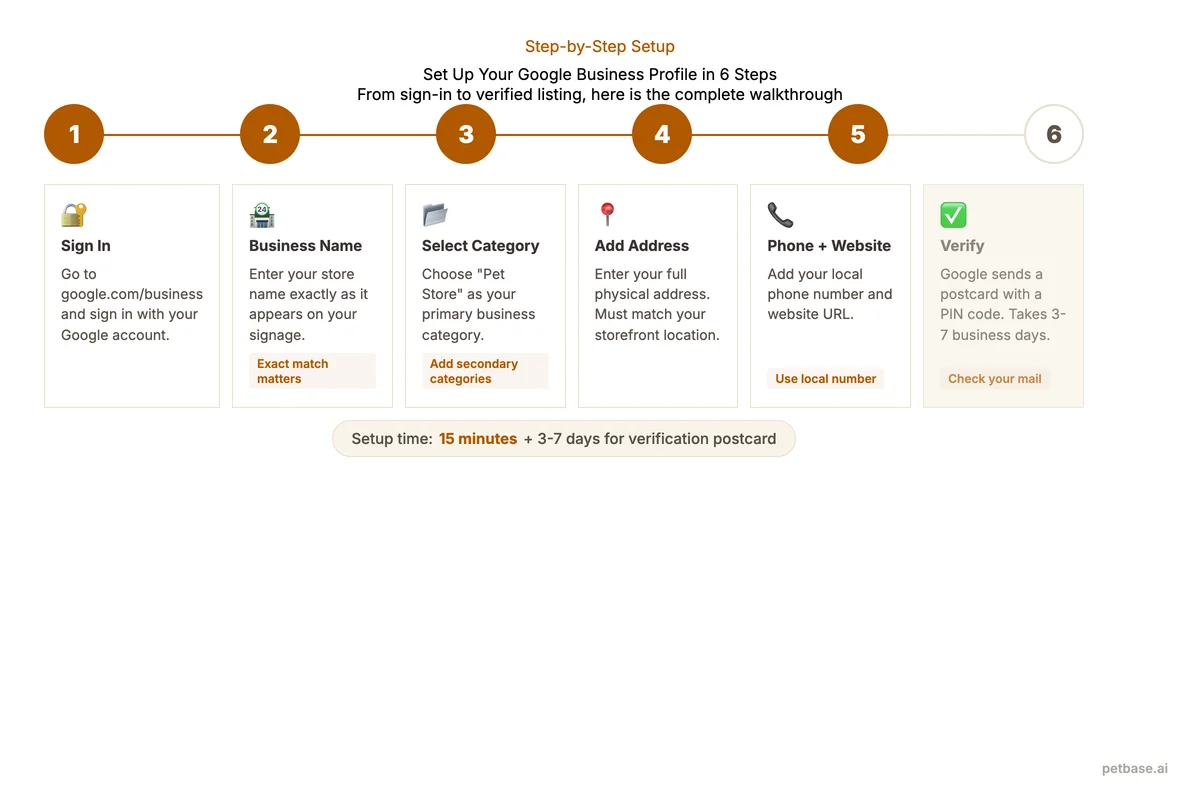
Step 1: Go to google.com/business and sign in with a Google account. Use a Google account you control permanently - not a personal employee account that might leave with them.
Step 2: Enter your business name exactly as it appears on your signage. Do not add keywords ("Pet Paradise - Best Pet Store Dog Food Grooming Munich"). Google penalizes keyword stuffing in business names and may suspend your listing.
Step 3: Select your business category. Start with "Pet Store" as your primary category. You will add secondary categories later.
Step 4: Add your location. Enter your exact street address. If you serve customers at their location (mobile grooming, pet sitting), you can set a service area instead of or in addition to a physical address.
Step 5: Add contact information. Use your local phone number (not a toll-free number) and your website URL. The phone number should match what is on your website and all other directory listings.
Step 6: Verify your business. Google usually sends a postcard with a verification code to your business address. Some businesses qualify for phone or email verification. Verification typically takes 3-7 business days.
After verification, your profile is live but far from optimized. The following sections cover every optimization opportunity.
Which Categories Should a Pet Store Select?
Categories tell Google which searches should trigger your listing. Choosing the right categories is one of the highest-impact optimizations you can make. Your primary category is the most important - it has the strongest influence on which searches show your listing.
| Category | Use When | Triggers Searches Like |
|---|---|---|
| Pet Store | You sell pet supplies, food, toys, accessories | "pet store near me," "pet supplies [city]" |
| Pet Supply Store | Focus on supplies rather than live animals | "pet supply store," "dog supplies" |
| Pet Groomer | You offer grooming services | "pet groomer near me," "dog grooming [city]" |
| Dog Trainer | You offer training classes or services | "dog training [city]," "puppy classes near me" |
| Animal Feed Store | You specialize in pet food and nutrition | "pet food store," "raw dog food [city]" |
| Pet Boarding Service | You offer boarding or daycare | "pet boarding near me," "dog daycare [city]" |
| Aquarium Store | You sell fish and aquarium supplies | "aquarium store near me," "fish store [city]" |
| Pet Adoption Service | You facilitate pet adoption | "adopt a pet [city]," "rescue dogs near me" |
Rules for categories:
- Select one primary category that describes your main business activity
- Add up to 9 secondary categories for additional services you actually offer
- Only add categories that match real services - do not add "Pet Groomer" if you do not offer grooming
- Review your categories every 6 months - Google adds new categories regularly
A typical pet store with grooming services should select: Pet Store (primary), Pet Groomer, Pet Supply Store, and Animal Feed Store (secondary). This covers the broadest range of relevant searches without adding irrelevant categories.
How to Write a Business Description That Converts
Your GBP description appears when users click on your listing. You have 750 characters to convince them to visit your store. Most pet stores waste this space with generic text like "We are a pet store that sells pet products." That tells the customer nothing they did not already know.
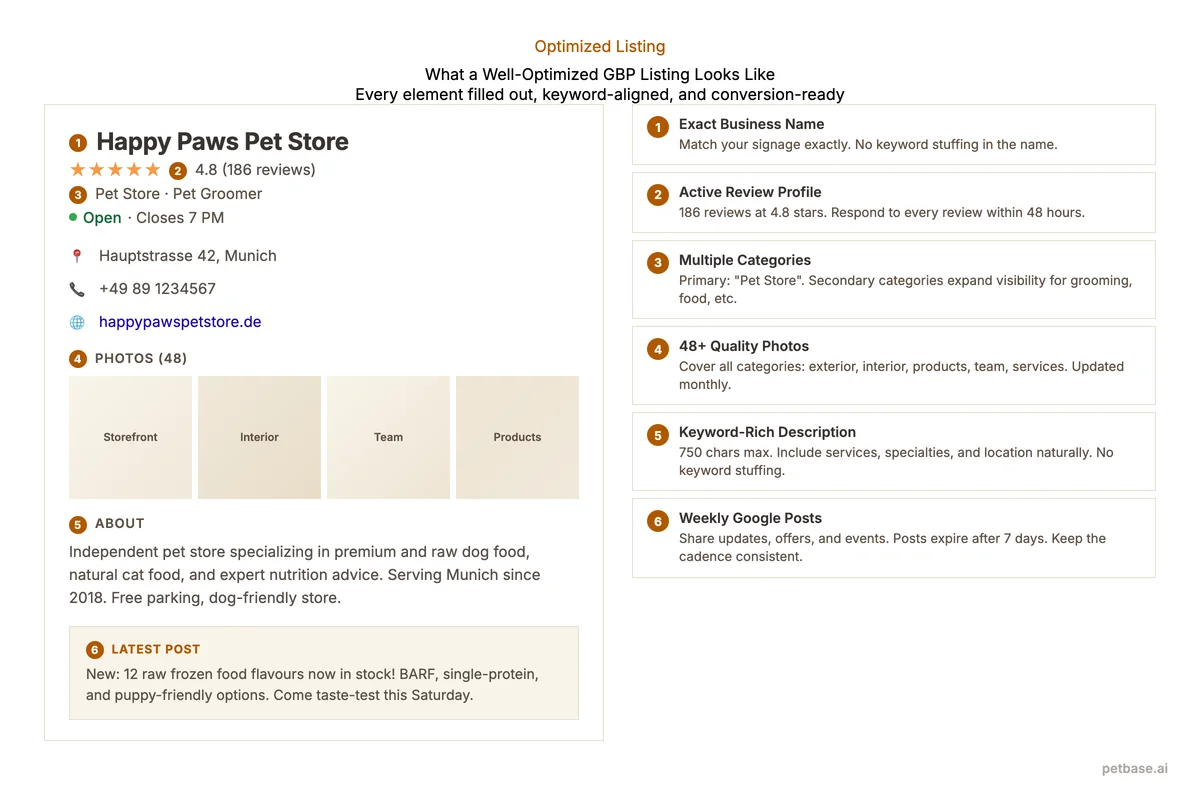
Here is a framework for writing a description that drives visits:
Sentence 1: What you are and where. "[Store Name] is an independent pet store in [neighborhood/city] specializing in [your speciality]."
Sentence 2-3: What makes you different. Mention specific products, brands, services, or expertise. "We carry over 40 premium and raw dog food brands, offer professional grooming for all breeds, and provide personalized nutrition consultations."
Sentence 4: Social proof. "Trusted by over 2,000 local pet owners since [year]." or "Rated 4.8 stars by 200+ Google reviews."
Sentence 5: Call to action. "Visit us at [address] or call [phone] to schedule a consultation."
Include your main products, services, and location naturally. Do not keyword-stuff, but do mention terms your customers search: the specific product categories you carry, the breeds you specialize in grooming, and the services you offer beyond retail.
What Photos Should a Pet Store Upload?
Photos are the most underrated GBP feature. Listings with quality photos receive 42% more direction requests and 35% more clicks to the website[3]. Businesses with more than 100 photos get 520% more calls than the average listing[1]. You do not need 100 photos on day one, but you should aim for 30+ and add 2-3 new photos weekly.
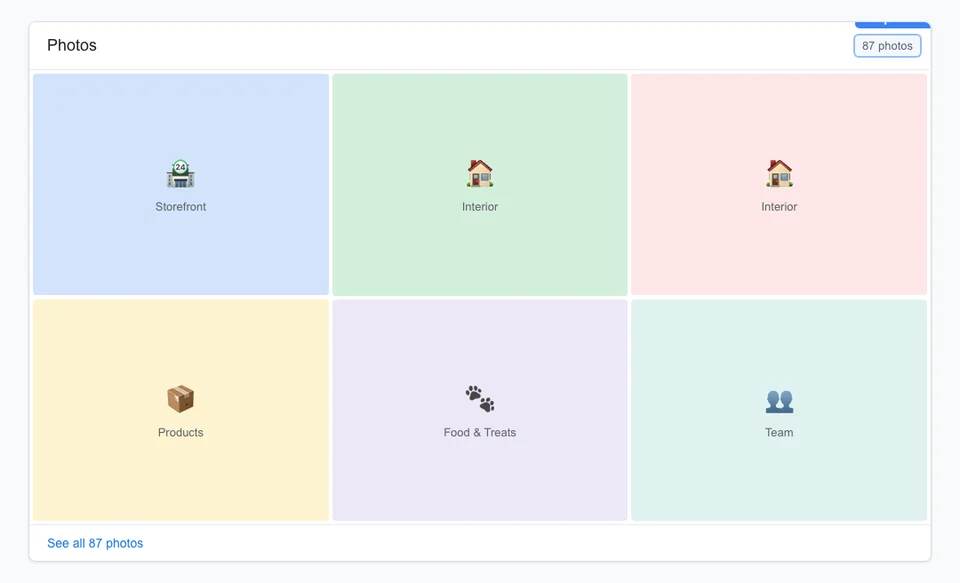
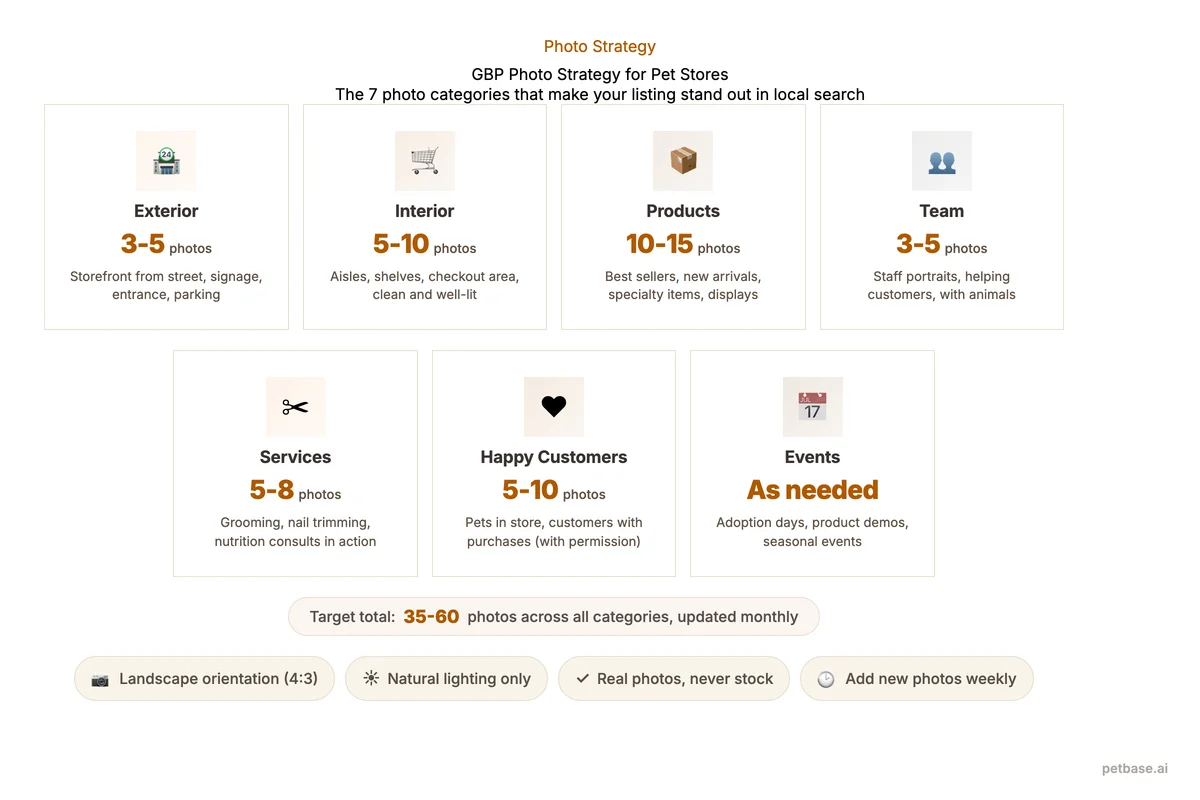
| Photo Type | Examples | Why It Matters | How Many |
|---|---|---|---|
| Exterior | Storefront from street, signage, parking area | Helps customers find you physically | 3-5 |
| Interior | Aisles, product displays, checkout area | Shows store atmosphere and size | 5-10 |
| Products | Featured products, new arrivals, specialty items | Shows your range and quality | 10-15 |
| Team | Staff members, team photo, action shots | Builds personal connection and trust | 3-5 |
| Services | Grooming in action, training classes, consultations | Demonstrates what you offer beyond products | 5-8 |
| Happy customers | Pets in store, customers with purchases (with permission) | Social proof and emotional connection | 5-10 |
| Events | Adoption days, community events, seasonal displays | Shows community involvement | As they happen |
Photo quality tips:
- Use good lighting - natural light or well-lit interiors. Dark, blurry photos hurt your listing
- Shoot in landscape orientation (horizontal) - it displays better in Google search results
- Show real scenes, not stock photos. Google can detect stock images and may remove them
- Name files descriptively before uploading: "pet-store-raw-food-section-munich.jpg" not "IMG_4521.jpg"
- Add a Google-approved cover photo - this is the first image users see
Set a weekly reminder to upload 2-3 new photos. Consistent photo activity signals an active business and improves your ranking.
How to Get and Manage Customer Reviews
Reviews are the most powerful trust signal for pet stores. 93% of consumers say online reviews affect their buying decisions[2], and businesses with 4+ star ratings get roughly 3x more clicks than those below that threshold[2]. A pet store with 150 reviews averaging 4.7 stars will outperform a competitor with 20 reviews at 5.0 stars - quantity and recency matter alongside quality.
How to generate reviews consistently:
- Ask at the right moment. The best time to ask is right after a positive interaction - after a successful grooming session, after helping a customer find the right food for their pet's condition, or after a product recommendation that solved a problem.
- Make it easy. Create a short URL to your Google review page (search "Google review link generator"). Print it as a QR code on receipts, business cards, and counter displays.
- Follow up. Send a follow-up email or text 24 hours after purchase: "Thanks for visiting! If you had a great experience, we would love a Google review - it helps other pet owners find us. [link]"
- Train your team. Every staff member should know how and when to ask for reviews. Make it part of the checkout process for happy customers.
How to respond to reviews:
Respond to every review within 48 hours. Every. Single. One. Positive and negative. 88% of consumers would use a business that responds to both positive and negative reviews, compared to just 47% for businesses that do not respond at all[2].
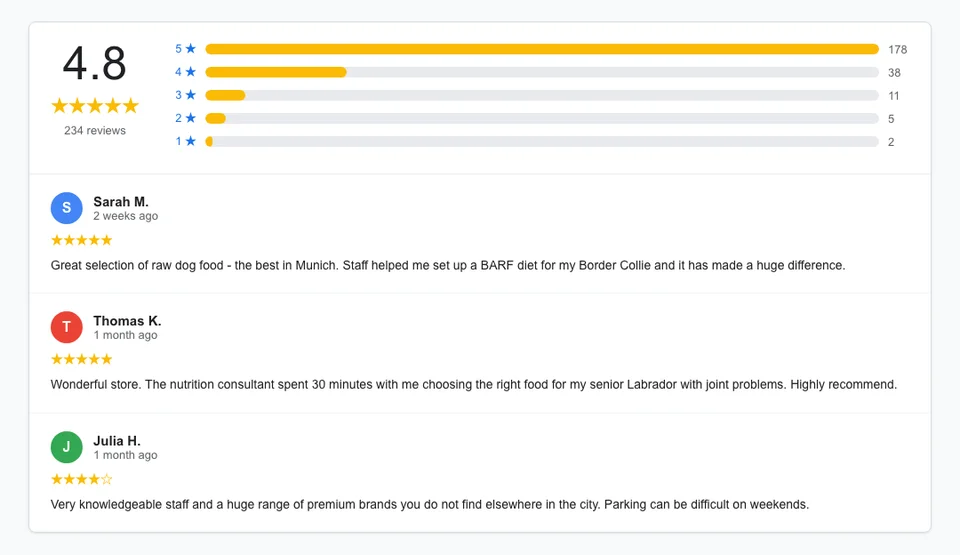
For positive reviews: Thank the reviewer by name, mention something specific about their visit if possible, and invite them back. "Thank you, Maria! We are glad Benny enjoyed his grooming session. See you next month!"
For negative reviews: Acknowledge the concern, apologize without being defensive, offer to resolve the issue offline. "We are sorry your experience did not meet expectations. Please call us at [phone] so we can make this right." Never argue in public reviews. A professional response to a negative review often impresses potential customers more than the complaint deters them.
| Review Scenario | Response Template |
|---|---|
| Positive - general | "Thank you for the kind words, [name]! We love helping pet owners find the right products. See you again soon!" |
| Positive - specific product | "Thank you, [name]! Great to hear [pet name] is doing well on [product]. Let us know how it goes!" |
| Positive - service | "Thanks for trusting us with [pet name]'s grooming, [name]! We enjoyed having them. See you next time!" |
| Negative - service issue | "We are sorry to hear this, [name]. Your experience matters to us. Please reach out at [phone/email] so we can resolve this." |
| Negative - product issue | "Thank you for letting us know, [name]. We want to help. Please contact us at [phone] and we will find a solution." |
For a complete review strategy including generation tactics and reputation management, read our guide on online reviews for pet stores.
How to Use Google Posts for Pet Store Promotions
Google Posts appear directly in your GBP listing - visible to anyone who sees your profile in search or maps. They are free, easy to create, and signal to Google that your business is active. Pet stores that post weekly see higher engagement and better Local Pack positioning than those that do not post.
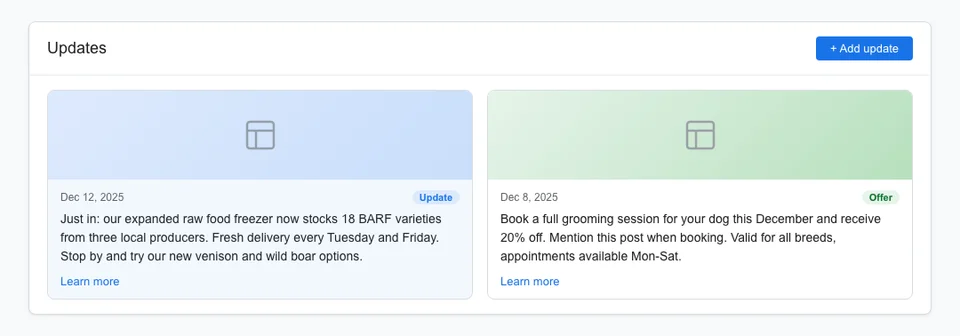
Types of Google Posts that work for pet stores:
What's New posts: Share new product arrivals, seasonal inventory changes, team updates, or store improvements. "Just in: our new range of raw frozen dog food from [brand]. 12 flavors now in stock."
Event posts: Promote adoption days, training workshops, seasonal sales, or community events. Include date, time, and a description. Event posts get prominent placement in your listing.
Offer posts: Share discounts, promotions, or special deals. Include a coupon code or "show this post" instruction. "15% off all dog grooming this week. Mention this post when booking."
Product posts: Highlight specific products with images, descriptions, and prices. Useful for seasonal items or new arrivals you want to promote.
Posting frequency: At minimum, post once per week. Ideal: 2-3 posts per week. Posts expire after 7 days (events expire after the event date), so consistent posting is necessary to maintain visibility.
Photo tips for posts: Use square (1:1) or landscape (4:3) images. Include text in the post description, not overlaid on the image. Show the actual product or event rather than generic graphics.
How GBP Connects to Your Website and Content Strategy
GBP does not exist in isolation. It works best as part of an integrated SEO strategy where your website, local citations, content marketing, and GBP all reinforce each other. Mobile-friendly websites paired with GBP deliver 32% higher conversion rates than non-mobile sites[5] - and most local searches happen on phones.
GBP + Website: Your website sends authority signals that strengthen your GBP ranking. A pet store with a content-rich website (blog posts, product pages, service pages) will rank higher in the Local Pack than a competitor with just a GBP and no website.
GBP + Content marketing: Blog posts about local pet topics ("Best Dog Parks in [City]," "Pet-Friendly [City] Guide") strengthen your geographic relevance signals, helping your GBP rank for more local queries. Share new blog posts as Google Posts to drive traffic from GBP to your site. A tool like Petbase (EUR 199/mo, 10 articles/month) can keep your blog active without writing a single article yourself.
GBP + Citations: Consistent business information across 20-30 directories strengthens your GBP's prominence signal. Pet-specific directories, local directories, and review platforms all contribute. See our guide on local citations for pet businesses.
GBP + Reviews: Reviews on Google directly affect rankings. But reviews on other platforms (Yelp, Facebook, Trustpilot) also contribute to your overall online reputation, which Google considers as part of prominence.
GBP + Structured data: Adding LocalBusiness schema to your website confirms your business information in a format Google can process automatically. This reinforces the data in your GBP and strengthens the connection between your website and your listing. For a walkthrough, see our schema markup guide for pet stores.
Common Google Business Profile Mistakes Pet Stores Make
After reviewing GBP profiles for dozens of pet stores, these are the most damaging mistakes:
1. Keyword-stuffed business name. Adding keywords to your business name violates Google's guidelines and risks suspension. "Pet Paradise" is correct. "Pet Paradise Best Pet Store Dog Grooming Munich" gets flagged. If a competitor is doing this, report it to Google - they take violations seriously.
2. Wrong primary category. A pet store that selects "Store" instead of "Pet Store" misses thousands of relevant searches. Review your category annually - Google adds new, more specific categories regularly.
3. Incomplete profile. Every unfilled field is a missed signal. A complete GBP generates 80% more search appearances than an incomplete one[1]. Fill out every section: hours (including holiday hours), attributes, services, products, description, photos.
4. No photos or outdated photos. A listing with 3 dark photos from 2020 does not inspire confidence. Aim for 30+ quality photos and add new ones weekly. Listings with 100+ photos get 520% more calls[1].
5. Ignoring reviews. Not responding to reviews - especially negative ones - hurts rankings and reputation. Google tracks response rates. Respond to every review within 48 hours.
6. Never posting. Google Posts are free visibility. Not posting signals an inactive business. Post at least once per week.
7. Inconsistent NAP. Your name, address, and phone number must be identical on GBP, your website, and every directory listing. "123 Main Street" on GBP and "123 Main St." on your website is an inconsistency Google notices.
8. Not using the Q&A feature. The Questions and Answers section on your GBP is public. Anyone can ask - and answer. Proactively add your own common Q&As: "Do you carry grain-free dog food?" "Yes, we stock over 15 grain-free brands including..." This prevents incorrect answers from random users and adds keyword-rich content to your listing.
Frequently Asked Questions
How long does it take to see results from GBP optimization?
Most pet stores see measurable improvements within 2-4 weeks of completing their profile optimization. Increased impressions appear first, followed by more actions (calls, direction requests, website clicks) within 4-6 weeks. Consistent weekly activity (posts, photos, review responses) compounds over time - expect significant results by month 3. Moving into the Local Pack top 3 for competitive queries can take 2-4 months depending on your market.
Can I manage multiple GBP listings for multiple pet store locations?
Yes. Create a separate GBP listing for each physical location. Each listing should have a unique phone number, unique photos, and ideally a dedicated location page on your website. Manage all listings from one Google account using the Business Profile Manager. Do not create duplicate listings for the same location - this violates Google's guidelines and can result in suspension. If you find duplicate listings, request removal through Google's support.
What should I do if my GBP listing gets suspended?
Do not panic. Suspensions usually happen for guideline violations (keyword stuffing in business name, fake reviews, unverified edits). First, review Google's Business Profile guidelines to identify the violation. Then submit a reinstatement request through the GBP support page. Common fixes: remove keywords from your business name, remove fake reviews, verify that your address is accurate. Reinstatement typically takes 3-7 business days after you resolve the issue.
Should I use Google Business Profile messaging?
Yes - if you can commit to responding within 24 hours. Google tracks your response time and displays it on your listing. A pet store that responds to messages in 2 hours builds more trust than one that takes 3 days. If you cannot commit to fast responses, it is better to leave messaging off than to have slow response times visible on your profile. Assign a specific team member to handle GBP messages during business hours.
References
- Birdeye (2024). State of Google Business Profiles. birdeye.com
- BrightLocal (2026). Local SEO Statistics. brightlocal.com
- Sterling Sky (2024). How to Interpret Google Business Profile Performance. sterlingsky.ca
- Grand View Research (2024). Pet Services Market Report. grandviewresearch.com
- Clutch (2025). SEO Statistics. clutch.co