Google Maps Optimization for Pet Stores: A Visual Guide

Table of Contents +
- Why Google Maps Is the #1 Traffic Source for Local Pet Stores
- How Google Maps Decides Which Pet Stores to Show
- How to Claim and Verify Your Pet Store on Google Maps
- How to Optimize Your Pet Store's Map Listing
- How Photos and Virtual Tours Boost Map Rankings
- How to Use Google Maps Insights to Track Performance
- How to Get Into the Google Maps "3-Pack"
- Scaling Your Maps Presence With Petbase
- Frequently Asked Questions
- References
Optimize your pet store's Google Maps listing to appear in the local 3-Pack. Step-by-step guide with ranking factors, photo specs, and performance tracking.
For brick-and-mortar pet stores, Google Maps is often the single largest source of new customers. When someone searches "pet store near me" or "dog food shop [city]," Google shows a map with three local businesses before any organic search results. These three listings - called the "Local Pack" or "3-Pack" - receive 44% of all clicks on the results page[1]. If your pet store is not in that 3-Pack, you are invisible to nearly half of your potential local customers.
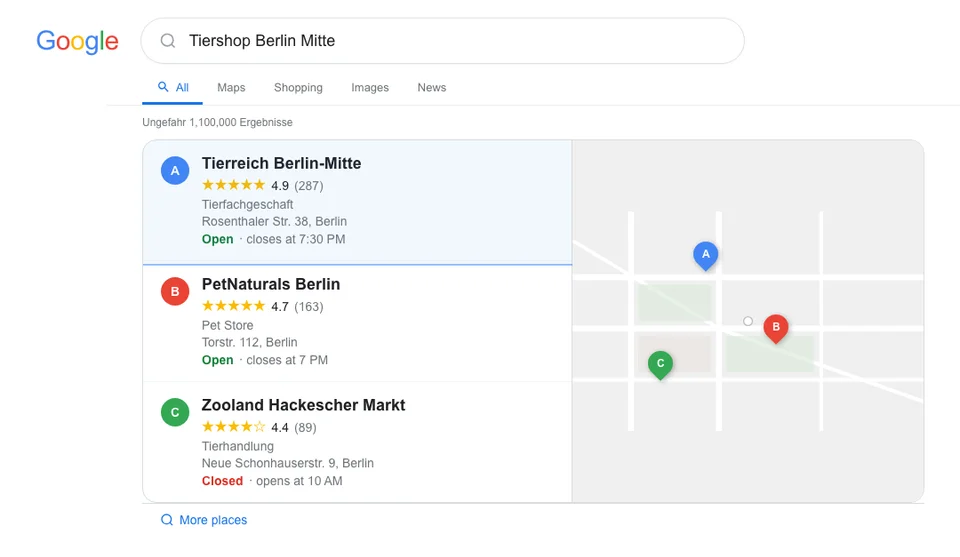
This guide walks you through every step of Google Maps optimization for pet stores - from claiming your listing to tracking performance. Whether you have never touched your Google Business Profile or you have one but it is not performing, these steps will help you show up where local pet owners are searching. For the broader local SEO strategy that supports your Maps presence, see our complete local SEO guide for pet businesses.
Why Google Maps Is the #1 Traffic Source for Local Pet Stores
Google Maps drives more foot traffic to local pet stores than any other channel. The reason is intent: when someone searches on Google Maps, they are looking for a business to visit right now - or within the next few hours. This is the highest-intent traffic available to a physical pet store.
Here are the numbers that make this clear:
- 46% of all Google searches have local intent[1]
- 98% of consumers search online for nearby businesses before visiting[1]
- "Near me" searches exceed 1.5 billion per month and have grown over 500% in recent years[1]
- The Local Pack receives 44% of all clicks on local search results[1]
For pet stores specifically, Maps is even more important than for other retail categories. Pet owners buy heavy, bulky products (dog food bags, litter, cages) that they prefer to pick up locally rather than wait for delivery. They also need urgent supplies (medication, specific food when they run out) where same-day availability matters. In a U.S. pet industry worth $152 billion[2], local search is the primary acquisition channel for physical pet stores.
Petbase automates SEO content for pet stores - publishing 10 optimized articles monthly so you can focus on running your shop - start your free trial.
How Google Maps Decides Which Pet Stores to Show
Google uses three primary factors to determine which businesses appear in Maps results. Understanding these factors is essential because they directly determine your optimization priorities.
| Ranking Factor | Weight | What It Means | How to Improve |
|---|---|---|---|
| Relevance | High | How well your listing matches the search query | Complete every profile field, add categories, write detailed description |
| Distance | High | How close your store is to the searcher | Cannot change location, but accurate address and service area help |
| Prominence | High | How well-known and trusted your business is | Reviews, citations, backlinks, website authority, engagement |
| Review quality | Medium-High | Number, rating, recency, and keywords in reviews | Actively request reviews, respond to all reviews |
| Photo activity | Medium | Quantity and quality of photos on listing | Add new photos weekly, encourage customer photos |
| Engagement signals | Medium | Click-through rate, direction requests, calls | Compelling description, updated hours, special offers |
| Website signals | Medium | On-page SEO of your linked website | Local keywords on homepage, location pages, blog content |
| Citation consistency | Medium | Same NAP (name, address, phone) across the web | Audit and fix all directory listings |
You cannot control distance - your store is where it is. But you have full control over relevance and prominence, which together outweigh distance for most searches. A pet store 3 km from the searcher with a complete, well-reviewed profile will often outrank a closer store with an incomplete listing. For more on building consistent citations, see our local citations guide.
How to Claim and Verify Your Pet Store on Google Maps
Before you can optimize anything, you need to claim your Google Business Profile (GBP). If you have not done this yet, someone else could claim your listing - or it might show incorrect information.
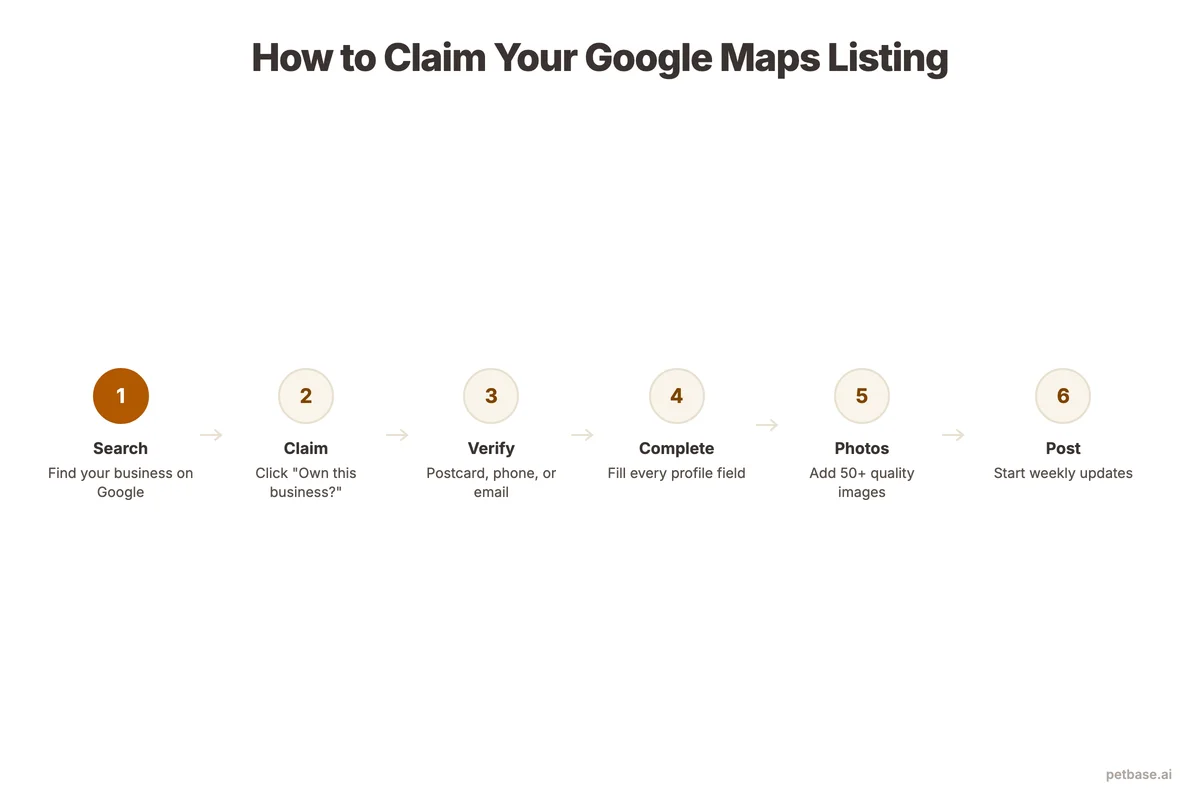
Step-by-step process:
- Go to business.google.com and sign in with a Google account you control. Use a business email, not a personal one.
- Search for your business. If it already appears on Google Maps, you will see the option to claim it. If not, click "Add your business to Google."
- Enter your business details: exact business name (as it appears on your signage), address, phone number, website URL, and business category.
- Choose your primary category. Select "Pet Store" as your primary category. You can add secondary categories like "Pet Groomer," "Pet Food Store," or "Aquarium Store" if applicable.
- Verify your listing. Google offers several verification methods: postcard (5-14 days), phone call, email, or instant verification if you have already verified your website in Search Console. Postcard is the most common for new listings.
- Complete verification. Once you receive your verification code, enter it in your Google Business Profile dashboard.
Important notes:
- Use your exact business name - do not add extra keywords ("Best Pet Store" or "Cheap Pet Food"). Google can suspend listings that keyword-stuff the business name.
- Your address must match exactly across your website, Google Maps, and all other directory listings. Even small differences like "St." vs. "Street" can cause issues.
- If your business has moved, update the address immediately. An incorrect address sends customers to the wrong location and damages trust.
How to Optimize Your Pet Store's Map Listing
Once claimed and verified, optimization begins. A fully optimized Google Business Profile has every field completed, accurate hours, a compelling description, and regular updates. Businesses with a complete GBP receive 80% more search appearances and 4x more visits than incomplete profiles[3]. Here is what to fill in and how to do it right.
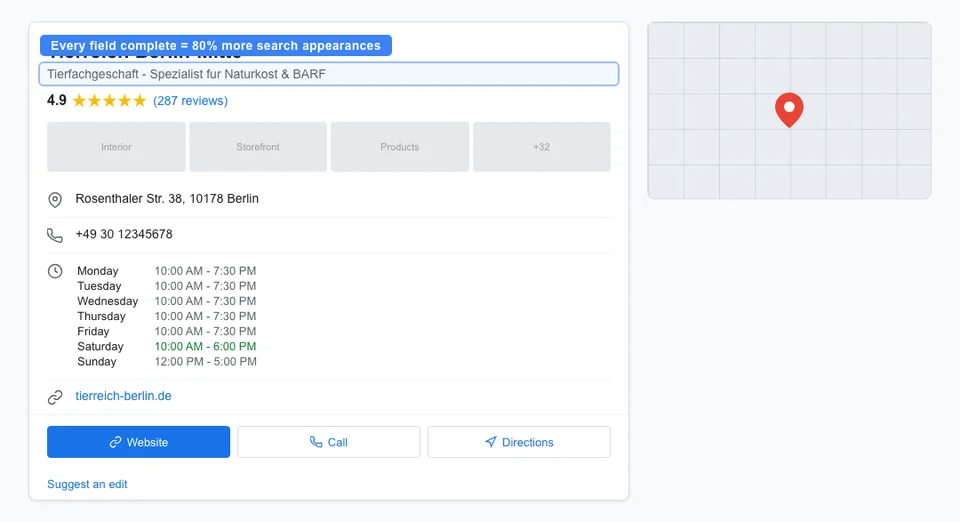
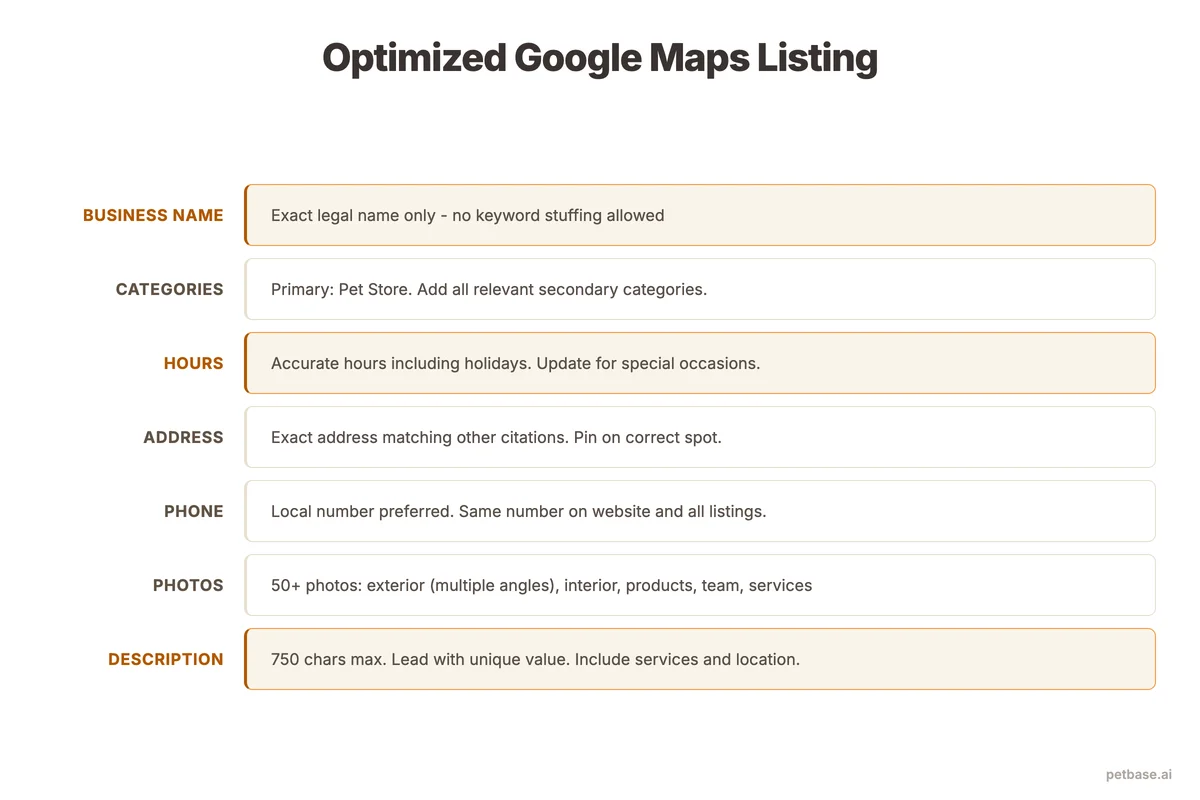
Business description (750 characters max):
Your description should include what you sell, who you serve, and what makes you different. Include your primary services and product categories naturally. Do not keyword-stuff.
Example: "Family-owned pet store in [City] serving dog, cat, bird, and small animal owners since 2015. We carry premium nutrition brands, natural treats, grooming supplies, and accessories. Our staff includes certified pet nutritionists who provide free feeding consultations. Open 7 days a week with free parking."
Categories:
- Primary: Pet Store
- Secondary (add all that apply): Pet Food Store, Pet Groomer, Dog Trainer, Aquarium Store, Pet Supply Store, Animal Feed Store
Attributes:
Google allows you to add attributes like "Wheelchair accessible," "Free parking," "Dogs allowed," and "Accepts credit cards." Check every attribute that applies to your store. These appear in your listing and help Google match your store to filtered searches.
Business hours:
- Set accurate regular hours for every day of the week
- Add special hours for holidays before they happen (not after)
- If you have different hours for different services (grooming by appointment), add those as secondary hours
Products and services:
Google lets you list specific products and services with descriptions and prices. Add your main product categories: dog food, cat food, treats, toys, grooming supplies, aquarium supplies, etc. For services, add grooming, nail trimming, pet nutrition consultation, or any other services you offer.
Keep your profile updated weekly. Google favors active listings over stale ones. Post updates about new products, seasonal promotions, or store events using the Google Posts feature. Each post is visible on your listing for 7 days and signals to Google that your business is active and engaged.
How Photos and Virtual Tours Boost Map Rankings
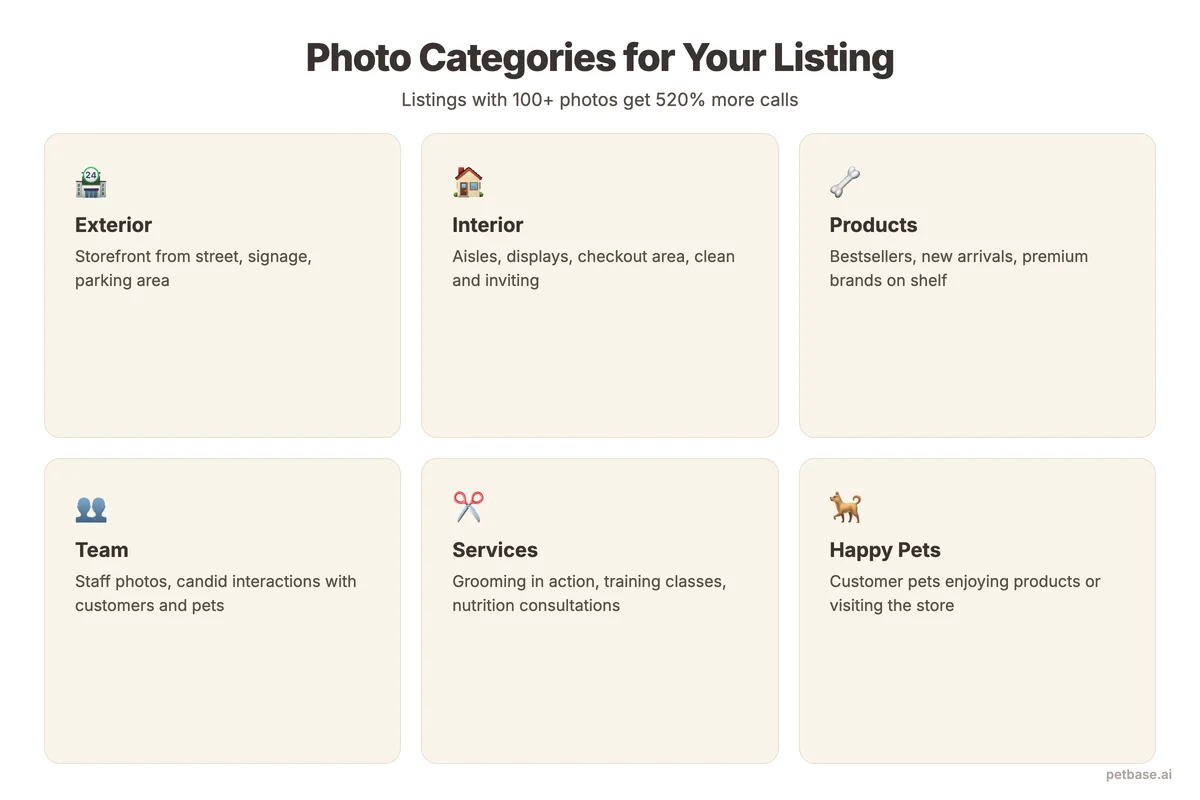
Businesses with photos receive 42% more direction requests and 35% more website clicks than businesses without photos[4]. For pet stores, photos are especially impactful because pet owners are visual shoppers - they want to see your store, your products, and your team before visiting.
Here is what to photograph and the technical specifications for each type:
| Photo Type | Minimum Specs | Recommended Size | What to Include | How Many |
|---|---|---|---|---|
| Cover photo | 720x720px | 1332x750px (16:9) | Store exterior or main product display | 1 |
| Logo | 250x250px | 720x720px (1:1) | Your business logo, clear and readable | 1 |
| Exterior | 720x720px | 1332x750px | Store front from street, signage visible, daytime and evening | 3-5 |
| Interior | 720x720px | 1332x750px | Product aisles, clean and well-lit, showing product variety | 5-10 |
| Products | 720x720px | 1332x750px | Popular products, new arrivals, branded displays | 10-20 |
| Team | 720x720px | 1332x750px | Staff with pets, helping customers, at registers | 3-5 |
| Events | 720x720px | 1332x750px | Adoption days, pet meetups, seasonal events | As they happen |
Photo upload schedule:
- Week 1: Upload all foundational photos (exterior, interior, logo, cover)
- Ongoing: Add 2 to 3 new photos per week. New product arrivals, seasonal displays, team photos, customer pets (with permission)
- Seasonal: Update cover photo to reflect current season or promotion
Google rewards fresh photo activity. Stores that add photos regularly rank higher than stores that upload 20 photos once and never add more. Set a weekly reminder to take and upload new photos. It takes 5 minutes and directly impacts your visibility.
Virtual tours (360-degree photos) give potential customers an immersive preview of your store. Google-certified photographers can create these for EUR 200 to 500 depending on store size. The investment pays for itself through increased engagement and trust. Pet owners who have "visited" your store virtually are significantly more likely to visit in person.
How to Use Google Maps Insights to Track Performance
Google Business Profile provides built-in analytics called Insights (now part of the Performance section). These metrics tell you exactly how people find your store, what actions they take, and how your listing performs over time.
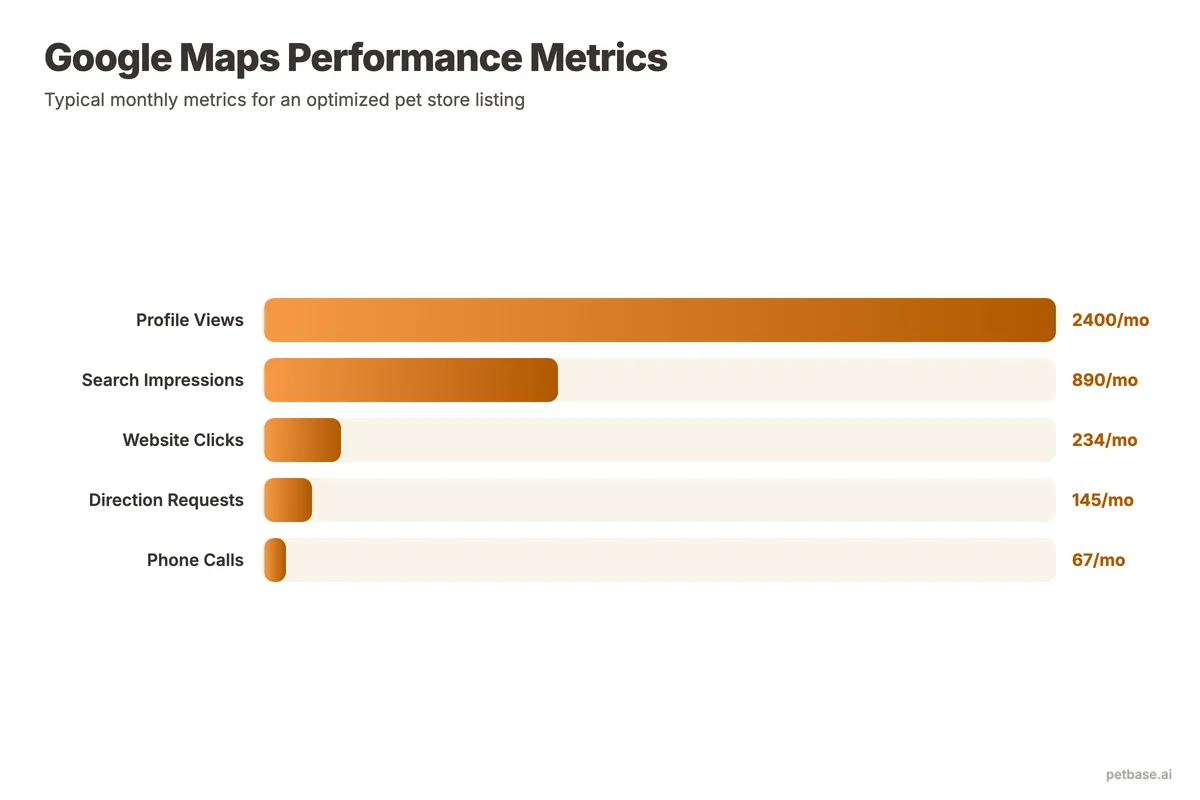
Key metrics to monitor monthly:
- Search queries: What terms people searched before seeing your listing. This shows which keywords your listing ranks for. If "organic dog food [city]" appears frequently, your optimization for that term is working.
- Discovery vs. Direct searches: Discovery searches (people who found you through a keyword) indicate SEO performance. Direct searches (people who searched your business name) indicate brand awareness. You want discovery searches to grow over time.
- Customer actions: Track website visits, direction requests, and phone calls. These are your conversion metrics. Direction requests are the strongest indicator of foot traffic intent.
- Photo views: Compare your photo views to similar businesses in your area. If competitors get more views, you need more and better photos.
- Popular times: Shows when customers visit your store. Use this data to schedule staff, plan events, and time Google Posts for maximum visibility.
Set up monthly reporting. Compare each month to the same month last year (not the previous month) to account for seasonal patterns. Pet store traffic spikes around holidays, flea season, and back-to-school - comparing January to December would be misleading. Year-over-year comparisons give you the real growth picture.
For a broader view of how your Maps performance fits into your overall search presence, use review management alongside Maps Insights. Reviews directly affect your Maps rankings, so tracking both together gives you the complete picture of your local search performance.
How to Get Into the Google Maps "3-Pack"
The 3-Pack is the holy grail of local pet store SEO. These are the three businesses that appear in the map widget at the top of local search results, above all organic listings. Getting into the 3-Pack can increase your visibility dramatically compared to appearing only in the expanded Maps list.
Here is a prioritized checklist for 3-Pack optimization:
| Priority | Action | Impact | Time to Complete |
|---|---|---|---|
| 1 | Complete every GBP field (80% more search appearances)[3] | High | 1-2 hours |
| 2 | Get 20+ reviews with 4.5+ star average | High | 2-4 weeks |
| 3 | Add 30+ photos (42% more direction requests)[4] | High | 1 week |
| 4 | Ensure NAP consistency across all directories | High | 2-4 hours |
| 5 | Publish Google Posts weekly | Medium | 10 min/week |
| 6 | Respond to every review within 24 hours | Medium | 5 min/review |
| 7 | Add all relevant secondary categories | Medium | 15 minutes |
| 8 | Build local backlinks from pet-related sites | Medium | Ongoing |
| 9 | Create location-specific content on your website | Medium | 1-2 hours/page |
| 10 | List in 20+ local directories with consistent NAP | Medium | 2-3 hours |
The first four items on this list have the highest impact and should be completed first. Most pet stores that fully complete these four steps see measurable improvement in Maps rankings within 30 to 60 days.
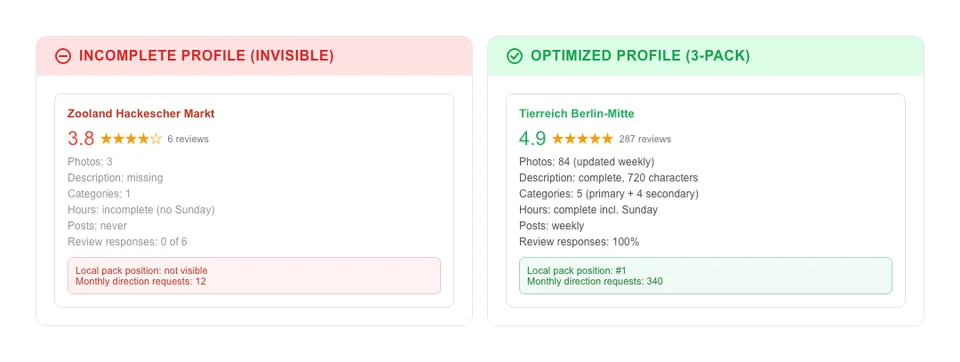
Reviews deserve special attention. 93% of consumers say online reviews affect their buying decisions[1]. Aim for a steady stream of reviews rather than a burst. Five reviews per week over a month looks more natural to Google than 30 reviews in one day. Ask satisfied customers to leave a review at checkout, include the review link on receipts, and follow up by email after purchases. Always respond to every review - positive and negative. Your responses show potential customers (and Google) that you are engaged and professional.
For pet stores competing in larger cities, the 3-Pack is more competitive. In that case, hyper-local content on your website becomes critical. Write blog posts about pet-related topics specific to your neighborhood, city, or region. "Best dog parks in [City]" and "pet-friendly restaurants in [Neighborhood]" create local relevance signals that boost your Maps ranking. Our guide on local content for pet stores covers this strategy in detail.
If you operate multiple locations, each one needs its own fully optimized Google Business Profile. Do not try to serve multiple locations from one listing. See our multi-location SEO guide for the specific process of managing multiple pet store locations without creating conflicts.
Scaling Your Maps Presence With Petbase
Google Maps optimization works best as part of a complete local SEO strategy. Your Maps listing brings people to your door, and your website and blog content keep them coming back. Petbase helps pet stores build the content foundation that supports both Maps rankings and organic search visibility. When your blog covers local topics, seasonal pet care, and product guides, your entire online presence - Maps included - benefits from stronger relevance and authority signals.
Petbase publishes 10 articles per month directly to your website for EUR 199/mo. Unlike generic writing tools, Petbase understands pet terminology, breed specifics, and local search patterns. That means every article reinforces your Maps presence by building topical authority around the keywords pet owners actually search for.
Learn more about how Petbase works for local pet stores.
Frequently Asked Questions
How long does it take to see results from Google Maps optimization?
Most pet stores see measurable improvements in Maps visibility within 30 to 60 days of completing profile optimization, adding photos, and building an initial base of reviews. The 3-Pack is more competitive and may take 60 to 90 days depending on your local market. Consistency matters more than speed - stores that add photos weekly, respond to reviews promptly, and publish Google Posts regularly see sustained improvement over 6 to 12 months. Unlike organic SEO where new content takes 8 to 12 weeks to rank, Maps optimization produces faster results because Google re-evaluates local listings more frequently than web pages.
Can I optimize Google Maps without a website?
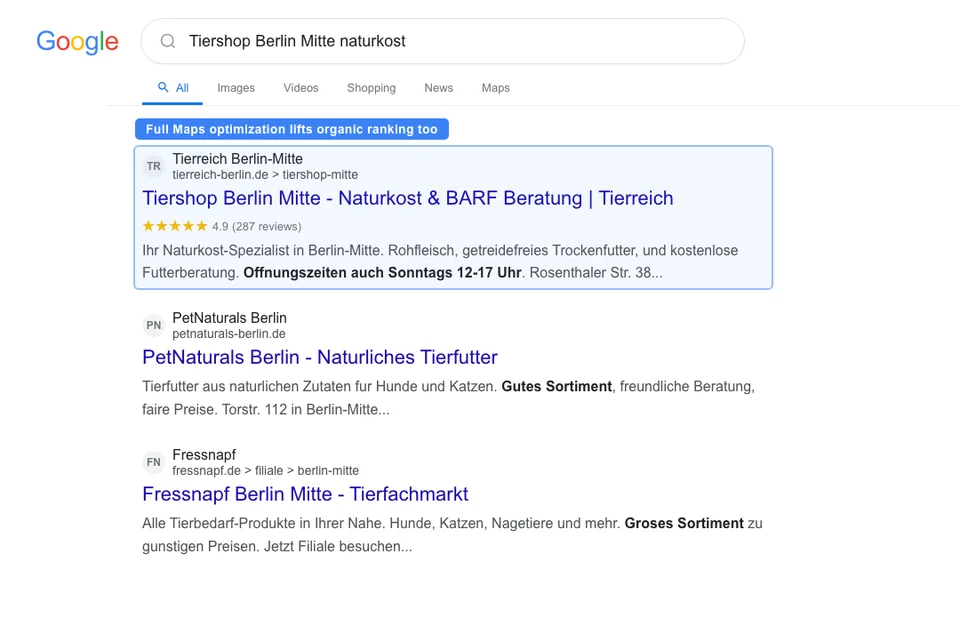
You can create and optimize a Google Business Profile without a website, and it will show up in Maps results. However, your ranking potential is significantly limited. Google uses your website as a signal of legitimacy, relevance, and authority. Mobile-friendly websites convert at a 32% higher rate than non-responsive sites[5]. If you do not have a website yet, start with Google Business Profile optimization while you build your site. Once your website is live, connect it to your GBP and start publishing local content that reinforces your Maps presence.
How many Google reviews does a pet store need to rank in the 3-Pack?
There is no fixed number, but businesses in the 3-Pack typically average 40 to 60 reviews. More important than the total count is the combination of quantity, quality (4.5+ stars), recency (new reviews within the last 30 days), and keywords (customers mentioning specific products or services). 93% of consumers say reviews affect their buying decisions[1], and stores with a 4+ star average receive significantly more clicks. Focus on earning 3 to 5 genuine reviews per week from satisfied customers. At that pace, you will have 50+ reviews within 3 months - enough to compete in most local markets. For strategies on generating and managing reviews, see our review management guide for pet stores.
References
- BrightLocal (2024). Local SEO Statistics. brightlocal.com
- APPA (2024). Pet Industry Trends and Stats. americanpetproducts.org
- Birdeye (2024). State of Google Business Profiles. birdeye.com
- Sterling Sky (2024). How to Interpret Google Business Profile Performance. sterlingsky.ca
- Clutch (2025). SEO Statistics. clutch.co