Schema Markup for Pet Stores: Get Rich Snippets on Google


Table of Contents +
- What Is Schema Markup and Why Should Pet Stores Care?
- Which Schema Types Matter Most for Pet Stores?
- How to Add LocalBusiness Schema for Pet Stores
- How to Implement Product Schema for Pet Products
- How to Add FAQ Schema to Pet Blog Posts
- How to Add Review Schema for Pet Store Ratings
- How to Test Your Schema Markup
- Common Schema Mistakes Pet Stores Make
- Schema and Page Speed: Two Technical Factors That Work Together
- Getting Started
- Frequently Asked Questions
- References
Add schema markup to your pet store website for rich snippets on Google. Covers LocalBusiness, Product, FAQ, and Review schema with copy-paste examples.
Schema markup is structured data you add to your website code that helps Google understand what your pages are about. When Google reads that structured data, it can display rich snippets - enhanced search results showing star ratings, prices, FAQs, and more - directly in the search results page. Rich results now capture 58% of clicks, compared to 41% for standard organic listings[1]. That gap alone makes schema one of the highest-return technical SEO tasks a pet store can complete.
For pet stores, schema markup is one of the most underused SEO tactics. Only 30% of websites currently use structured data[1]. That means adding schema gives you an immediate visual advantage in search results over 70% of competitors who skip it. This guide covers the specific schema types that matter for pet stores, with implementation examples you can copy and adapt.
What Is Schema Markup and Why Should Pet Stores Care?
Schema markup is a vocabulary of tags (code) that you add to your HTML to improve how search engines read and represent your page in results. Think of it as a translation layer between your website and Google.
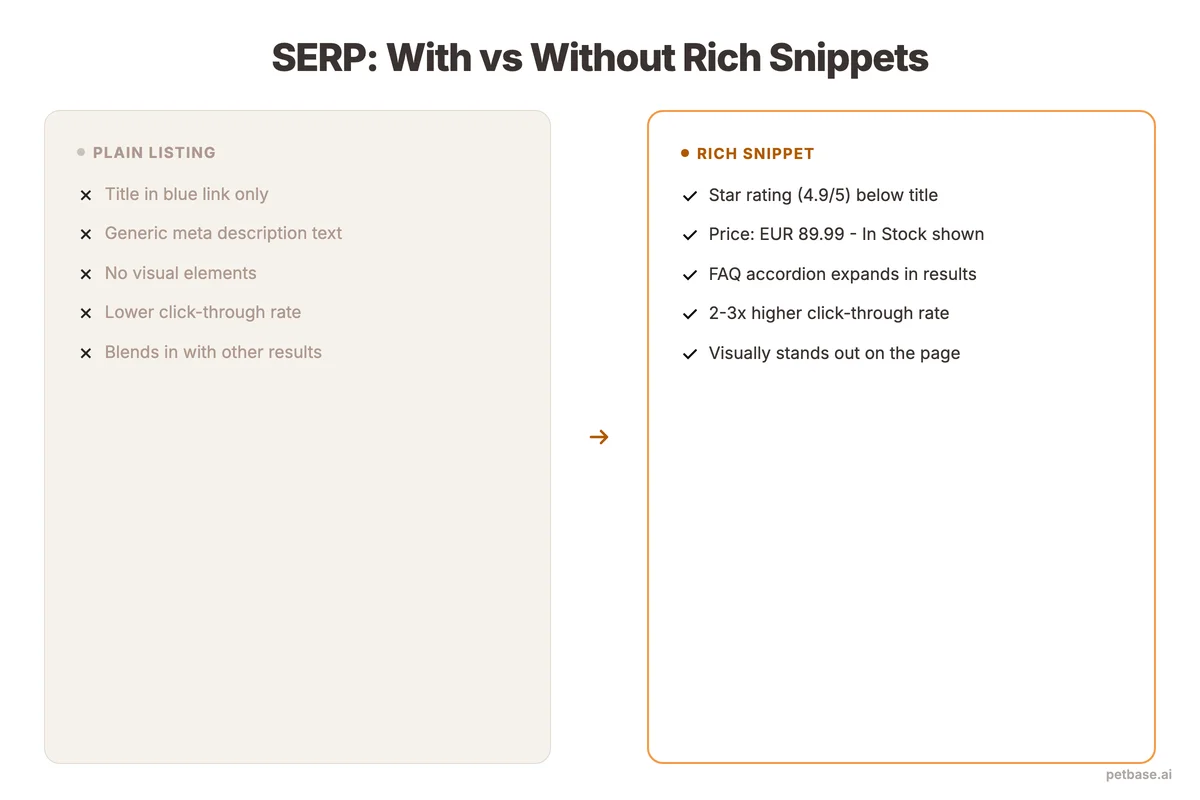
Without schema, Google sees your product page as text and images. With schema, Google understands: "This is a product. It costs EUR 24.99. It has 4.7 stars from 89 reviews. It is in stock."
That structured understanding leads to rich snippets - the enhanced search listings that show ratings, prices, availability, and other details directly in the results. Rich snippets stand out visually and earn significantly higher click-through rates.
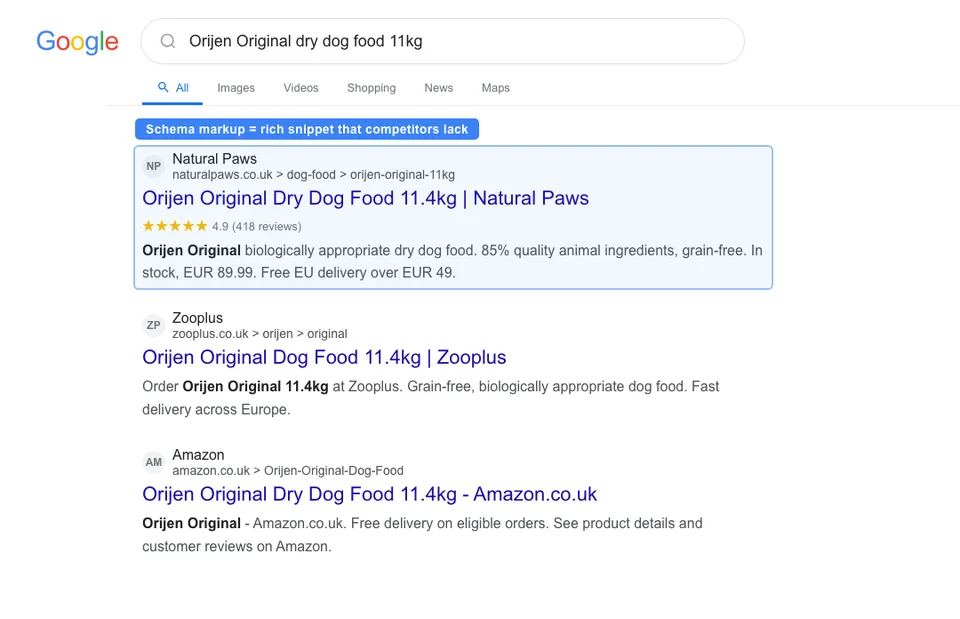
Here is why this matters specifically for pet stores:
- Higher click-through rates. Pages with schema markup see up to 30% higher CTR than plain results[1]. For a pet store ranking on page 1, that can mean hundreds of additional visitors per month.
- Better local visibility. 46% of all Google searches have local intent[2], and LocalBusiness schema helps Google surface your store in local search results, map packs, and "near me" queries. The Local Pack alone captures 44% of clicks on those results[2].
- Product visibility. Pet e-commerce is a $94.89 billion market[3]. Product schema puts your prices and ratings directly in search results, helping shoppers compare before they click.
- FAQ visibility. FAQ schema expands your search listing with collapsible questions and answers, taking up more screen space and pushing competitors down the page.
- Organic search dependency. Organic search drives 53% of all website traffic[4]. Rich snippets help you capture a larger share of that traffic by making your listings more visible and clickable.
Petbase automates SEO content for pet stores - publishing 10 optimized articles monthly so you can focus on running your shop - start your free trial.
Which Schema Types Matter Most for Pet Stores?
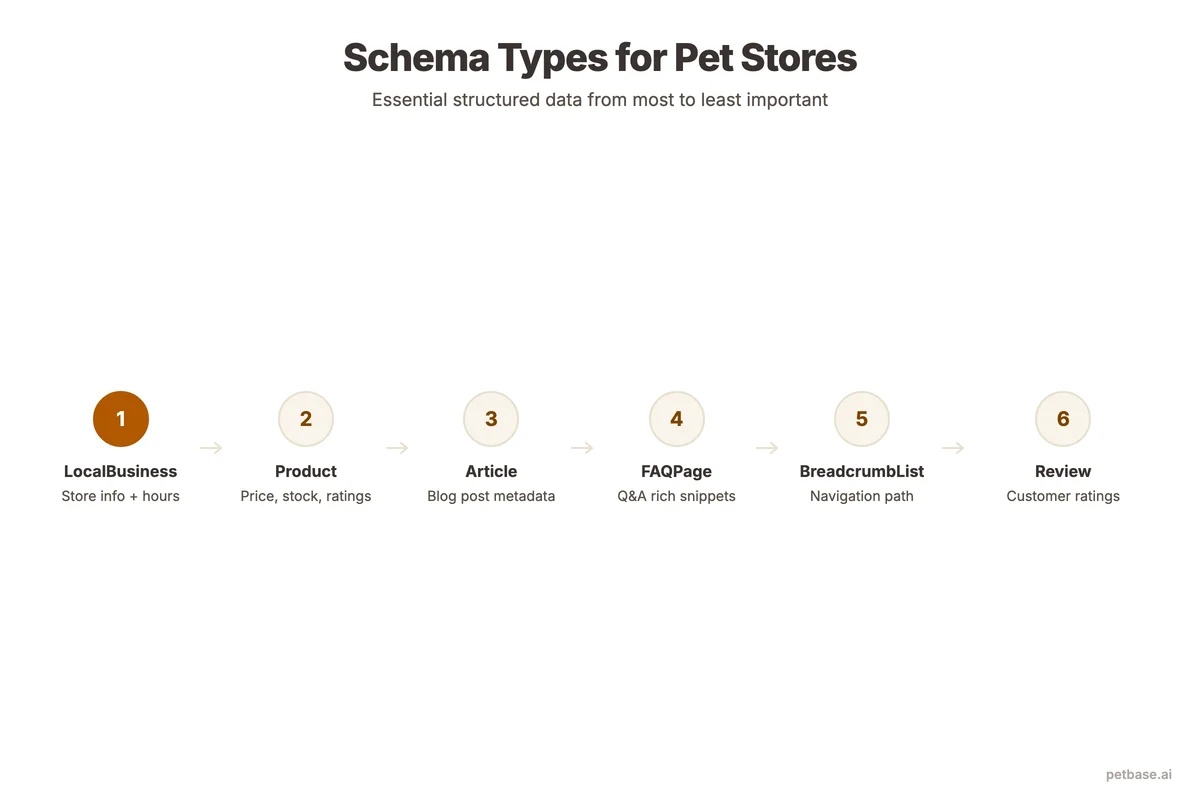
There are hundreds of schema types, but pet stores only need a handful. Focus on these six - they cover the scenarios that drive the most value for pet retailers.
| Schema Type | What It Does | Where to Use It | Rich Snippet Result | Impact Level |
|---|---|---|---|---|
| LocalBusiness | Tells Google your store location, hours, contact | Homepage, contact page | Knowledge panel, map results | High (physical stores) |
| Product | Shares price, availability, brand, ratings | Product pages | Price and rating in search results | High (e-commerce) |
| FAQPage | Marks up questions and answers | Blog posts, product pages | Expandable Q&A in search results | Medium-High |
| Review / AggregateRating | Shows star ratings and review counts | Product pages, service pages | Star ratings in search results | High |
| Article | Identifies blog content with author and date | Blog posts | Article features in search | Medium |
| BreadcrumbList | Shows navigation path in search results | All pages | Breadcrumb trail instead of URL | Low-Medium |
Start with LocalBusiness (if you have a physical store) and Product schema. These deliver the most visible results. Then add FAQPage to your blog posts and Review schema to product pages.
How to Add LocalBusiness Schema for Pet Stores
LocalBusiness schema is essential for any pet store with a physical location. It tells Google your exact business name, address, phone number, opening hours, and what type of business you are. This feeds directly into Google Maps, the local pack, and knowledge panels.
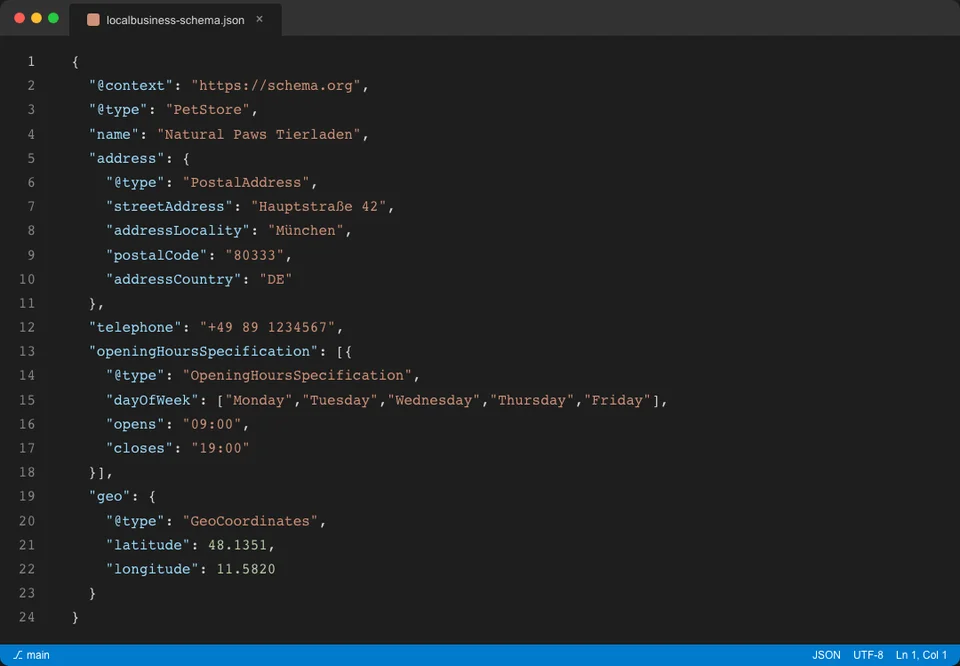
Here is a complete LocalBusiness schema example for a pet store:
<script type="application/ld+json">
{
  "@context": "https://schema.org",
  "@type": "PetStore",
  "name": "Your Pet Store Name",
  "description": "Independent pet store specializing in natural dog food and cat supplies",
  "url": "https://www.yourpetstore.com",
  "telephone": "+49-123-456-7890",
  "email": "info@yourpetstore.com",
  "address": {
    "@type": "PostalAddress",
    "streetAddress": "123 Main Street",
    "addressLocality": "Munich",
    "postalCode": "80331",
    "addressCountry": "DE"
  },
  "geo": {
    "@type": "GeoCoordinates",
    "latitude": 48.1351,
    "longitude": 11.5820
  },
  "openingHoursSpecification": [
    {
      "@type": "OpeningHoursSpecification",
      "dayOfWeek": ["Monday", "Tuesday", "Wednesday", "Thursday", "Friday"],
      "opens": "09:00",
      "closes": "18:00"
    },
    {
      "@type": "OpeningHoursSpecification",
      "dayOfWeek": "Saturday",
      "opens": "10:00",
      "closes": "14:00"
    }
  ],
  "priceRange": "$$",
  "image": "https://www.yourpetstore.com/images/storefront.jpg"
}
</script>
Key details to get right:
- Use "PetStore" as the @type. This is a specific subtype of LocalBusiness that Google recognizes. It is more precise than "Store" or "LocalBusiness."
- Include geo coordinates. These help Google place you accurately on maps. Get your exact coordinates from Google Maps.
- Match your NAP exactly. The name, address, and phone number in your schema must match your Google Business Profile and every other listing. Character for character. For more on local SEO consistency, read our local SEO guide for pet businesses.
- Add opening hours. Google uses this data to show whether you are open right now in search results.
How to Implement Product Schema for Pet Products
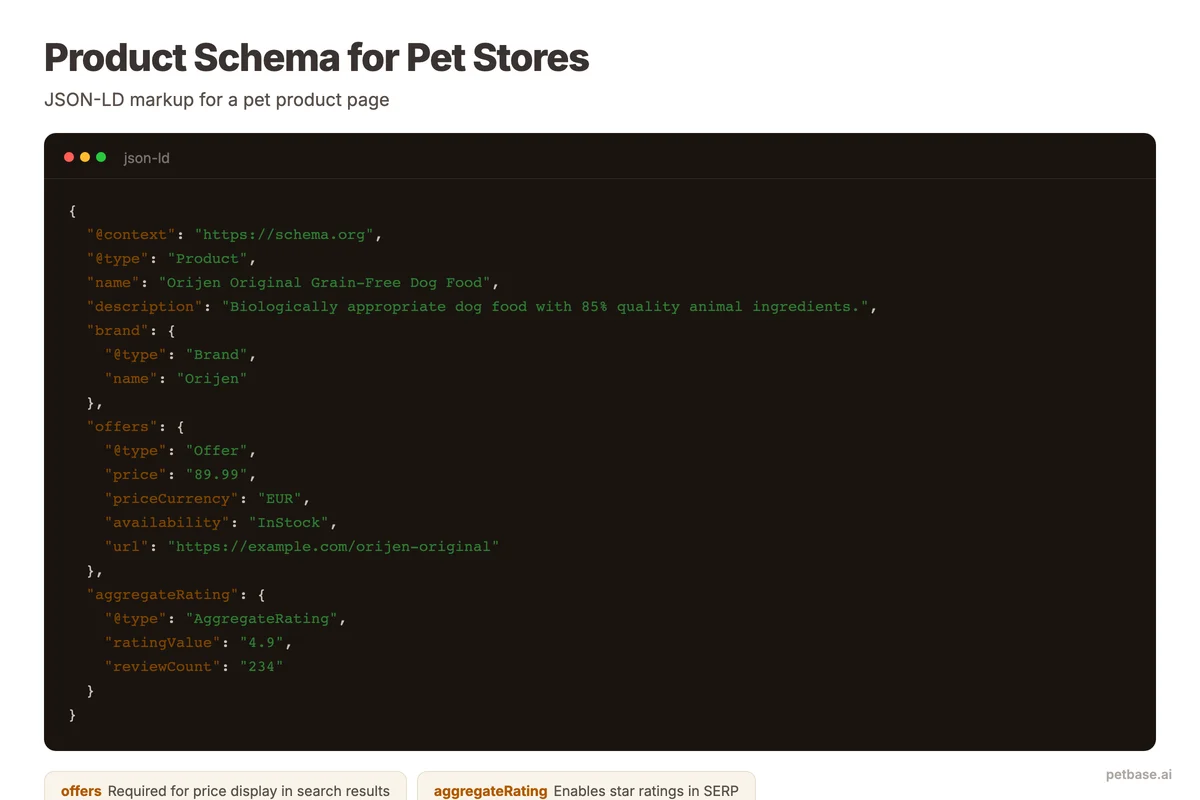
Product schema is where pet stores see the most immediate impact. When your product pages show prices, ratings, and availability in search results, they attract more clicks than plain listings.
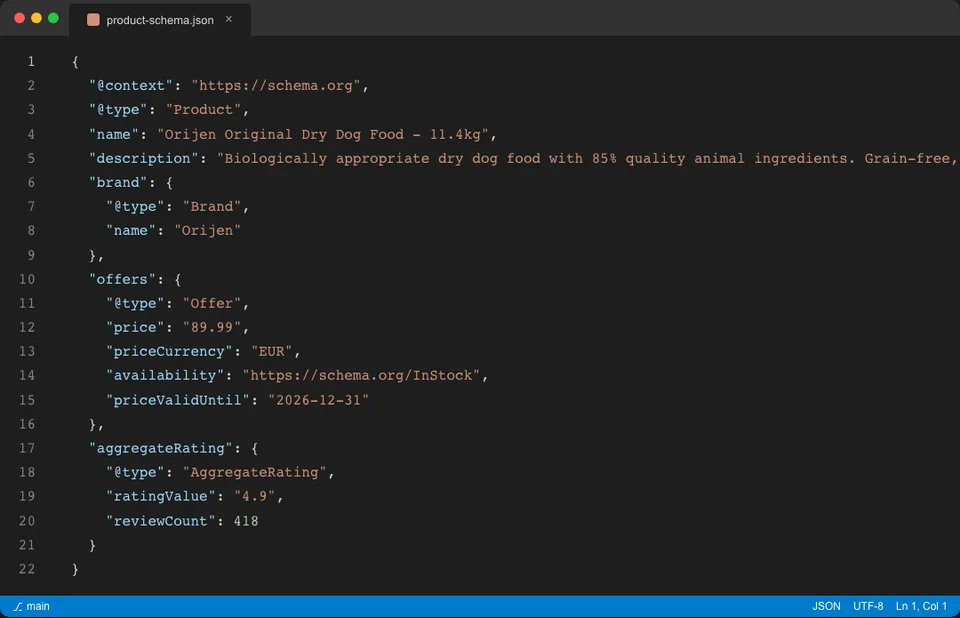
Here is a Product schema example for a pet food product:
<script type="application/ld+json">
{
  "@context": "https://schema.org",
  "@type": "Product",
  "name": "Grain-Free Salmon Dry Dog Food - Adult, 12kg",
  "description": "Premium grain-free dry dog food made with fresh salmon, sweet potato, and peas. Suitable for adult dogs of all breeds.",
  "brand": {
    "@type": "Brand",
    "name": "Brand Name"
  },
  "sku": "DOG-SALMON-12KG",
  "image": "https://www.yourpetstore.com/images/salmon-dog-food-12kg.jpg",
  "offers": {
    "@type": "Offer",
    "price": "54.99",
    "priceCurrency": "EUR",
    "availability": "https://schema.org/InStock",
    "url": "https://www.yourpetstore.com/products/salmon-dog-food-12kg"
  },
  "aggregateRating": {
    "@type": "AggregateRating",
    "ratingValue": "4.7",
    "reviewCount": "89"
  }
}
</script>
Important details for pet product schema:
- Include the brand. Google uses brand data to connect your product to brand searches.
- Add SKU. Unique identifiers help Google distinguish between product variants (different sizes, flavors).
- Use correct availability values. Options are InStock, OutOfStock, PreOrder, and Discontinued. Keep this updated - showing "InStock" for an out-of-stock item hurts user trust and can lead to penalties.
- Include aggregate ratings only if you have real reviews. Fabricating review counts violates Google's guidelines and can get your rich snippets removed entirely.
For stores with many products, most e-commerce platforms (Shopify, WooCommerce, Shopware) have plugins that generate Product schema automatically. The key is verifying the output is correct and complete. For more on product page optimization beyond schema, see our guide on optimizing pet product pages.
How to Add FAQ Schema to Pet Blog Posts
FAQ schema turns your blog post's frequently asked questions into expandable sections directly in Google search results. This is one of the easiest schema types to implement and one of the most effective for blog content. Businesses that publish blog content consistently receive 55% more website traffic[5] - and FAQ schema makes each of those posts more visible in search.
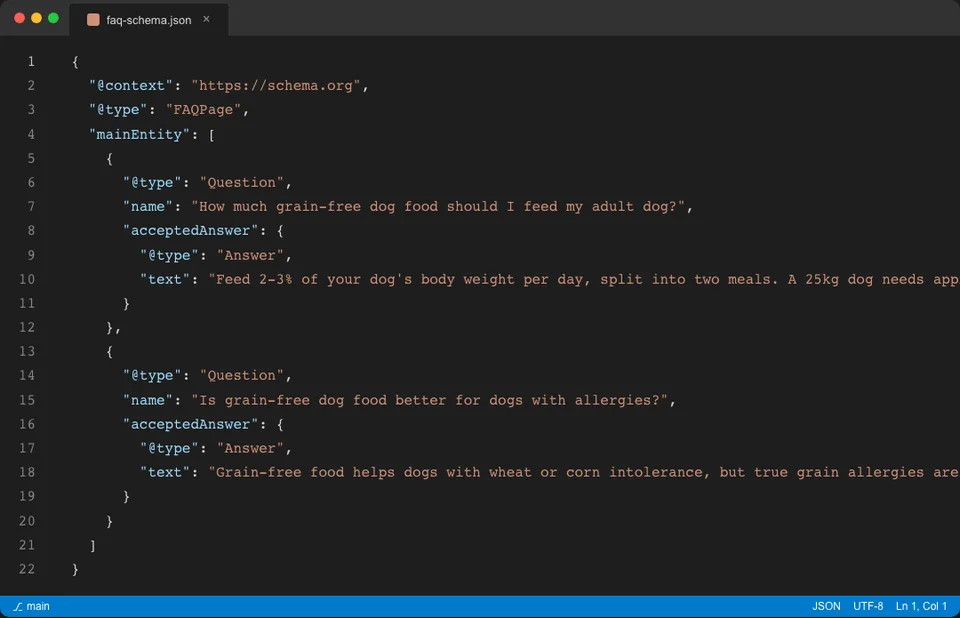
Here is an FAQ schema example:
<script type="application/ld+json">
{
  "@context": "https://schema.org",
  "@type": "FAQPage",
  "mainEntity": [
    {
      "@type": "Question",
      "name": "How often should I feed my puppy?",
      "acceptedAnswer": {
        "@type": "Answer",
        "text": "Puppies under 6 months should eat 3-4 times per day. From 6-12 months, reduce to 2-3 times per day. Adult dogs over 12 months typically eat twice per day."
      }
    },
    {
      "@type": "Question",
      "name": "What is the best dog food for sensitive stomachs?",
      "acceptedAnswer": {
        "@type": "Answer",
        "text": "Look for limited-ingredient formulas with a single protein source like salmon or lamb. Avoid foods with artificial preservatives, corn, wheat, and soy. Grain-free options work well for many dogs with digestive sensitivities."
      }
    }
  ]
}
</script>
Tips for effective FAQ schema on pet blog posts:
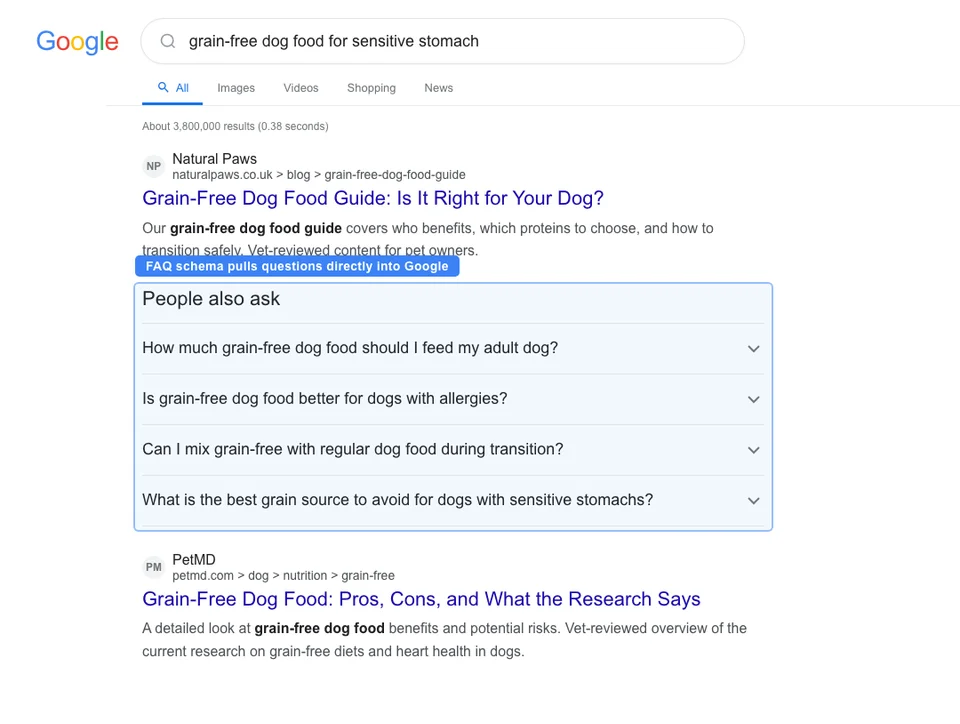
- Use real questions your customers ask. Pull from customer emails, reviews, and Google's "People also ask" section for your target keyword.
- Keep answers concise in the schema. Google displays approximately 300 characters per answer in rich results. Write a short, direct answer in the schema and expand on it in the page content.
- Limit to 3-5 questions per page. Google rarely shows more than 4 FAQ results. Adding 20 questions dilutes the value.
- The questions in your schema must appear on the page. Google verifies that the FAQ schema matches visible page content. Do not add schema for questions that are not on the page.
How to Add Review Schema for Pet Store Ratings
Review schema displays star ratings in search results. For pet stores, this applies to individual product reviews and aggregate ratings for your business.
There are two ways to use review schema:
Individual product reviews
If customers leave reviews on your product pages, each review can be marked up individually. Most e-commerce platforms handle this through plugins.
Aggregate ratings
If you have multiple reviews for a product, AggregateRating schema shows the average rating and total review count. This is the more common and impactful approach.
Important rules for review schema:
- Only use reviews you actually collected. Do not import reviews from other platforms or fabricate them. Google cross-references and penalizes fake review markup.
- Self-serving reviews are not allowed. You cannot mark up testimonials about your own business on your homepage using Review schema. Google restricts this to third-party reviews.
- Keep ratings current. If your product had a 4.8 rating last year but dropped to 4.2, update the schema. Stale data erodes trust.
For building genuine reviews that support your schema, read our guide on on-page optimization for pet stores.
How to Test Your Schema Markup
Adding schema is only half the job. You must verify it works correctly. Invalid schema produces no rich snippets and can trigger warnings in Google Search Console.
Here are the three tools to use:
| Tool | URL | What It Tests | When to Use |
|---|---|---|---|
| Google Rich Results Test | search.google.com/test/rich-results | Whether your page is eligible for rich snippets | Before publishing and after changes |
| Schema Markup Validator | validator.schema.org | Whether your markup follows Schema.org specifications | During development |
| Google Search Console | search.google.com/search-console | Schema errors and warnings across your whole site | Weekly monitoring |
Testing workflow
- Before publishing: Paste your page URL into the Rich Results Test. Fix any errors (red) before going live. Warnings (yellow) are non-critical but worth addressing.
- After publishing: Request indexing in Google Search Console. Then monitor the Enhancements section for schema-related issues.
- Monthly: Check Google Search Console's Enhancements reports. Filter by schema type (Product, FAQ, LocalBusiness) to catch new errors from site changes.
Common errors the testing tools catch
- Missing required fields (Product schema without price, for example)
- Invalid date formats
- Mismatched schema and page content
- Incorrect nesting of schema types
- URLs that 404 in schema references
Common Schema Mistakes Pet Stores Make
Schema markup needs to be accurate to work. These are the mistakes we see most often on pet store websites - and they all prevent rich snippets from appearing.
Mistake 1: Using schema that does not match page content
If your Product schema says the price is EUR 29.99 but the visible page shows EUR 34.99, Google ignores the schema. Every data point in your schema must match what visitors see on the page. Google calls this the "structured data and content mismatch" issue.
Mistake 2: Adding review schema without real reviews
Some pet stores add 5-star AggregateRating schema to product pages with zero actual reviews. Google detects this and may apply a manual action (penalty) to your entire site's structured data. Only add review schema when you have genuine customer reviews.
Mistake 3: Using the wrong business type
A pet grooming salon is not a "PetStore" - it is a "ProfessionalService" or "HealthAndBeautyBusiness." An online-only pet store should not use LocalBusiness schema because there is no physical location. Using the wrong type confuses Google and dilutes your signals.
Mistake 4: Neglecting schema after initial setup
Schema is not a set-it-and-forget-it task. Product prices change. Business hours shift for holidays. New products replace old ones. If your schema data is stale, Google stops showing rich snippets for those pages. Build a monthly schema review into your routine.
Mistake 5: Over-marking every page
Not every page needs every schema type. Your blog post about dog training does not need Product schema. Your product page does not need Article schema. Apply the right schema to the right page type. More is not better - accuracy is. For a comprehensive approach to technical optimization, see our technical SEO guide for pet websites.
Mistake 6: Missing the self-referencing canonical
If your page has a canonical tag pointing to a different URL but the schema references the current URL, Google gets confused. Ensure the URL in your schema matches the canonical URL. Follow our pet store SEO checklist to catch this and other technical issues before publishing.
Schema and Page Speed: Two Technical Factors That Work Together
Schema markup makes your listings more attractive in search results. But if visitors click through to a slow-loading page, you lose them. 53% of mobile visitors abandon a page that takes longer than 3 seconds to load[6]. That means a rich snippet that earns a click is wasted if the page behind it loads too slowly.
When implementing schema, also check your Core Web Vitals:
- Largest Contentful Paint (LCP): Your main content should load in under 2.5 seconds.
- Cumulative Layout Shift (CLS): Your page layout should not shift as elements load.
- Interaction to Next Paint (INP): Your page should respond to user interactions in under 200 milliseconds.
Schema itself adds minimal page weight - JSON-LD scripts are lightweight. But if your site already has performance issues, fixing those first ensures that the traffic schema brings actually converts into customers. The average e-commerce title tag is 39 characters and meta description is 96 characters[7] - keep yours concise so they display fully alongside your rich snippets.
Getting Started
Schema markup sounds technical, but the implementation is straightforward. Start with one schema type on one page. Test it. Verify it works. Then expand to more pages and more schema types.
Here is a practical starting order:
- Week 1: Add LocalBusiness schema to your homepage (if you have a physical store)
- Week 2: Add Product schema to your top 10 product pages
- Week 3: Add FAQ schema to your top 5 blog posts
- Week 4: Add BreadcrumbList schema site-wide
By month two, you will start seeing rich snippets appear in your search results. Monitor click-through rates in Google Search Console to measure the impact.
If you do not have time to manually add structured data to every page, Petbase generates SEO-optimized blog content with proper schema built in - 10 articles per month, published directly to your website, for EUR 199/mo. That means your blog posts get FAQ schema, Article schema, and internal linking without any manual markup work.
For the full picture of pet store SEO beyond schema, start with our complete pet store SEO guide - it covers every element from keywords to content to technical optimization.
Frequently Asked Questions
Does schema markup directly improve rankings?
Schema markup does not directly boost rankings as a ranking factor. What it does is improve how your pages appear in search results through rich snippets - star ratings, prices, FAQs, and more. These enhanced listings get higher click-through rates. Rich results capture 58% of clicks compared to 41% for standard results[1], and that increased engagement sends positive signals to Google over time.
Can I add schema markup without coding knowledge?
Yes. Most e-commerce platforms (Shopify, WooCommerce, Shopware) have plugins that generate Product and LocalBusiness schema automatically. For blog posts, many CMS platforms support FAQ schema through plugins or built-in features. If you need custom schema, tools like Google's Structured Data Markup Helper walk you through the process visually - no coding required.
How long does it take to see rich snippets after adding schema?
Typically 2-4 weeks after Google recrawls and indexes the updated page. You can speed this up by requesting indexing in Google Search Console after adding schema. Keep in mind that Google does not guarantee rich snippets for every page with valid schema - it depends on the query, competition, and Google's assessment of your site's overall quality and trustworthiness.
Is schema markup worth it if only 30% of sites use it?
That is exactly what makes it worth it. Only 30% of websites currently use structured data[1], which means implementing schema puts you ahead of 70% of competing sites. In the pet retail space, where most independent stores have zero structured data, the competitive advantage is even larger. Early adoption gives you visual dominance in search results before competitors catch up.
References
- Amra and Elma (2025). Top Schema Markup Statistics. amraandelma.com
- BrightLocal (2024). Local SEO Statistics. brightlocal.com
- Grand View Research (2024). Pet Care E-commerce Market Size & Trends Analysis Report. grandviewresearch.com
- BrightEdge via SEO Inc (2024). How Much Traffic Comes From Organic Search. seoinc.com
- HubSpot (2024). Marketing Statistics. hubspot.com
- Deloitte/Google via Magnet (2024). Understanding Google's Core Web Vitals. magnet.co
- Taylor Scher (2024). E-commerce SEO Statistics. taylorscherseo.com