Technical SEO for Pet Websites: Fix What's Holding You Back

Table of Contents +
- What Is Technical SEO and Why Should Pet Store Owners Care?
- How to Check If Google Can Crawl Your Pet Store Website
- How to Fix Common Crawl Errors on Pet Store Sites
- Why Site Speed Matters More for Pet Stores Than You Think
- How to Optimize Images on Pet Product Pages
- Is Your Pet Store Website Mobile-Friendly?
- How to Set Up HTTPS and Security Headers
- How Structured Data Helps Pet Stores Get Rich Snippets
- A Technical SEO Checklist for Pet Websites
- Frequently Asked Questions
- References
Fix the technical SEO issues holding your pet store back. Covers crawl errors, site speed, mobile optimization, structured data, and a complete audit checklist.
You can write the best pet content on the internet and still get zero organic traffic. If Google cannot crawl your pages, understand your structure, or load your site quickly, your content never gets a chance to rank. Technical SEO is the foundation that makes everything else work.
Organic search drives 53% of all website traffic[1]. In pet e-commerce - a market worth $94.89 billion[2] - every technical issue that blocks Google from indexing your pages is money left on the table. Yet 61% of small businesses still do not invest in SEO at all[3].
Most pet store owners skip technical SEO because it sounds complicated. It does not have to be. This guide breaks down every technical issue that commonly affects pet websites - from crawl errors to site speed to structured data - and shows you exactly how to fix each one.
What Is Technical SEO and Why Should Pet Store Owners Care?
Technical SEO is the process of making your website easy for search engines to find, crawl, understand, and index. Think of it as the plumbing of your website - invisible to visitors but essential for everything to function. When the plumbing breaks, nothing works.
For pet store websites specifically, technical issues tend to be more common and more damaging than for simpler sites. Here is why:
- Large product catalogs create thousands of URLs that Google needs to crawl efficiently
- Product variations (size, flavor, weight) generate duplicate content if not handled properly
- High-resolution product images slow down page load if not optimized
- E-commerce platforms (Shopify, WooCommerce) generate technical issues by default that most store owners never address
- Category and filter pages can create crawl budget waste if not managed
The business impact is direct. A pet store with crawl errors loses pages from Google's index - pages that could be generating traffic and sales. Sites that load in 1 second convert at 2.5x the rate of sites that take 5 seconds[4]. A site without structured data misses rich snippet opportunities that increase click-through rates by up to 30%[5].
The good news: most technical SEO issues are one-time fixes. Once you address them, they stay fixed. A weekend of technical work can produce months of ranking improvements.
Petbase builds this SEO foundation automatically for pet businesses - 10 optimized articles published every month - start your free trial.
How to Check If Google Can Crawl Your Pet Store Website
Before fixing anything, you need to know what is broken. Google provides free tools to check your site's crawl health - you just need to know where to look.
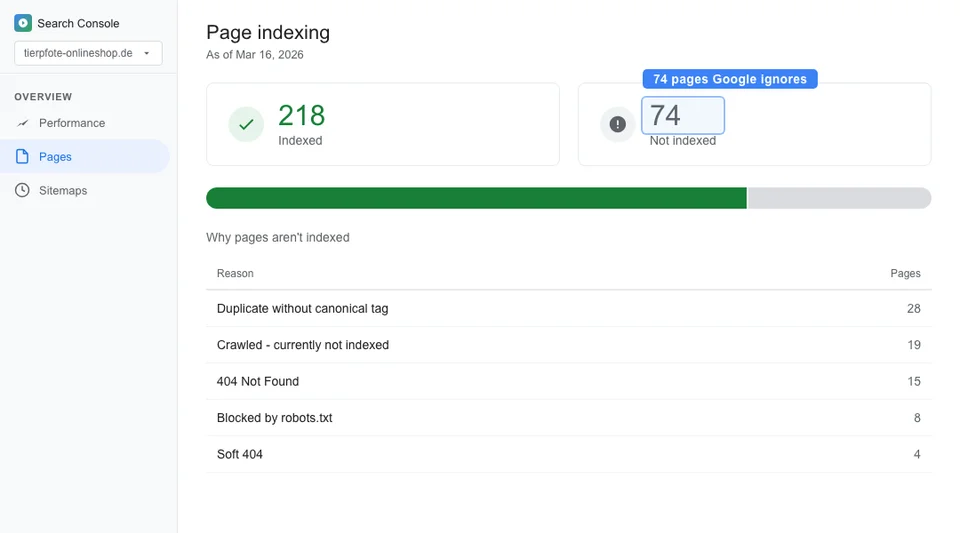
Google Search Console (free, essential):
- Set up Search Console if you have not already - verify your domain and submit your sitemap
- Go to "Pages" (formerly "Coverage") to see which pages are indexed, which have errors, and which are excluded
- Check "Sitemaps" to confirm Google received and processed your sitemap
- Review "Core Web Vitals" for speed and user experience issues
- Look at "Manual Actions" to check for any Google penalties
Screaming Frog SEO Spider (free for up to 500 URLs):
- Download and run a crawl of your entire site
- Check for: broken links (4xx errors), server errors (5xx), redirect chains, missing meta tags, duplicate titles, thin content pages
- Export the results as a spreadsheet and prioritize by severity
Google's URL Inspection tool:
- In Search Console, enter any URL from your site
- Google shows you exactly how it sees that page: can it crawl it, is it indexed, any issues detected
- Use this to check your most important pages - homepage, top category pages, best-selling products
A typical pet store with 500+ products usually discovers 20-50 technical issues during an initial audit. Do not panic - most are straightforward to fix. Prioritize by impact: fix indexing and crawling issues first, then speed, then structured data. For a step-by-step audit process, see our pet store website audit guide.
How to Fix Common Crawl Errors on Pet Store Sites
Here are the most common crawl errors found on pet websites and how to fix each one:
| Error | What It Means | Impact | How to Fix |
|---|---|---|---|
| 404 Not Found | Page does not exist (deleted product, changed URL) | Lost traffic and link equity from that page | 301 redirect to the most relevant existing page |
| Soft 404 | Page exists but has no useful content | Wastes crawl budget, dilutes site quality | Add real content or redirect to relevant page |
| Redirect chains (A to B to C) | Multiple redirects in sequence | Slows crawling, loses link equity at each hop | Update all redirects to point directly to final URL |
| Duplicate content | Same content accessible at multiple URLs | Google picks one version, may pick the wrong one | Add canonical tags pointing to the preferred URL |
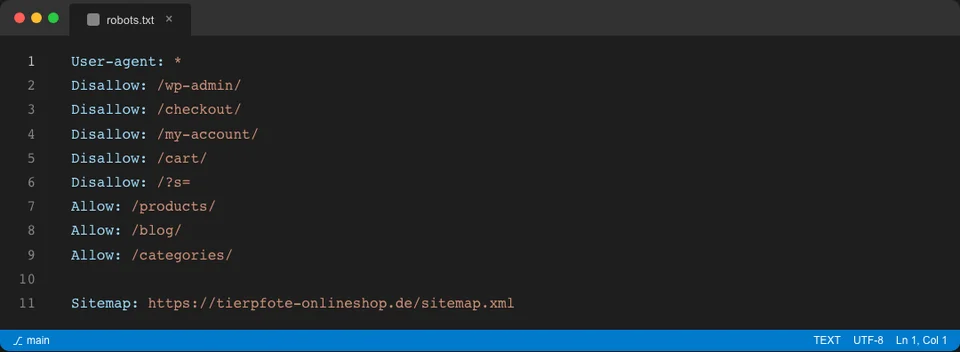
| Blocked by robots.txt | Your robots.txt prevents Google from crawling pages | Important pages invisible to Google | Review robots.txt and remove incorrect Disallow rules |
| Missing sitemap | No XML sitemap submitted to Google | Google may miss pages, slower discovery | Generate and submit sitemap in Search Console |
| Noindex on important pages | Pages accidentally marked noindex | Pages removed from Google's index entirely | Remove noindex tag from pages you want indexed |
The most common pet store-specific issue: 404 errors from discontinued products. When you remove a product, the URL breaks, but links pointing to it (from your blog posts, other sites, and Google) still exist. Always redirect discontinued product URLs to the parent category page or a similar product.
For Shopify pet stores: check for duplicate URLs caused by collection paths. Shopify creates both /products/dog-food-brand and /collections/dry-dog-food/products/dog-food-brand for the same product. Add canonical tags to resolve this.
For WooCommerce pet stores: check for thin tag and attribute pages. WooCommerce auto-generates pages for every tag and attribute, creating hundreds of low-quality pages. Set these to noindex or remove them.
Why Site Speed Matters More for Pet Stores Than You Think
Site speed directly affects both rankings and revenue. Google uses Core Web Vitals as a ranking factor, and slow pet stores lose customers at every stage of the buying journey.
The numbers are clear:
- 53% of mobile users abandon a site that takes longer than 3 seconds to load[6]
- A 0.1-second speed improvement increases conversions by 8.4% and average order value by 9.2%[6]
- Pages that load in 1 second convert at 2.5x the rate of pages that take 5 seconds[4]
With 57% of e-commerce traffic now coming from mobile devices[4], speed is not a nice-to-have - it is a revenue driver. Pet store websites are particularly vulnerable to speed issues because of high-resolution product images, embedded videos, complex navigation menus, and heavy e-commerce platform code.
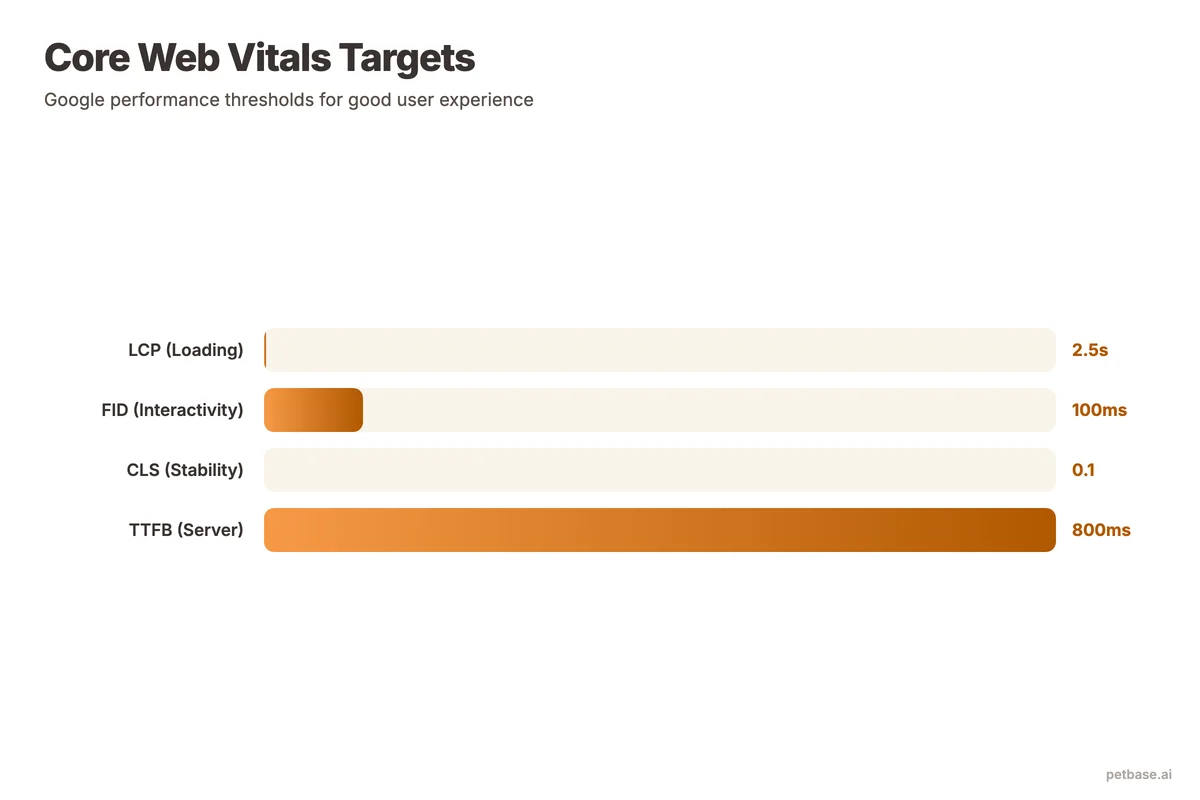
Here are the benchmarks your pet store should target:
| Core Web Vital | What It Measures | Good | Needs Improvement | Poor |
|---|---|---|---|---|
| Largest Contentful Paint (LCP) | Time until the main content loads | Under 2.5s | 2.5s - 4.0s | Over 4.0s |
| Interaction to Next Paint (INP) | Responsiveness to user interactions | Under 200ms | 200ms - 500ms | Over 500ms |
| Cumulative Layout Shift (CLS) | Visual stability during load | Under 0.1 | 0.1 - 0.25 | Over 0.25 |
Check your scores at PageSpeed Insights (free). Test your homepage, a product page, a category page, and a blog post - speed often varies by page type.
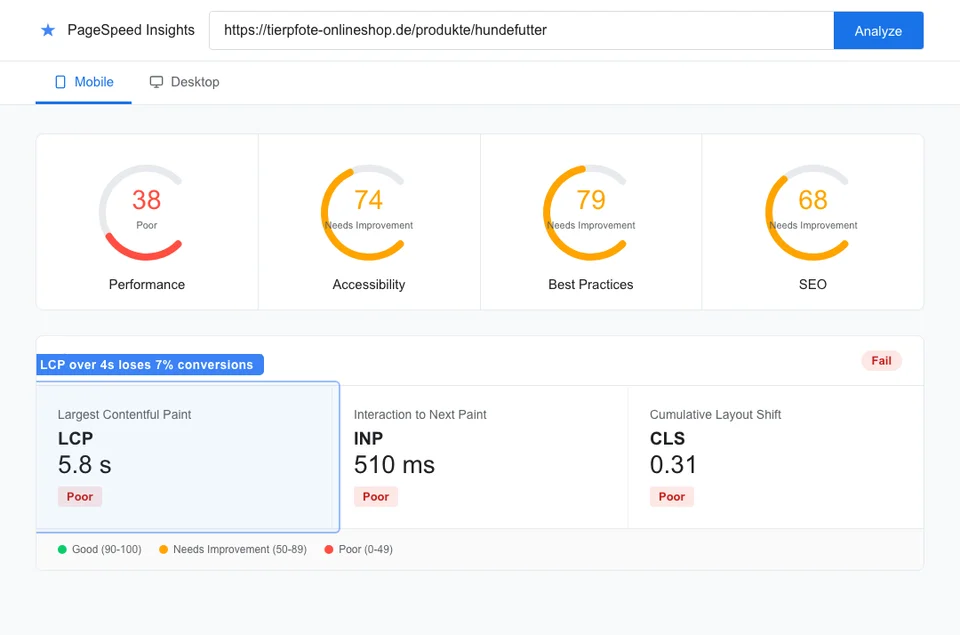
The quickest speed wins for pet stores:
- Compress images: Convert all product photos to WebP format. A typical pet store can reduce image file sizes by 60-80% with no visible quality loss.
- Lazy load below-fold images: Only load images when users scroll to them. A product listing page with 40 images should only load the first 8-12 on initial page load.
- Remove unused JavaScript: Most e-commerce themes load scripts for features you do not use. Identify and remove them.
- Enable browser caching: Set cache headers so returning visitors do not re-download assets.
- Use a CDN: Content Delivery Networks serve images and assets from servers close to your visitors. Cloudflare offers a free tier that works well for most pet stores.
How to Optimize Images on Pet Product Pages
Images are usually the #1 speed issue on pet store websites. Product photos, lifestyle shots, and blog images often account for 70-80% of a page's total file size. Optimizing images is the single highest-impact speed improvement you can make.
Follow these guidelines for every image on your pet store website:
Format: Use WebP for all images. WebP provides 25-35% better compression than JPEG at equivalent quality. Most modern browsers support it. Include a JPEG fallback for older browsers if needed.
Dimensions: Serve images at the display size, not larger. A product thumbnail displayed at 300x300 pixels should not load a 2000x2000 pixel image. Use responsive images (srcset attribute) to serve different sizes for different devices.
Compression: Target 80-85% quality for product photos. Below 80% you start seeing artifacts. Above 90% the file size increases significantly with minimal visual improvement.
Alt text: Every image needs descriptive alt text. Not "IMG_4521" and not just "dog food." Good alt text: "Blue Buffalo Life Protection Formula adult chicken and brown rice dry dog food 30-pound bag." This helps both accessibility and image search rankings. The average title tag in e-commerce is just 39 characters and the average meta description is 96 characters[7] - your alt text and metadata give you an edge when competitors leave them empty.
File names: Use descriptive, keyword-rich file names. "blue-buffalo-chicken-dry-dog-food-30lb.webp" ranks in image search. "product-12847.webp" does not.
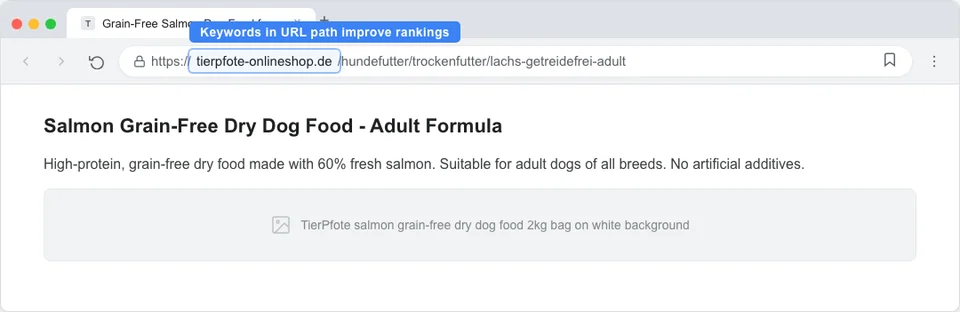
Lazy loading: Add loading="lazy" to all images below the fold. This tells the browser to only load them when the user scrolls near them, dramatically improving initial page load time.
A German pet supplement brand reduced their average page load time from 4.8 seconds to 1.9 seconds by converting all images to WebP, implementing lazy loading, and serving responsive images. Organic traffic increased 28% over the following three months - with no other changes.
Is Your Pet Store Website Mobile-Friendly?
Mobile-friendly websites convert at 32% higher rates than sites that are not optimized for mobile[8]. Google uses mobile-first indexing, meaning it evaluates the mobile version of your site for rankings - even for desktop searches. If your mobile experience is poor, your rankings suffer everywhere.
Check your mobile-friendliness at Google's Mobile-Friendly Test (free). Common mobile issues on pet store websites:
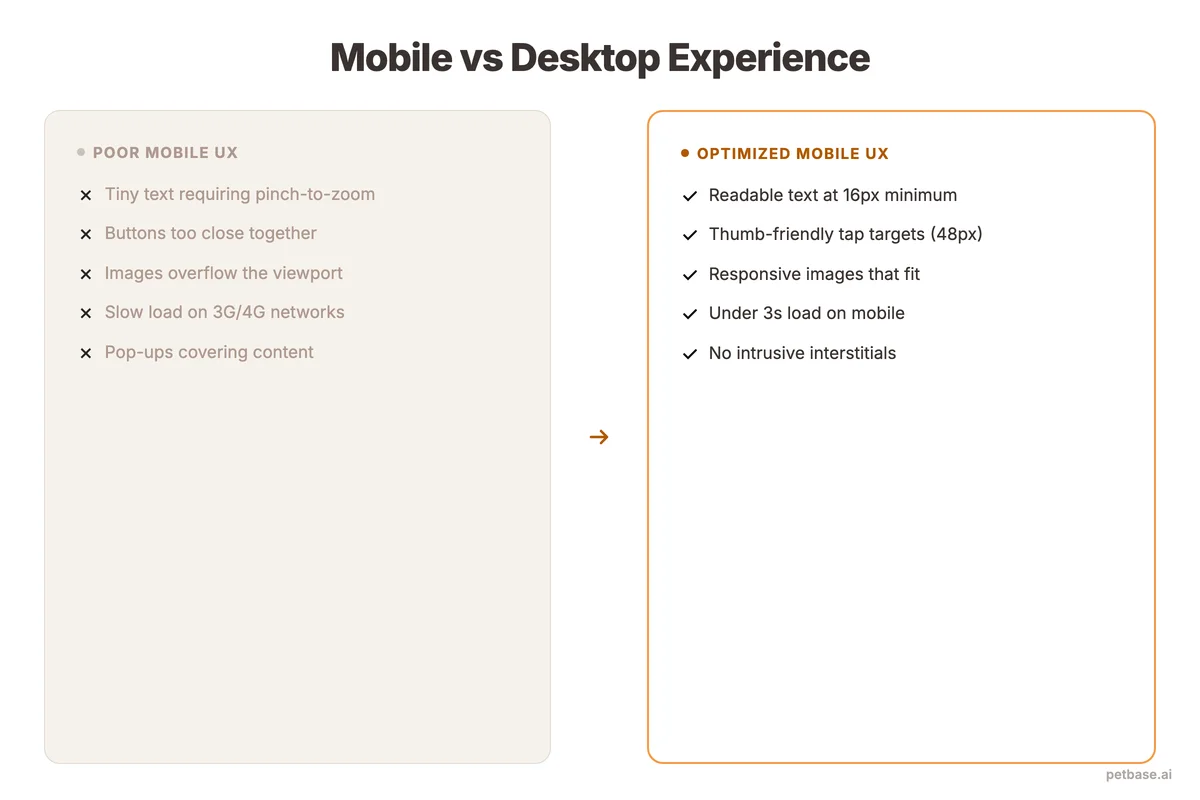
- Text too small to read: Body text should be at least 16px on mobile. Product descriptions at 12px force users to zoom.
- Tap targets too close together: Buttons and links need at least 48px of tap area with 8px spacing between them. Product page "Add to Cart" buttons are often too small.
- Horizontal scrolling: Content wider than the screen forces side-scrolling. Product comparison tables are a common culprit - make them responsive.
- Intrusive pop-ups: Google penalizes mobile pop-ups that cover content. If you use email signup pop-ups, make them easy to dismiss and do not trigger them immediately.
- Slow mobile load: Mobile connections are slower than desktop. Everything in the speed section above matters even more on mobile.
Test your pet store on at least 3 real devices (not just Chrome DevTools). The experience on a 3-year-old Android phone with a slow connection is what Google evaluates - not the experience on your new iPhone connected to Wi-Fi.
How to Set Up HTTPS and Security Headers
HTTPS is a confirmed ranking factor. If your pet store still runs on HTTP, you are actively losing rankings. Beyond SEO, customers will not enter payment information on an insecure site - browsers display "Not Secure" warnings that kill trust and conversions.
Most modern hosting providers and e-commerce platforms include free SSL certificates. If yours does not, use Let's Encrypt (free) or ask your hosting provider. The migration process:
- Install an SSL certificate on your server
- Redirect all HTTP URLs to HTTPS (301 redirects)
- Update all internal links to use HTTPS
- Update your sitemap and Google Search Console property
- Check for mixed content (HTTP resources loaded on HTTPS pages)
Beyond HTTPS, security headers protect your site and signal quality to search engines. The most important headers for pet store websites:
- Strict-Transport-Security (HSTS): Forces browsers to always use HTTPS
- X-Content-Type-Options: Prevents MIME type sniffing attacks
- X-Frame-Options: Prevents your site from being embedded in iframes (clickjacking protection)
- Content-Security-Policy: Controls which resources can load on your pages
Check your security headers at securityheaders.com (free). Most pet stores score a D or F - fixing headers is quick and moves you ahead of competitors.
How Structured Data Helps Pet Stores Get Rich Snippets
Structured data (schema markup) tells Google exactly what your pages contain - products, prices, reviews, FAQs, events, and more. Pages with structured data can earn rich snippets in search results: star ratings, price ranges, FAQ dropdowns, and product availability badges. Sites using schema markup see click-through rates increase by up to 30%[5], yet only 30% of websites use it[5]. That gap is an opportunity.
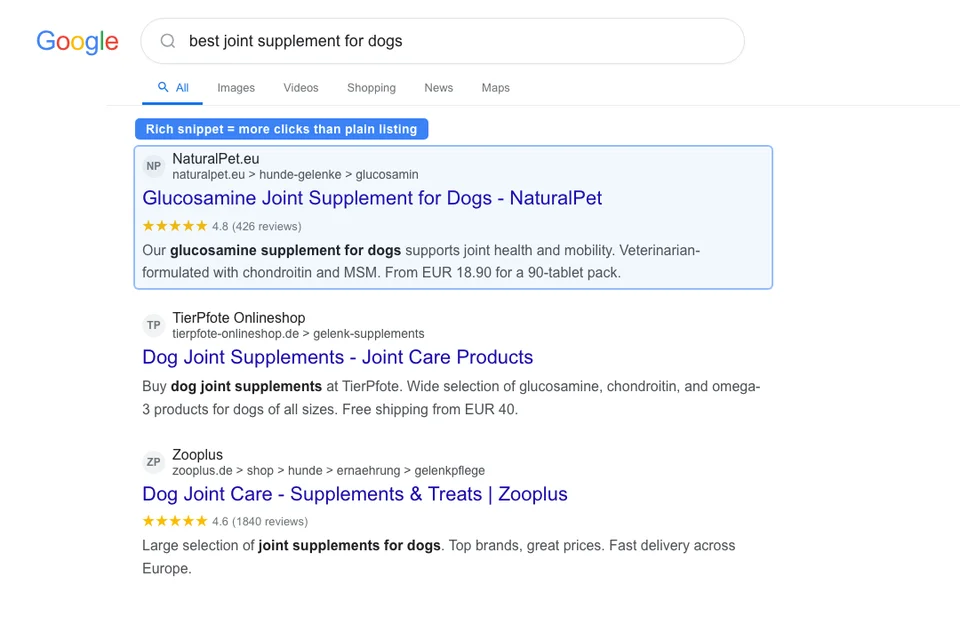
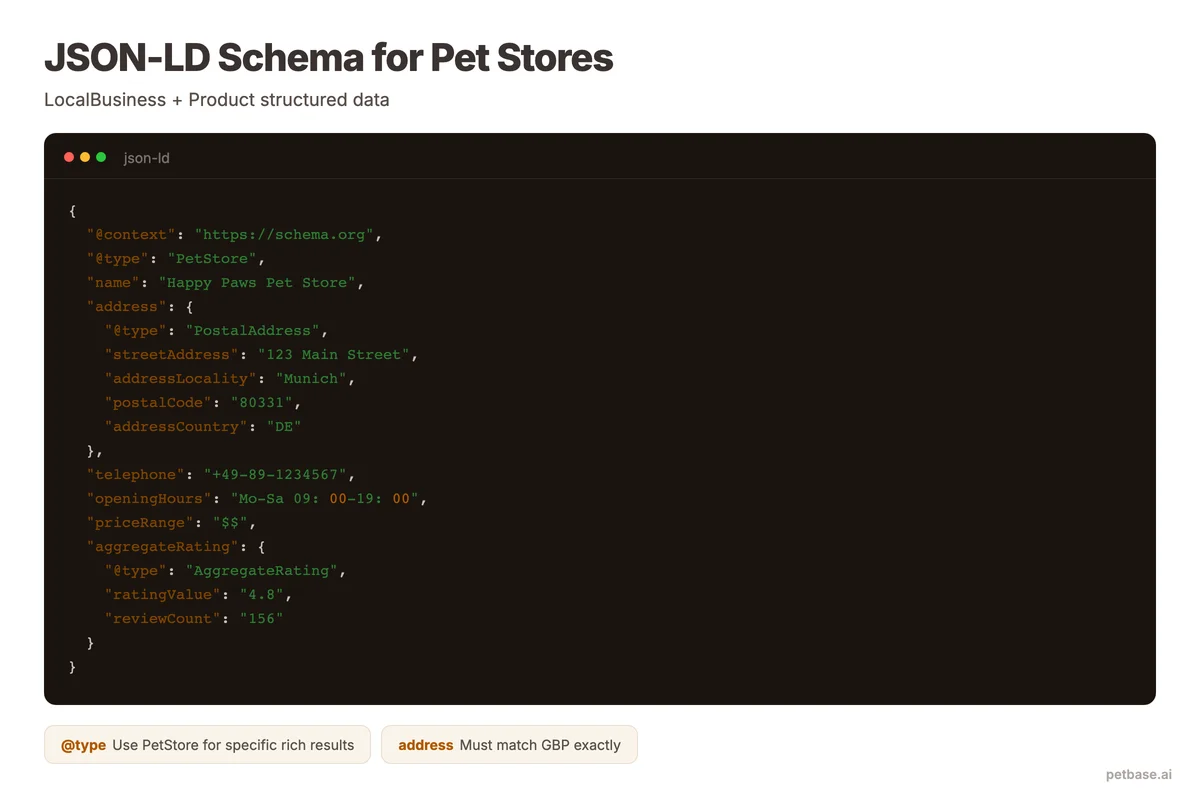
The most valuable schema types for pet stores:
Product schema: Add to every product page. Include name, description, brand, price, currency, availability, review count, and rating. Products with rich snippets get significantly more clicks than plain listings.
LocalBusiness schema: Add to your homepage or location page. Include business name, address, phone, hours, geographic coordinates, price range, and accepted payment methods.
FAQ schema: Add to pages with frequently asked questions. Your FAQ answers can appear directly in search results as expandable dropdowns, taking up more screen space and increasing visibility.
BreadcrumbList schema: Shows the page hierarchy in search results (Home > Dog Food > Dry Dog Food > [Brand]). Helps users understand where the page fits and improves click-through rate.
Review/AggregateRating schema: Shows star ratings in search results. Product pages with visible star ratings in SERPs get significantly more clicks than those without.
You can validate your structured data at Google's Rich Results Test (free). Enter any URL and Google shows you which rich results are available, any errors, and a preview of how your page would appear.
For more on implementing schema markup, see our guide on schema markup for pet stores.
A Technical SEO Checklist for Pet Websites
Use this checklist to audit your pet store website. Address issues in priority order - critical items first.
| Priority | Item | Check | Tool |
|---|---|---|---|
| Critical | HTTPS enabled | All pages load via HTTPS with valid certificate | Browser, SSL Labs |
| Critical | Mobile-friendly | All pages pass Google's mobile-friendly test | Mobile-Friendly Test |
| Critical | Pages indexed | Important pages appear in Google index | Search Console, site: search |
| Critical | No critical crawl errors | No 5xx errors, no blocked important pages | Search Console, Screaming Frog |
| Critical | XML sitemap submitted | Sitemap exists, is submitted, and is error-free | Search Console |
| High | Core Web Vitals passing | LCP under 2.5s, INP under 200ms, CLS under 0.1 | PageSpeed Insights |
| High | No duplicate content | Canonical tags on all product variations | Screaming Frog |
| High | Images optimized | WebP format, lazy loading, descriptive alt text | PageSpeed Insights, manual check |
| High | No broken links | Internal and external links all resolve | Screaming Frog, Broken Link Checker |
| High | Unique title tags | Every page has a unique, descriptive title tag | Screaming Frog |
| Medium | Structured data | Product, LocalBusiness, FAQ, Breadcrumb schema present | Rich Results Test |
| Medium | Meta descriptions | Every page has a unique meta description | Screaming Frog |
| Medium | Security headers | HSTS, X-Content-Type-Options set | securityheaders.com |
| Medium | Clean URL structure | URLs are descriptive and keyword-rich | Manual review |
| Low | Robots.txt optimized | No important pages blocked, crawl directives logical | Search Console robots.txt tester |
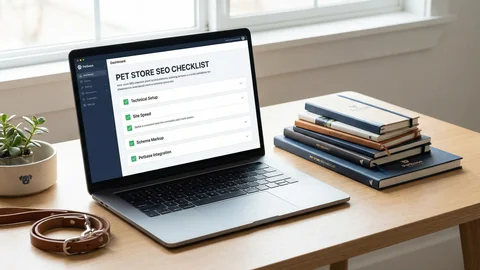
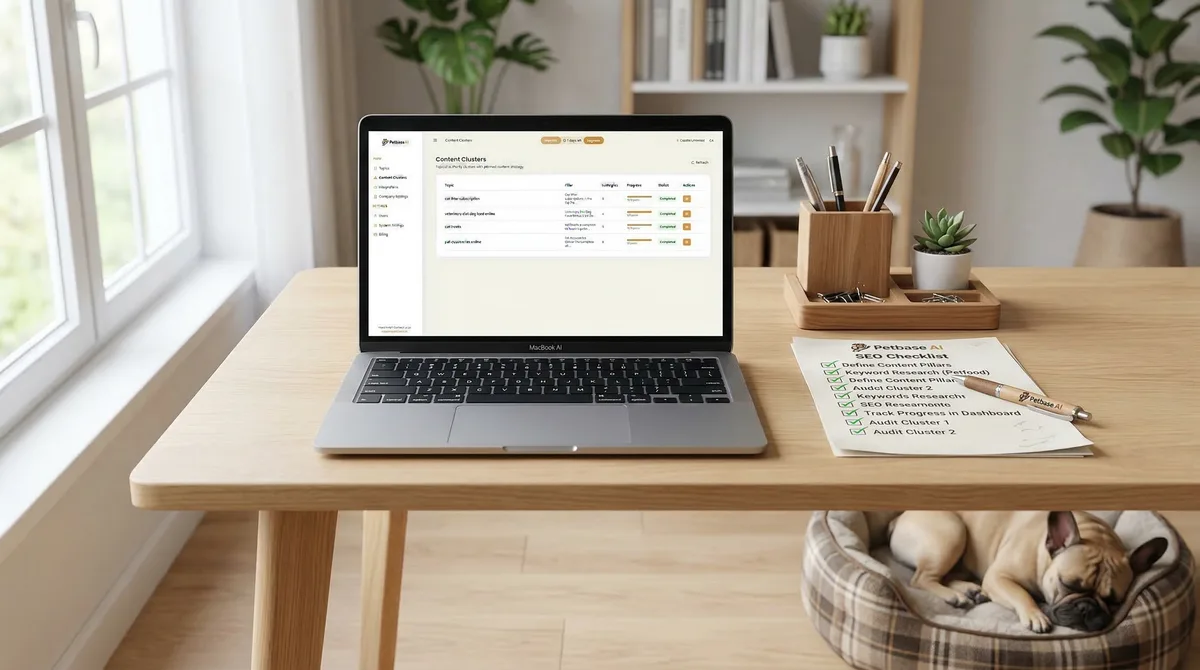
Print this checklist and work through it systematically. Most pet stores can complete the critical and high-priority items in a single weekend. Medium and low-priority items can be addressed over the following weeks.
For a broader SEO strategy that builds on these technical foundations, read our pet store SEO guide and SEO strategy roadmap. For a complete audit walkthrough, use our pet store SEO checklist.
Do not have time to fix all of this yourself? Petbase handles technical content optimization automatically - 10 SEO-optimized articles per month for EUR 199/mo, published directly to your CMS. Get a free site audit to see which issues affect your site most.
Frequently Asked Questions
How often should I run a technical SEO audit on my pet store website?
Run a full audit quarterly (every 3 months) and a quick check monthly. The quarterly audit covers everything in the checklist above. The monthly check focuses on: new crawl errors in Search Console, Core Web Vitals changes, broken links from new content, and any indexing issues. If you make major site changes (redesign, platform migration, large product catalog update), run an immediate audit afterward.
Do I need to hire a developer for technical SEO fixes?
For most issues, no. Adding meta descriptions, writing alt text, setting up redirects, submitting sitemaps, and optimizing images are tasks any store owner can learn. For platform-specific issues (custom schema markup, server configuration, Core Web Vitals optimization on complex themes), a developer may save you significant time. Budget 2-4 hours of developer time for the technical items you cannot handle yourself. It is a one-time investment that pays off for months.
Which technical SEO issue has the biggest impact on pet store rankings?
Crawlability. If Google cannot find and index your pages, nothing else matters. Check Search Console's "Pages" report first. If important product and category pages are not indexed, fix that before touching anything else. After crawlability, site speed is the next highest-impact factor - sites that load in 1 second convert at 2.5x the rate of those loading in 5 seconds[4].
References
- BrightEdge (2024). How Much Traffic Comes from Organic Search. seoinc.com
- Grand View Research (2024). Pet Care E-Commerce Market Size. grandviewresearch.com
- Clutch (2025). SEO Statistics. clutch.co
- Smart Insights (2024). E-Commerce Conversion Rates. smartinsights.com
- Amra and Elma (2025). Schema Markup Statistics. amraandelma.com
- Deloitte/Google via Magnet (2024). Understanding Google's Core Web Vitals. magnet.co
- Taylor Scher (2024). E-Commerce SEO Statistics. taylorscherseo.com
- Clutch (2025). SEO Statistics - Mobile Conversion Rates. clutch.co