How to Track Your Pet Store's Google Rankings

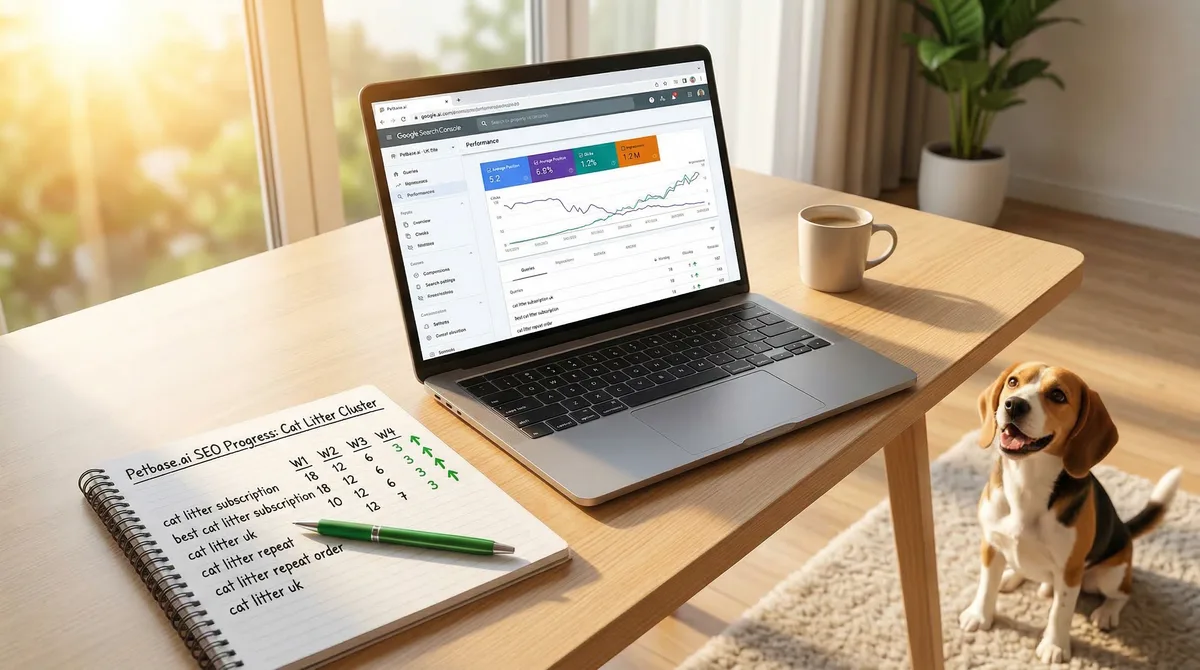
Table of Contents +
- Why Tracking Rankings Matters for Pet Stores
- How to Track Rankings With Google Search Console (Free)
- What Keywords Should a Pet Store Track?
- How Often Should You Check Rankings?
- What Do Ranking Fluctuations Mean?
- How to Read Search Console Reports
- Free vs. Paid Rank Tracking Tools
- What Metrics Matter Beyond Rankings?
- Benchmarks: What Good Looks Like for Pet Stores
- Frequently Asked Questions
- References
Learn how to track your pet store's Google rankings using free tools. Step-by-step Google Search Console setup, what keywords to track, and what the data means.
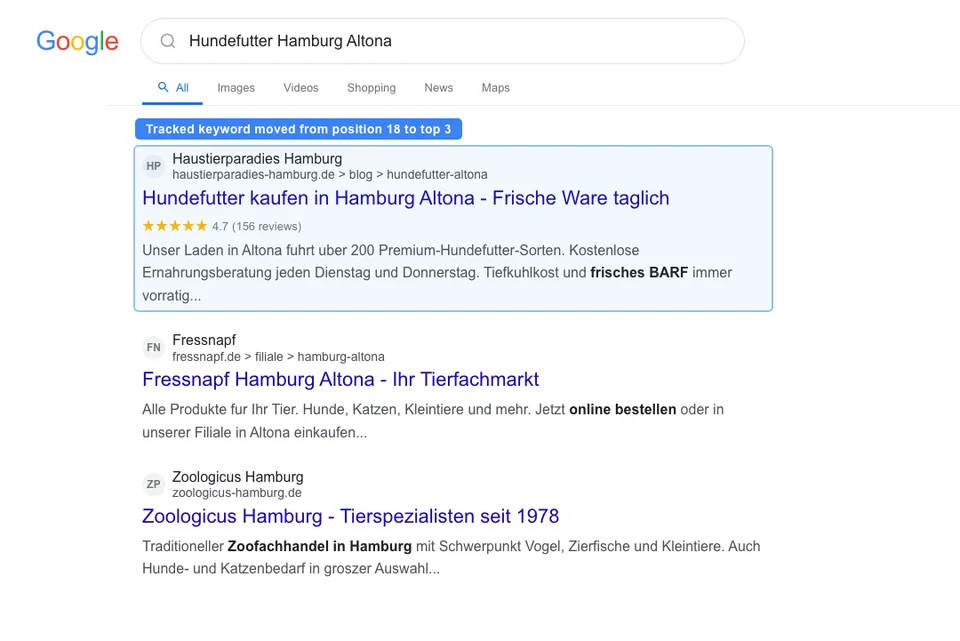
Organic search drives 53% of all website traffic[1]. If you run a pet store and you are not tracking your Google rankings, you have no way to know whether that traffic is reaching you or going to a competitor. You are spending time on SEO - publishing content, optimizing product pages, building your Google Business Profile - but without measurement, every decision is a guess.
The good news: you do not need expensive SEO tools to track your rankings. Google gives you the most important data for free through Search Console. This guide shows you exactly how to set it up, what to track, how often to check, and what the numbers mean for your pet store.
Why Tracking Rankings Matters for Pet Stores
The U.S. pet industry alone is worth $152 billion[2], and pet owners increasingly start their buying journey on Google. Yet 61% of small businesses are still not investing in SEO[3]. That gap is an opportunity - but only if you can measure whether your efforts are working.
Tracking rankings tells you three things:
- What is working - so you do more of it
- What is not working - so you fix it or stop wasting time on it
- Where the opportunities are - keywords where you sit on page 2 and need a small push to break through
Without tracking, you have no feedback loop. You publish 10 articles about dog nutrition and have no idea whether they ranked, got impressions, or attracted clicks. Six months later, you might be publishing content on topics that Google already ranks you for (wasting effort) while ignoring topics where you are stuck on page 2 (missing easy wins).
Tracking does not need to be complicated. A weekly 15-minute check-in with Google Search Console gives you everything you need to make informed decisions about your pet store SEO strategy.
Petbase automates SEO content for pet stores - publishing 10 optimized articles monthly so you can focus on running your shop - start your free trial.
How to Track Rankings With Google Search Console (Free)
Google Search Console (GSC) is the single most important SEO tool for pet stores, and it is completely free. It shows you exactly how Google sees your website: which keywords you appear for, where you rank, how many people click through, and which pages perform best.
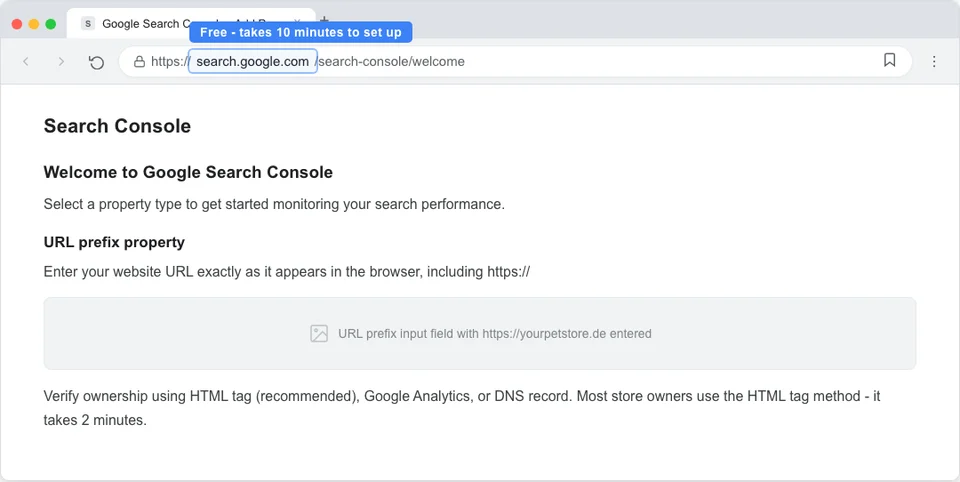
Setting up Google Search Console
- Go to search.google.com/search-console
- Click "Add property" and enter your website URL
- Verify ownership (the easiest method: add a meta tag to your homepage, or verify through your Google Analytics account)
- Wait 24-48 hours for data to start appearing
The Performance report - your most important dashboard
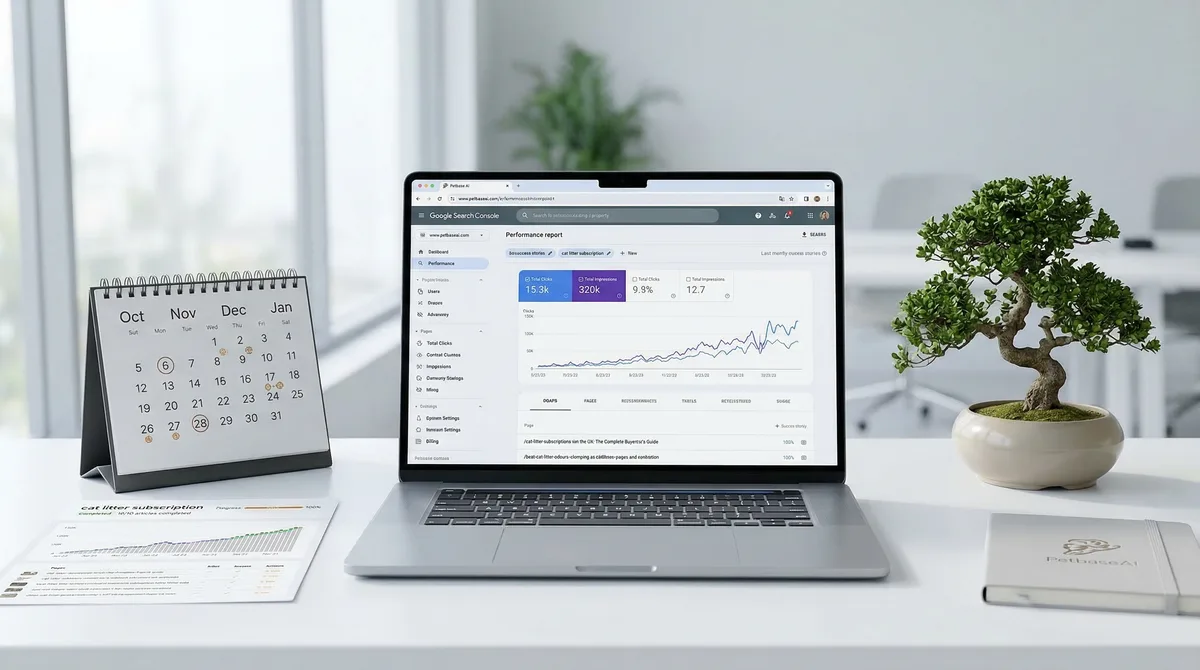
Navigate to "Performance" in the left sidebar. This report shows four metrics:
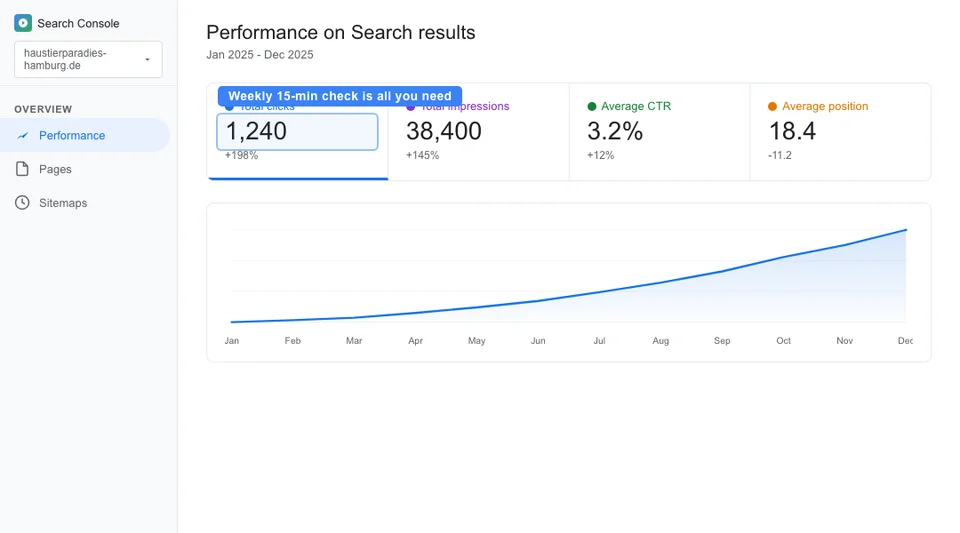
- Total clicks: How many times someone clicked through to your site from Google search
- Total impressions: How many times your pages appeared in search results (even if nobody clicked)
- Average CTR (Click-Through Rate): The percentage of impressions that resulted in a click
- Average position: Your average ranking position across all queries
Enable all four metrics by clicking the toggles above the chart. Then scroll down to see the data broken down by query, page, country, device, and date range.
How to find your keyword rankings
- In the Performance report, click the "Queries" tab
- Sort by "Impressions" (descending) to see which keywords your site appears for most often
- Look at the "Position" column to see your average ranking for each keyword
- Click any keyword to see its trend over time
Tip: filter by specific pages to see which keywords each page ranks for. Click "Pages" tab, select a specific page, then switch to "Queries" to see only the keywords driving traffic to that page.
What Keywords Should a Pet Store Track?
Not all keywords deserve the same attention. 46% of all Google searches have local intent[4], which means local pet store keywords deserve priority. The Local Pack alone captures 44% of clicks on local search results[4]. Meanwhile, long-tail keywords make up roughly 70% of all searches and convert at 36% - far higher than broad terms[5].
Focus your tracking on keywords that drive business results, not vanity metrics.
| Keyword Type | Examples | Why Track It | Priority |
|---|---|---|---|
| Product keywords | "grain-free dog food," "cat scratching post," "dog harness" | Direct purchase intent - these visitors buy | High |
| Local keywords | "pet store [city]," "dog food delivery [city]" | Drive in-store visits and local online orders | High (for physical stores) |
| Informational keywords | "best food for puppies," "how to groom a poodle" | Top-of-funnel traffic that builds authority | Medium |
| Brand keywords | "[your store name]," "[your store name] reviews" | Measure brand awareness | Low (usually rank #1 already) |
| Competitor keywords | "[competitor name] alternative" | Capture comparison shoppers | Low-Medium |
For a typical pet store, your tracking list should include:
- 10-20 product keywords covering your main product categories
- 5-10 local keywords ("pet store [city]," "[product] near me")
- 20-30 informational keywords aligned with your blog content
- Your brand name and variations
Do not track hundreds of keywords. Focus on the 30-50 that matter most to your business. You can always expand your tracking list as your SEO matures. For guidance on which keywords to target, see our guide on the pet store SEO checklist. For a deeper look at finding the right long-tail terms, read our long-tail keywords guide for pet stores.
How Often Should You Check Rankings?
Most pet store owners either check too often (daily, causing anxiety over normal fluctuations) or too rarely (never, missing important trends). Here is the right cadence:
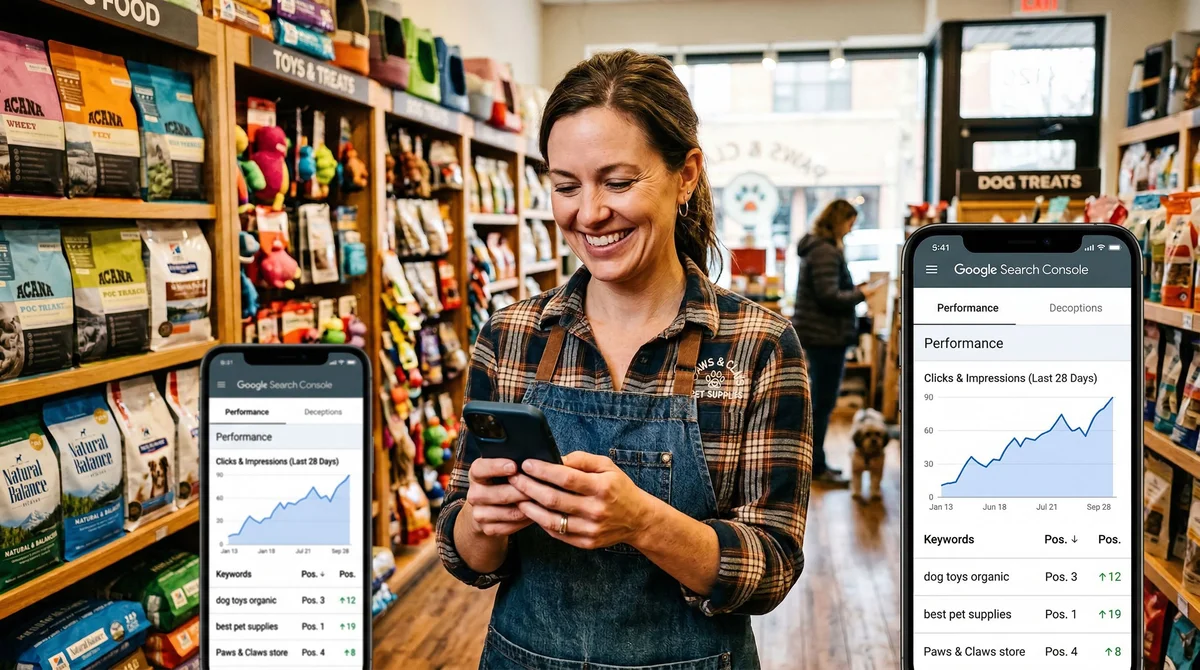
- Weekly (15 minutes): Check Google Search Console Performance report. Note any significant changes in total clicks, impressions, or average position. This is your regular pulse check.
- Monthly (30-60 minutes): Deeper analysis. Compare this month to the previous month. Identify which pages gained or lost traffic. Find keywords where you moved from page 2 to page 1 (or vice versa). Look for new keywords appearing in your data.
- Quarterly (1-2 hours): Strategic review. Evaluate whether your content clusters are building topical authority. Identify content gaps - keywords with high impressions but low rankings where new content could break through. Plan the next quarter's content priorities.
A common mistake is checking rankings daily and reacting to every small change. Google rankings fluctuate constantly - a position 5 keyword might bounce between position 3 and position 8 within a single week. This is normal. Focus on trends over 4-8 week periods, not day-to-day movements.
What Do Ranking Fluctuations Mean?
Understanding ranking fluctuations saves you from making unnecessary changes to content that is actually performing well. Here is what different patterns mean:
- Small daily fluctuations (1-3 positions): Completely normal. Google tests different result orders constantly. Do not react to these.
- Gradual upward trend over 4-8 weeks: Your SEO is working. The content is being recognized as relevant and authoritative. Continue what you are doing.
- Sudden drop for one keyword: A competitor may have published better content on the same topic, or Google may have recrawled the page and reassessed it. Check the competing pages to understand why.
- Sudden drop across many keywords: Could indicate a Google algorithm update or a technical issue on your site (broken pages, speed problems, server errors). Check Google Search Console "Coverage" and "Core Web Vitals" reports for errors.
- Gradual decline over 2-3 months: Your content is aging. Competitors are publishing fresher content on the same topics. Time to update your existing content with new information, updated data, and fresh internal links.
- New keywords appearing that you did not target: This is a positive signal. Google is recognizing your topical authority and ranking you for related queries you did not explicitly optimize for. This is how content clusters work - learn more in our content clustering guide.
The most important signal: rising impressions. If impressions are growing, Google is showing your pages to more people. Clicks and rankings will follow if your content matches search intent and your meta descriptions are compelling.
How to Read Search Console Reports
Google Search Console reports can be overwhelming. Here is how to extract actionable insights in 15 minutes:
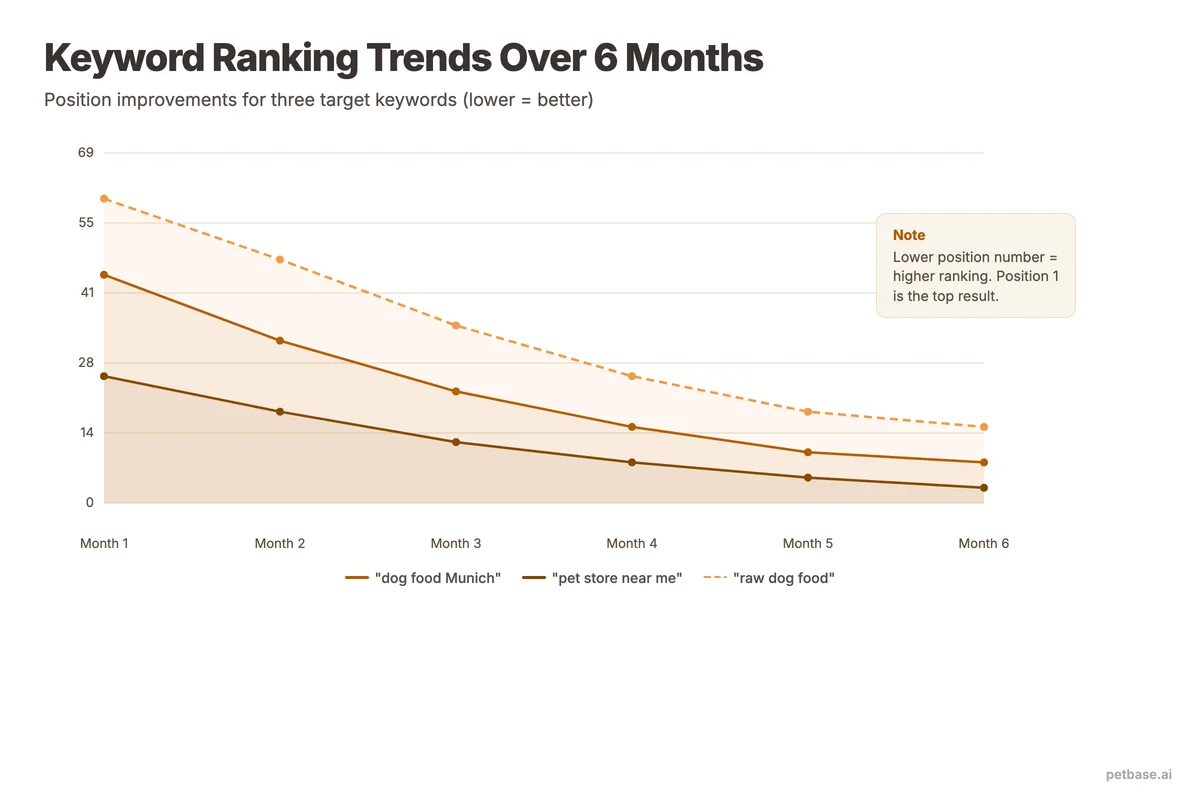
Quick wins report (5 minutes)
Filter Performance by average position 8-20. These are keywords where you rank on page 1-2 of Google. Sort by impressions. The keywords with the highest impressions and positions between 8-15 are your quick wins - they have search demand, and you are close to page 1. A content update, better meta description, or additional internal links could push them into top 5 positions.
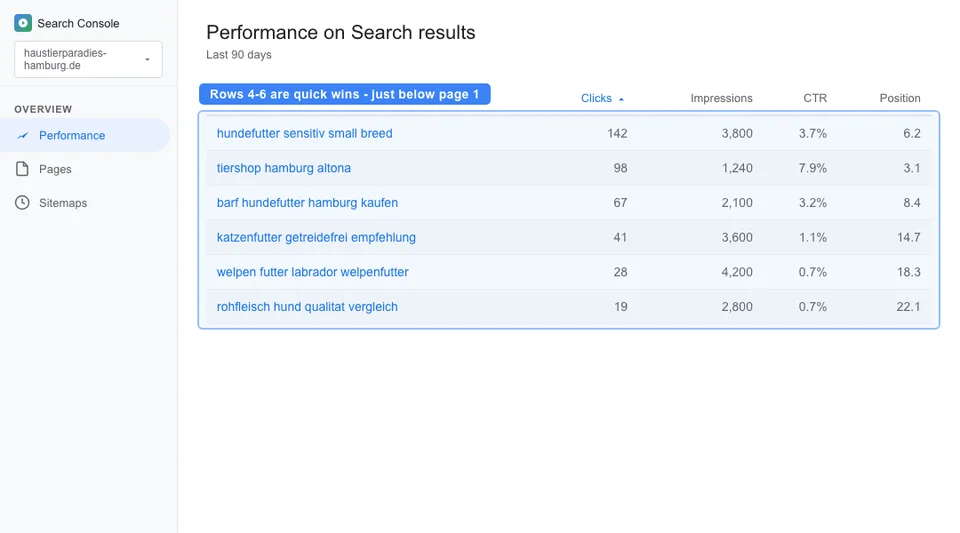
Content gap report (5 minutes)
Filter Performance by average position 20-50. Sort by impressions. These keywords have search demand, and Google recognizes your site as somewhat relevant, but you are not ranking well enough to get clicks. These are candidates for new content - either a new blog post targeting the keyword directly, or an update to an existing page to better address the topic.
Success report (5 minutes)
Filter Performance by average position 1-5. Sort by clicks. These are your best-performing keywords. Note which pages drive the most traffic and what type of content they are (blog posts, product pages, category pages). This tells you what is working so you can create more content in the same pattern.
Free vs. Paid Rank Tracking Tools
Google Search Console is the foundation. But some pet store owners want more detailed tracking or competitive analysis. Here is how free and paid options compare:
| Tool | Cost | What It Does | Best For |
|---|---|---|---|
| Google Search Console | Free | Shows your actual rankings, clicks, impressions for all keywords Google ranks you for | Every pet store (essential) |
| Google Business Profile Insights | Free | Shows how people find your GBP listing: searches, views, actions (calls, directions, website clicks) | Physical stores |
| Bing Webmaster Tools | Free | Same as GSC but for Bing search engine (5-10% of searches) | Optional, low priority |
| Ubersuggest (free tier) | Free (limited) | 3 searches/day. Shows keyword volume, difficulty, and competitor data | Occasional keyword research |
| SE Ranking | From EUR 39/month | Daily rank tracking, competitor analysis, site audit | Stores serious about tracking 50+ keywords daily |
| Ahrefs / SEMrush | From EUR 99/month | Comprehensive SEO suite: rankings, backlinks, competitor analysis, content tools | Stores with EUR 100+/month SEO tool budget |
For most independent pet stores, Google Search Console alone provides 90% of the data you need. The paid tools add convenience (daily automated tracking, email alerts) and competitive analysis (what keywords your competitors rank for). But they are not necessary to make smart SEO decisions.
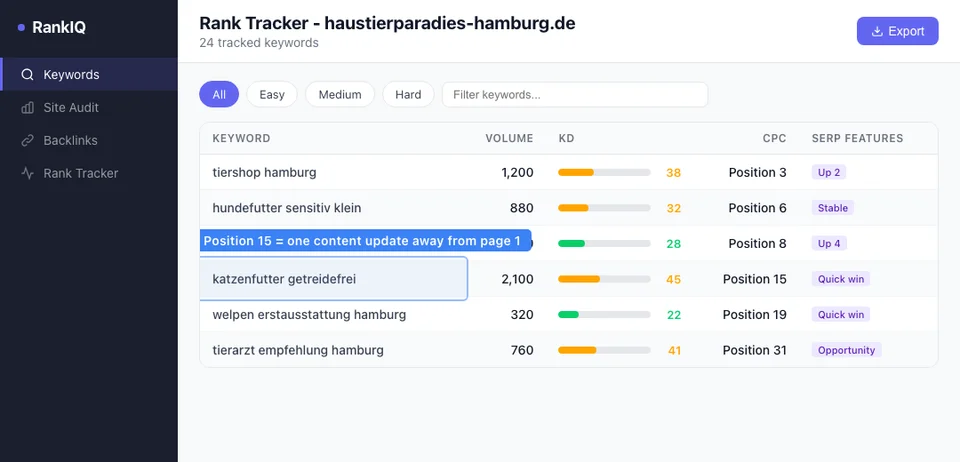
If you are going to invest in one paid tool, start with SE Ranking or a similar mid-range tracker at EUR 39-50/month. The enterprise tools (Ahrefs, SEMrush) are valuable but their EUR 99+/month cost is better spent on content creation for most pet stores in their first 12 months of SEO. Put that EUR 99 toward Petbase (EUR 199/mo for 10 articles) and the content will generate the traffic that makes advanced tracking tools worthwhile later.
What Metrics Matter Beyond Rankings?
Rankings are a means to an end. The metrics that actually matter for your pet store's bottom line are:
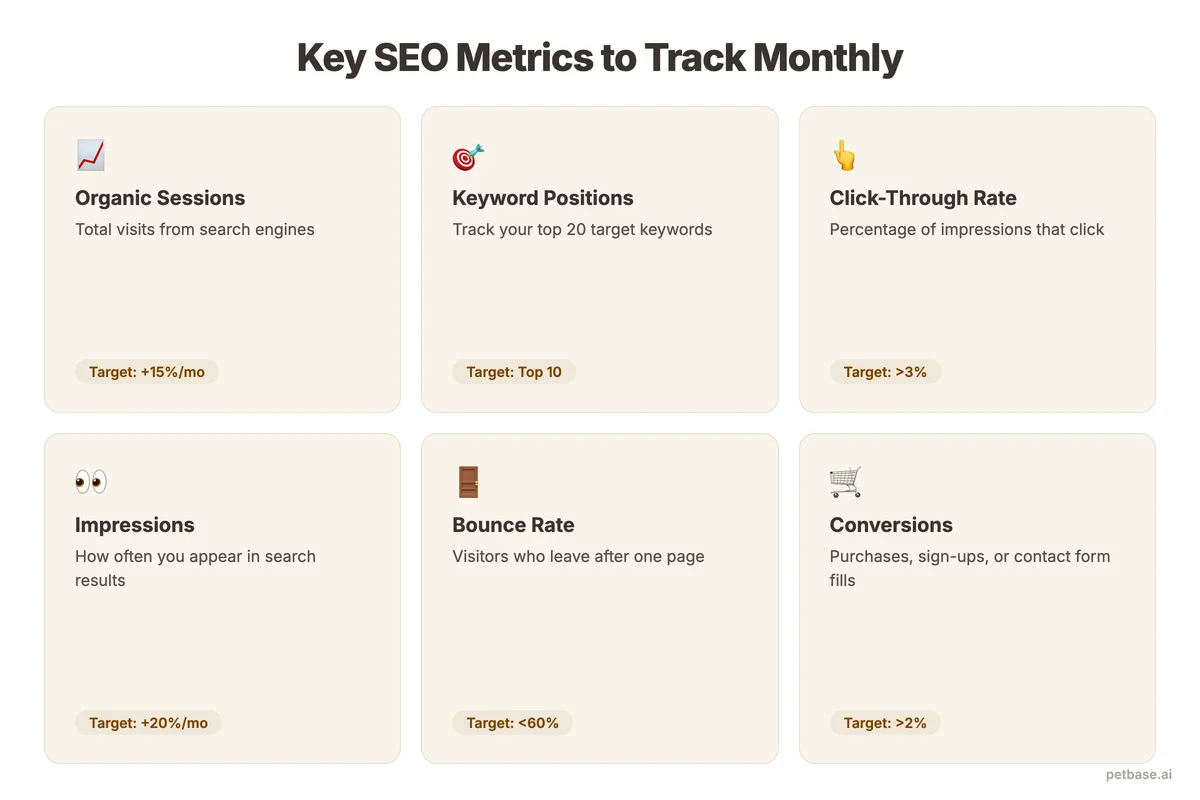
- Organic traffic (monthly visitors from search): This is the most important metric. Track it in Google Search Console or Google Analytics. Companies with blogs get 55% more website traffic than those without[6], so if you are publishing consistently, this number should be climbing.
- Organic conversions: How many organic visitors take a desired action - purchase, contact form submission, phone call, newsletter signup. Set up conversion tracking in Google Analytics to measure this.
- Revenue from organic traffic: If you sell online, connect Google Analytics e-commerce tracking to see exactly how much revenue organic search generates per month.
- Content performance by topic cluster: Which topic clusters drive the most traffic and conversions? This tells you which areas to expand and which to deprioritize.
- Pages per session (from organic traffic): Are organic visitors reading one page and leaving, or exploring your site? Higher pages-per-session indicates your internal linking and content quality are keeping people engaged.
Metrics that matter less than you think:
- Domain authority scores: These are third-party estimates, not Google metrics. They are useful for rough comparisons but not worth optimizing for directly.
- Total page views: Can be inflated by bots, internal traffic, or pages with no commercial value. Focus on organic traffic and conversions instead.
- Bounce rate: High bounce rates on informational blog posts are normal - the visitor got their answer and left. Low bounce rates on product pages matter more.
Benchmarks: What Good Looks Like for Pet Stores
It helps to know what realistic performance looks like before you start tracking. Small e-commerce businesses typically see 4,000-12,000 organic sessions per month[7]. If your pet store is below that range, there is room to grow. If you are above it, your SEO is performing well relative to the industry average.
Here are additional benchmarks to evaluate your performance:
| Metric | What It Tells You | Worth Tracking? |
|---|---|---|
| Keyword position | Where you rank for specific searches | Yes - weekly in GSC |
| Organic traffic | How many people find you through search | Yes - the primary metric |
| Click-through rate | How compelling your search listings are | Yes - identifies title/description improvements |
| Organic conversions | How many searchers become customers | Yes - the bottom-line metric |
| Domain authority | Third-party estimate of domain strength | No - vanity metric |
| Total backlinks | How many sites link to you | Occasionally - quality matters more than quantity |
| Indexation count | How many pages Google has indexed | Monthly - ensures new content gets indexed |
Set up a simple monthly tracking spreadsheet with 5 numbers: organic traffic, organic conversions, average position for your top 10 keywords, total impressions, and content published. Track these 5 numbers every month. After 6 months, the trends will tell you exactly how your SEO investment is performing.
For pet stores using Petbase, you can correlate your publishing schedule (10 articles/month at EUR 199/mo) with traffic growth to see the direct impact of content on organic performance. Most stores see measurable traffic increases within 8-12 weeks of starting, with growth accelerating as content clusters mature. See our rankings timeline guide for realistic expectations on how quickly results appear.
Start today: set up Google Search Console if you have not already (it takes 10 minutes), and check your Performance report once this week. That single action puts you ahead of the majority of pet stores that never look at their search data. And if you are ready to give Google something worth ranking, start your free trial with Petbase and begin building the content foundation that drives organic growth.
Frequently Asked Questions
How accurate is Google Search Console data?
Google Search Console shows actual data from Google - not estimates or projections. The position data is an average across all searches for that keyword, which means your actual position may vary by location, device, and personalization. For pet stores, this means your local ranking may be better than the average position shown in GSC because local results are influenced by proximity. The data is typically 2-3 days behind real-time. For practical purposes, GSC is the most accurate free source of ranking data available.
Should I track rankings daily?
No. Daily tracking leads to reactive decisions based on normal fluctuations. Weekly checks with Google Search Console and monthly deep analysis is the right cadence for pet stores. Save daily tracking for specific situations: after a Google algorithm update, after launching a new section of your site, or during a critical promotional period. Paid rank tracking tools that send daily email alerts can actually hurt your SEO by causing you to make unnecessary changes to content that is performing well.
What if my rankings drop suddenly?
First, check Google Search Console's Coverage report for errors (server issues, indexation problems, mobile usability issues). Then check if a Google algorithm update occurred (search "Google algorithm update" for recent news). If neither applies, look at the specific pages that dropped - a competitor may have published stronger content on the same topic. The fix is usually updating your content with more depth, better examples, and fresher information rather than creating new pages. See our guide on updating old blog posts for the process.
What should I do with keywords stuck on page 2?
Keywords ranking between positions 11-20 are your biggest opportunities. They already have search demand and Google considers your page relevant enough to show on page 2. To push them onto page 1, update the content with more depth, add internal links from other pages on your site, improve your meta title and description, and build quality backlinks. These "quick win" keywords often respond to small improvements within 4-8 weeks.
References
- BrightEdge (2024). How Much Traffic Comes from Organic Search. seoinc.com
- APPA (2024). Industry Trends and Stats. americanpetproducts.org
- Clutch (2025). SEO Statistics. clutch.co
- BrightLocal (2024). Local SEO Statistics. brightlocal.com
- Embryo (2024). 30 Statistics About Long-Tail Keywords. embryo.com
- HubSpot (2024). Marketing Statistics. hubspot.com
- International Outsourcing Group (2024). SEO Benchmarks by Industry. internationaloutsourcinggroup.com