How to Do a Website Audit for Your Pet Store

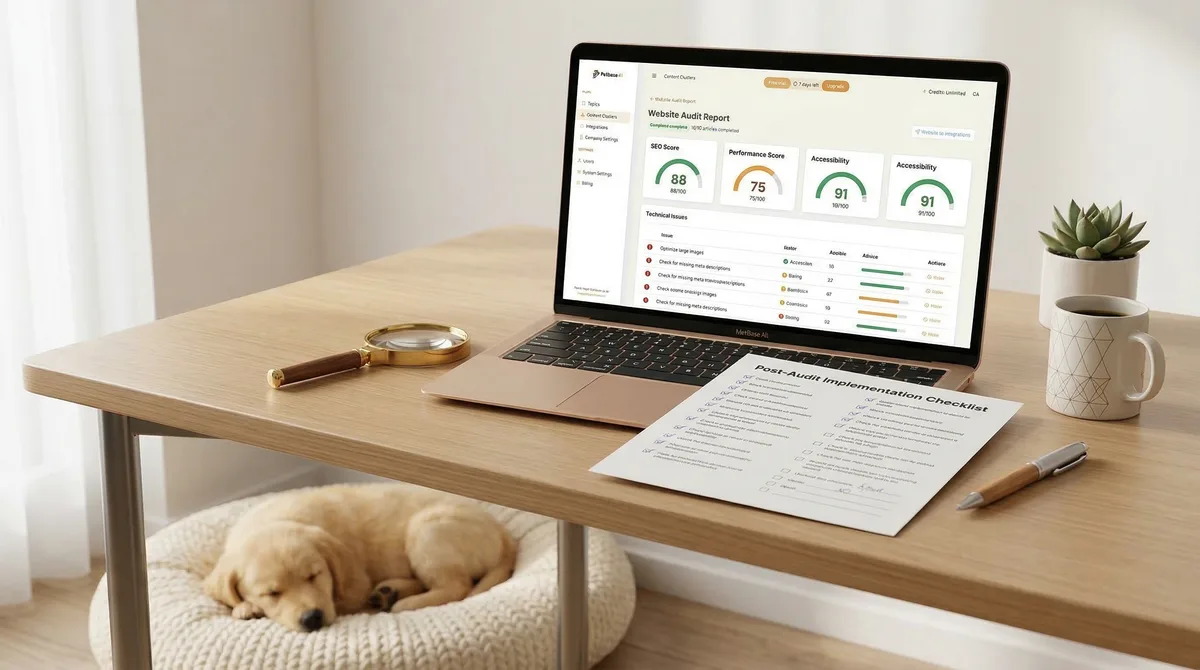
Table of Contents +
- Why Every Pet Store Needs a Website Audit
- What Tools Do You Need for a Pet Store Website Audit?
- How to Check Your Pet Store's Technical SEO
- How to Audit Your Product Pages
- How to Evaluate Your Blog Content
- What to Check in Your Local SEO Setup
- How to Assess Your Pet Store's Mobile Experience
- How to Audit Your Site Speed and Core Web Vitals
- How to Build Authority After the Audit
- How to Prioritize Fixes After the Audit
- A Complete Pet Store Website Audit Checklist
- Scaling Your Audit Workflow with Petbase
- Frequently Asked Questions
- References
Step-by-step pet store website audit guide. Check technical SEO, product pages, blog content, local SEO, mobile experience, and speed with free tools.
A website audit reveals everything that is helping or hurting your pet store's search rankings. It checks your technical setup, content quality, local SEO, mobile experience, and page speed. Most pet store owners have never done one - which means they are losing traffic to fixable problems. Organic search drives 53% of all website traffic[1], yet 61% of small businesses are not investing in SEO at all[2]. This guide walks you through a complete audit in one afternoon, using mostly free tools, with a downloadable checklist at the end.
Why Every Pet Store Needs a Website Audit
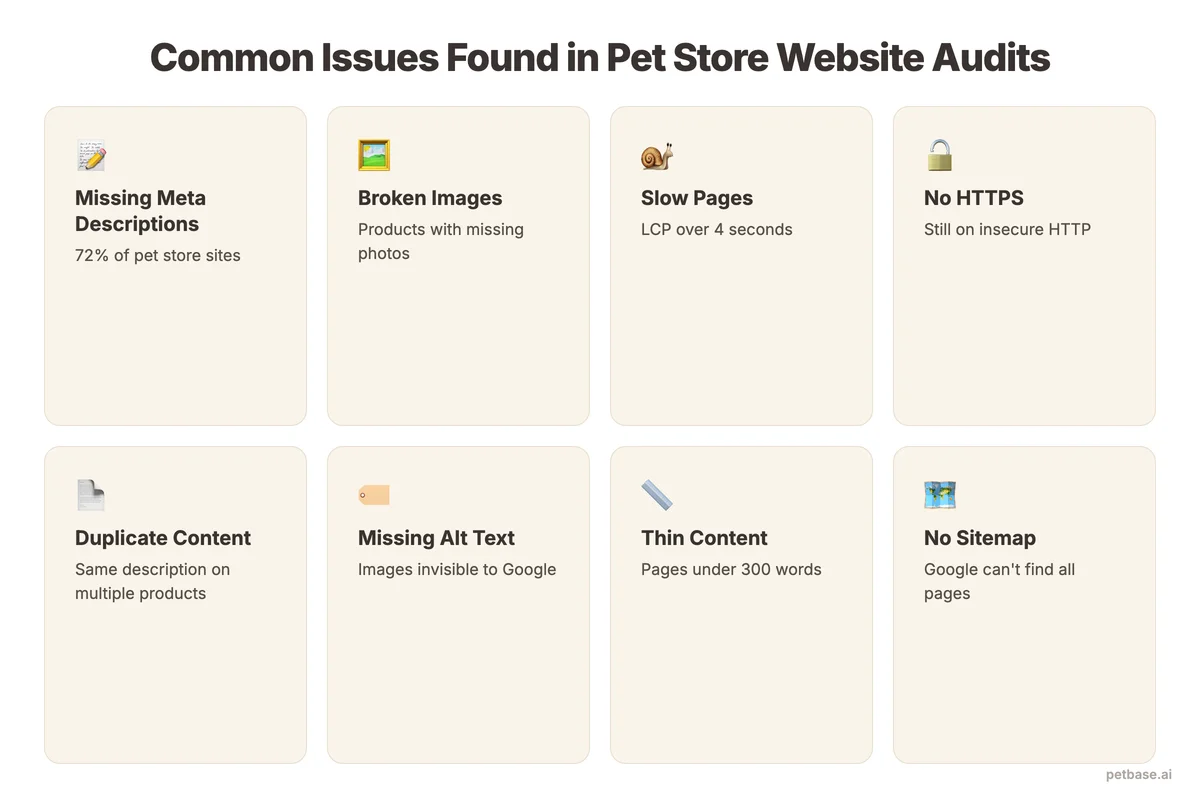
Your pet store website is working against you right now - you just do not know how. Every website accumulates problems over time. Broken links. Slow-loading images. Missing meta descriptions. Pages that Google cannot find. Products with duplicate content. Each issue chips away at your rankings.
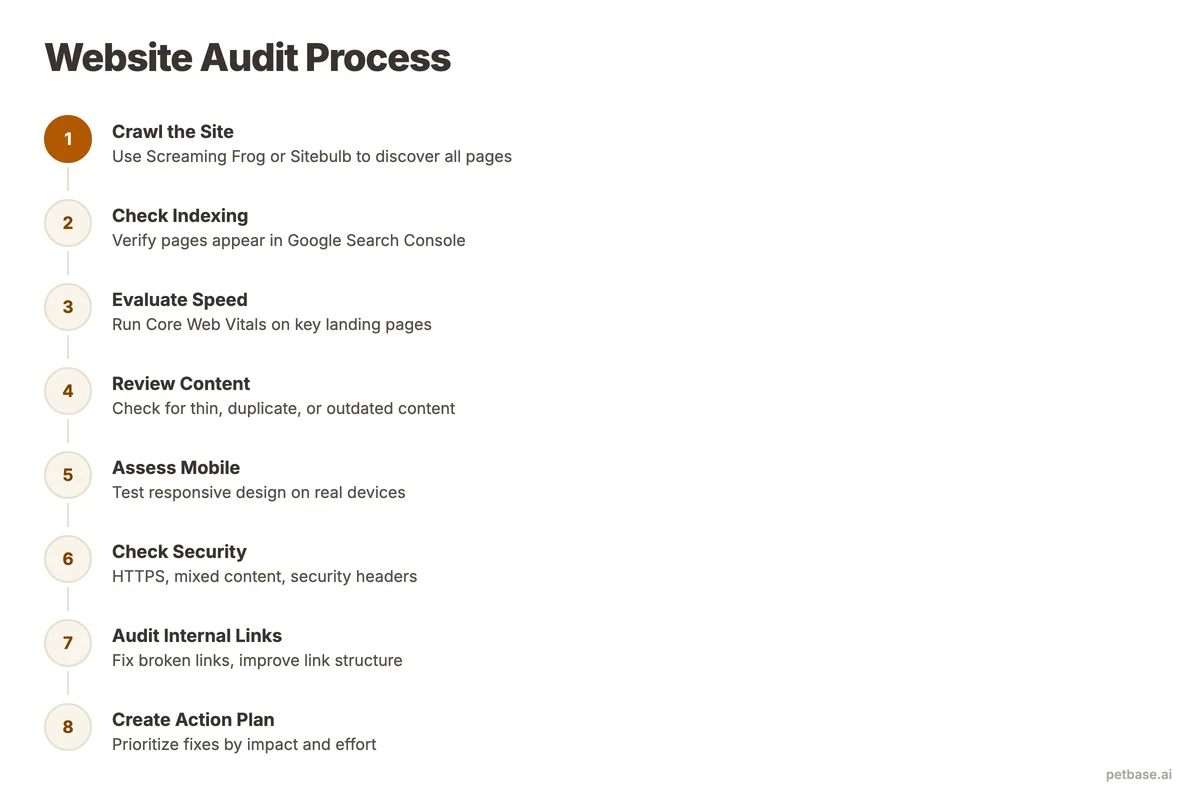
A website audit finds these problems before they cost you customers. Think of it as a health checkup for your online presence.
Consider what a typical pet store website audit uncovers:
- 20-30% of product pages have duplicate or missing meta descriptions
- Average page load time is 6-8 seconds (Google recommends under 2.5)
- Mobile experience breaks on 10-15% of pages
- Google cannot crawl 5-10% of pages due to technical errors
- Internal linking is random instead of strategic
A German pet supply retailer discovered through an audit that 40% of their product images lacked alt text. After fixing this single issue, their image search traffic increased by 35% in six weeks. Another UK-based pet store found that their site loaded in 9 seconds on mobile. After compressing images and enabling caching, load time dropped to 2.8 seconds and their bounce rate fell by 22%.
An audit is not a one-time event. Run a full audit every 6 months and a quick technical check every quarter. Your competitors are doing this - or their SEO agencies are doing it for them. The complete pet store SEO guide puts audits in the context of your broader SEO strategy.
Petbase automates SEO content for pet stores - publishing 10 optimized articles monthly so you can focus on running your shop - start your free trial.
What Tools Do You Need for a Pet Store Website Audit?
You do not need expensive enterprise tools. Here is what works at each budget level.
| Tool | Cost | What It Checks | Best For |
|---|---|---|---|
| Google Search Console | Free | Indexing, crawl errors, search performance, Core Web Vitals | Every pet store (non-negotiable) |
| Google PageSpeed Insights | Free | Page speed, Core Web Vitals, mobile/desktop scores | Speed and performance analysis |
| Google Analytics (GA4) | Free | Traffic, user behavior, bounce rates, conversions | Understanding how visitors use your site |
| Screaming Frog SEO Spider | Free (up to 500 URLs) / GBP 209/yr | Full site crawl - broken links, meta data, headers, images | Complete technical audit |
| Ahrefs Webmaster Tools | Free | Backlink profile, keyword rankings, site health score | Backlink and content audit |
| GTmetrix | Free (limited) | Page speed, waterfall analysis, performance scores | Detailed speed diagnosis |
| Mobile-Friendly Test (Google) | Free | Mobile rendering and usability | Quick mobile check |
| Ubersuggest | Free (limited) / $29/mo | Site audit, keyword tracking, competitive analysis | All-in-one budget option |
| Semrush | $129.95/mo | Everything - the most comprehensive SEO tool | Stores investing seriously in SEO |
Start with the free tools. Google Search Console and Screaming Frog's free version cover 80% of what you need. Add paid tools only when you have fixed the basics and want deeper insights.
How to Check Your Pet Store's Technical SEO
Technical SEO is the foundation. If Google cannot crawl, index, and understand your site properly, no amount of great content will help you rank. Start your audit here.
Check your indexing status
Open Google Search Console. Go to Pages (formerly Coverage). Look for pages with errors or warnings. Common issues for pet stores:
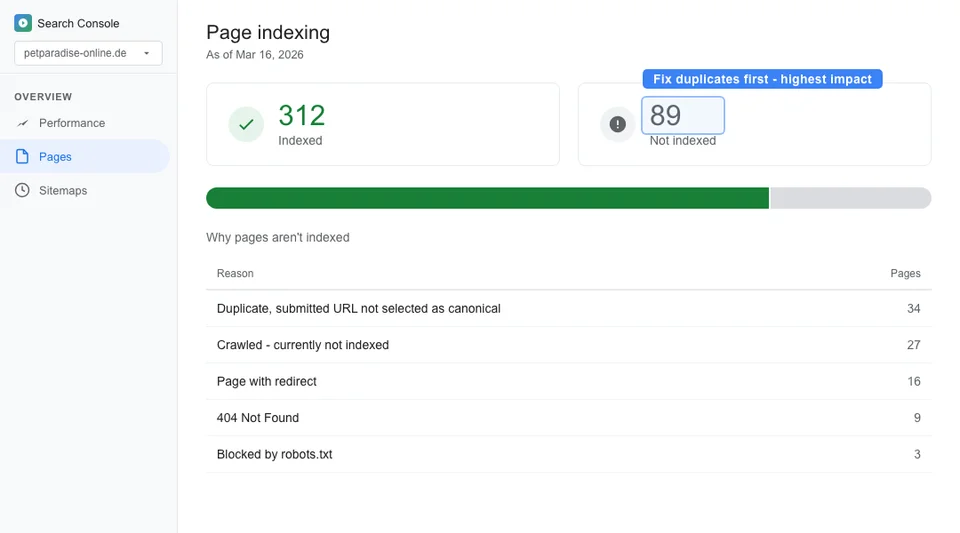
- "Crawled - currently not indexed." Google found the page but decided not to index it. This often means the content is too thin or duplicates another page.
- "Blocked by robots.txt." Your robots.txt file is telling Google to skip certain pages. Check that you are not accidentally blocking important product or category pages.
- "Redirect error." A page redirects in a loop or chain. This is common when pet stores migrate platforms (for example, from WooCommerce to Shopify).
Run a site crawl
Use Screaming Frog to crawl your entire site. For most pet stores, this takes 5-15 minutes. Look for:
- Broken links (404s). Every broken link is a dead end for both visitors and Google. Fix them by updating the link or redirecting the old URL.
- Missing meta titles and descriptions. Every page needs a unique title and description. Across e-commerce sites, the average title tag length is just 39 characters and the average meta description only 96 characters[3] - well below the recommended 50-60 and 150-160 characters. Pet stores often have hundreds of product pages with identical or missing meta data.
- Duplicate content. Product pages that share identical descriptions are duplicate content. This is extremely common when pet stores sell similar products from different brands.
- Missing H1 tags. Every page needs exactly one H1 heading. Product pages, category pages, and blog posts all need their own unique H1.
Check your sitemap
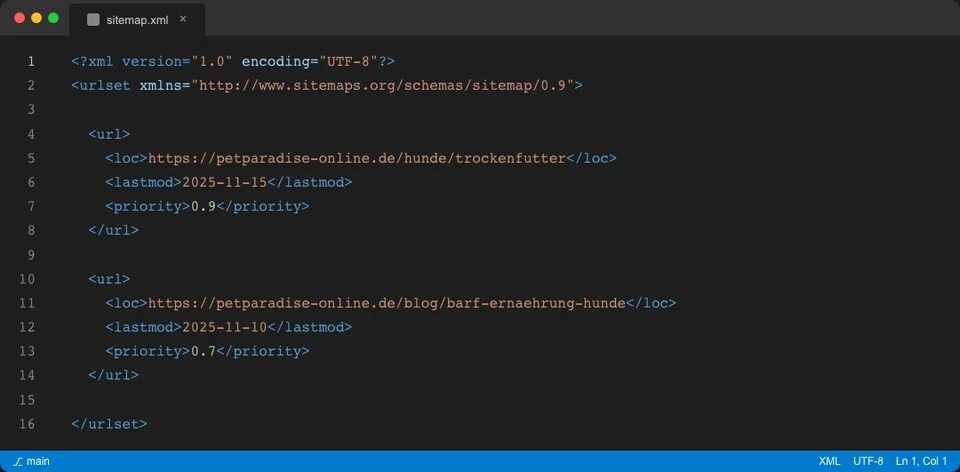
Your XML sitemap tells Google which pages to index. Verify that your sitemap exists (usually at yoursite.com/sitemap.xml), that it includes all important pages, and that it does not include pages you do not want indexed (like thank-you pages, cart pages, or out-of-stock products).
Verify HTTPS
Your entire site must run on HTTPS. Mixed content (some pages on HTTP, some on HTTPS) creates security warnings and hurts rankings. Check for mixed content warnings in your browser's developer tools.
For a deeper dive into technical fixes, see the technical SEO guide for pet websites.
How to Audit Your Product Pages
Product pages are where pet stores make money. They also tend to have the most SEO problems. Here is what to check on every product page.
Unique product descriptions
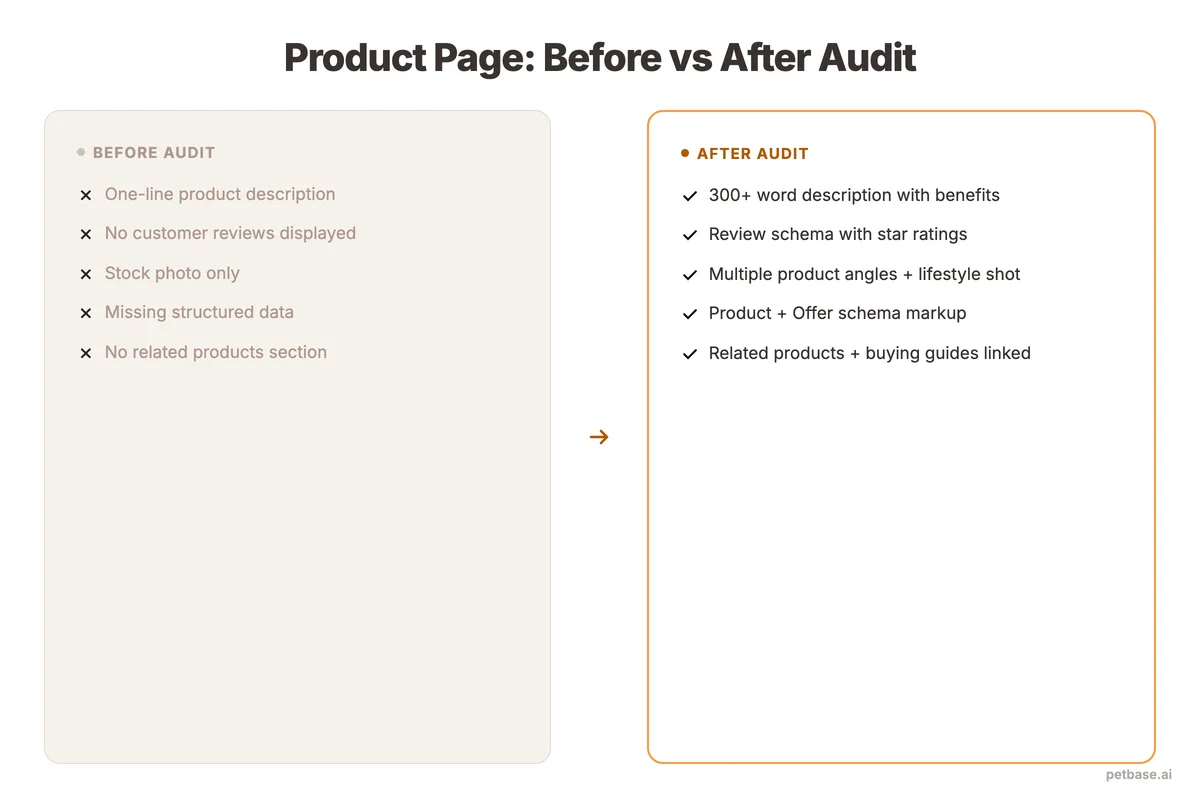
If you are using manufacturer descriptions copied from your supplier, Google sees the same text on hundreds of other websites. This is duplicate content - and it makes it nearly impossible to rank. Every product page needs original, descriptive text that includes the product name, key features, and the problems it solves.
Check: Open Screaming Frog, filter by pages with less than 300 words of body content. These are your thin product pages that need attention first.
Product page structure
Each product page should include:
- A unique H1 with the product name and primary keyword
- Original description (minimum 150-300 words)
- Key specifications in a structured format
- At least one high-quality product image with descriptive alt text
- Internal links to related products and relevant blog posts
- Customer review section
- Clear price and availability information
Product schema markup
Product schema helps Google display rich results - star ratings, prices, and availability directly in search results. Only about 30% of websites use schema markup, yet pages with structured data see up to 30% higher click-through rates[4]. Check each product page's source code for schema.org/Product markup. If it is missing, adding it is one of the fastest ways to increase clicks from search results.
For detailed guidance on optimizing individual product pages, see the product page optimization guide.
How to Evaluate Your Blog Content
If your pet store has a blog, it is either your strongest SEO asset or dead weight. The audit will tell you which.
Check for thin content
Blog posts under 800 words rarely rank for competitive pet keywords. Use Screaming Frog to identify short posts. Either expand them to 1,500+ words with additional useful information or merge several thin posts into one comprehensive guide.
Check for keyword cannibalization
Keyword cannibalization happens when multiple pages target the same keyword. If you have three blog posts about "best dog food for puppies," Google does not know which one to rank - so it might not rank any of them. Use Google Search Console to check if multiple pages appear for the same query. Consolidate competing pages into one definitive article.
Check internal linking
Every blog post should link to at least 3-5 other relevant pages on your site (product pages, category pages, or related blog posts). Blog posts with zero internal links are orphaned content - Google may not even find them. Run a Screaming Frog crawl and check the "Inlinks" column to find pages with few or no internal links.
Check content freshness
Pet care advice evolves. Nutritional research updates. Product lines change. Blog posts older than 18 months should be reviewed for accuracy. Update the content, refresh the data, and change the publication date. Google rewards freshness, especially for health-related pet content.
For more on building a strategic blog, see the pet store SEO checklist.
What to Check in Your Local SEO Setup
If you have a physical pet store, local SEO determines whether you appear when someone searches "pet store near me." Your website audit should include these local checks.
Google Business Profile alignment
Your website's name, address, and phone number must match your Google Business Profile exactly. Any discrepancy confuses Google's local algorithm. Check that your NAP appears in your website's footer or contact page in plain HTML text (not just in an image).
Local schema markup
Your website should have LocalBusiness schema markup on your contact page or homepage. This structured data tells Google your exact location, business hours, and service area. Verify it using Google's Rich Results Test.
Location pages
If you have multiple locations, each one needs its own dedicated page with unique content. Avoid creating location pages that only differ by the city name - Google treats these as thin/duplicate content.
Local keyword integration
Check that your most important pages include location-relevant keywords naturally. Your homepage title, meta description, and H1 should include your city or region. Product category pages can include local modifiers where natural.
For the full local SEO framework, read the local SEO guide for pet businesses.
How to Assess Your Pet Store's Mobile Experience
Over 60% of pet product searches happen on mobile devices. Mobile-friendly websites convert at a 32% higher rate than non-responsive sites[2]. If your mobile experience is poor, you are losing most of your potential customers.
Run Google's Mobile-Friendly Test
Enter your URL into Google's Mobile-Friendly Test tool. It will flag any issues with text size, tap target spacing, viewport configuration, and content that overflows the screen.
Test critical user journeys on your phone
Open your website on your actual phone and try to:
- Find a specific product in under 3 taps
- Read a blog post without pinching to zoom
- Complete a purchase from search to checkout
- Find your store location and hours
- Submit a contact form
If any of these tasks are frustrating, your customers feel the same frustration - and they leave.
Check mobile page speed
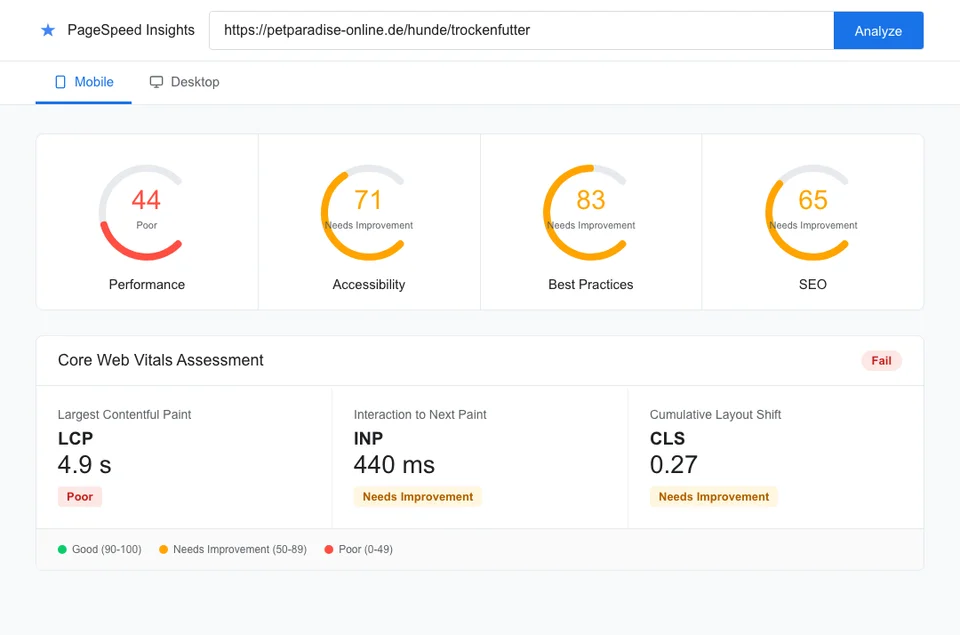
Mobile connections are slower than desktop. Run your key pages through Google PageSpeed Insights and check the mobile score specifically. Aim for a score above 70. Most pet store websites score between 30-50 on mobile due to uncompressed images and excessive scripts.
Check responsive images
Large product images that look great on desktop can break mobile layouts and destroy load times. Verify that your images resize properly on small screens and that you are serving appropriately sized images (not forcing a mobile browser to download a 3000px-wide image).
How to Audit Your Site Speed and Core Web Vitals
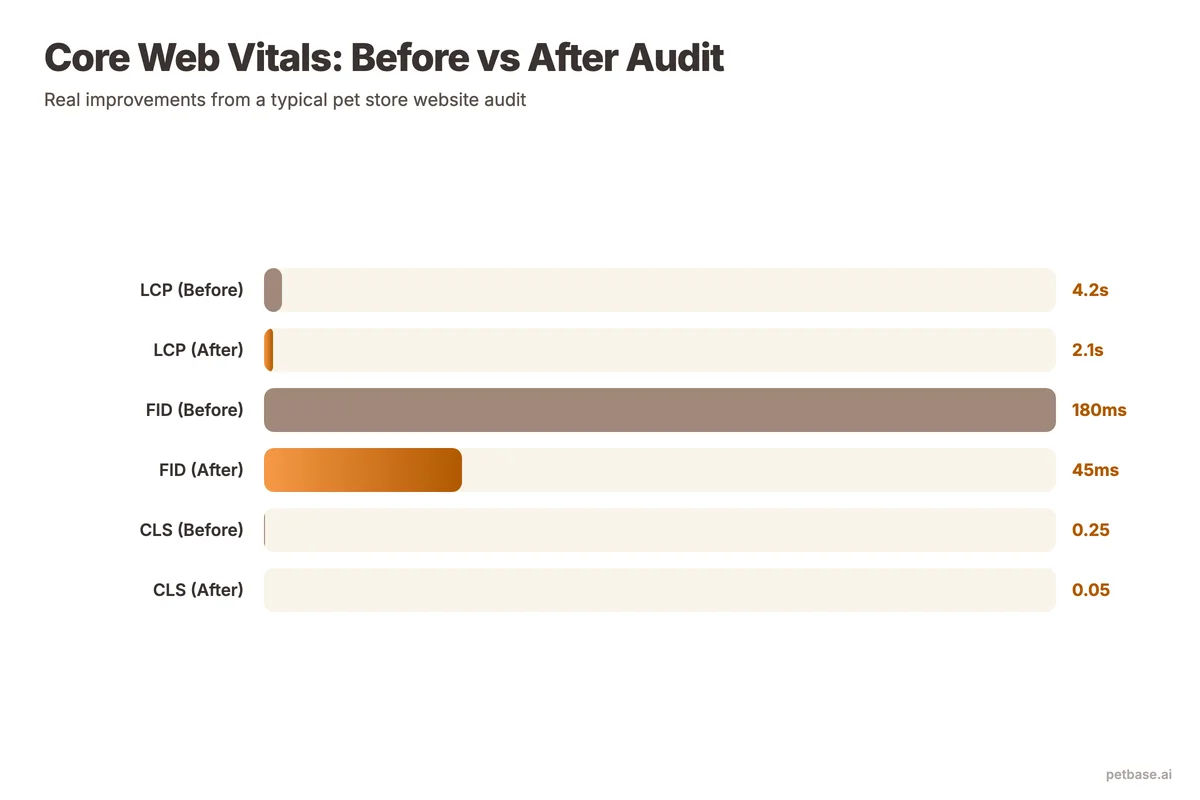
Site speed is a confirmed Google ranking factor. 53% of mobile visitors abandon a page that takes longer than 3 seconds to load, and every 0.1-second improvement in speed can increase conversion rates by up to 8.4%[5]. Core Web Vitals measure three specific aspects of user experience that Google uses for ranking.
Understanding Core Web Vitals
- Largest Contentful Paint (LCP): How long until the main content loads. Target: under 2.5 seconds.
- First Input Delay (FID) / Interaction to Next Paint (INP): How long until the page responds to user input. Target: under 200 milliseconds.
- Cumulative Layout Shift (CLS): How much the page layout shifts during loading. Target: under 0.1.
Common speed killers for pet store websites
- Uncompressed images. This is the number one issue. Pet stores use many product photos, and each uncompressed image adds seconds to load time. Convert all images to WebP format and compress to 80% quality.
- Too many plugins or apps. Shopify stores average 15-20 apps. Each one adds JavaScript that slows your site. Audit your apps and remove any you do not actively use.
- No browser caching. Without caching, returning visitors re-download every file on every visit. Enable browser caching to serve stored files to repeat visitors.
- Render-blocking JavaScript. Scripts that load in the header block the page from rendering. Move non-essential scripts to the footer or add the "defer" attribute.
- No CDN. If your server is in one country but your customers are in another, a CDN (Content Delivery Network) caches your site on servers worldwide for faster delivery.
How to fix speed issues
- Compress all images (this alone can cut load time by 40-60%)
- Remove unused plugins, apps, and scripts
- Enable browser caching
- Minify CSS and JavaScript files
- Use lazy loading for images below the fold
- Consider a CDN if you serve customers internationally
How to Build Authority After the Audit
A website audit fixes what is broken, but building authority is what moves you up in rankings. The page ranking #1 for any given keyword has an average of 3.8x more backlinks than pages ranking in positions 2-10[6]. After you fix your audit issues, focus on earning links through original content, local partnerships, and industry directories.
Reviews also play a direct role: 93% of consumers say online reviews affect their buying decisions[7]. A pet store with 150 reviews and a 4.7-star rating will outrank a store with 12 reviews every time - both in the Local Pack and in the trust a visitor feels before clicking through.
For a complete link-building playbook, see the guide on building backlinks for pet stores.
How to Prioritize Fixes After the Audit
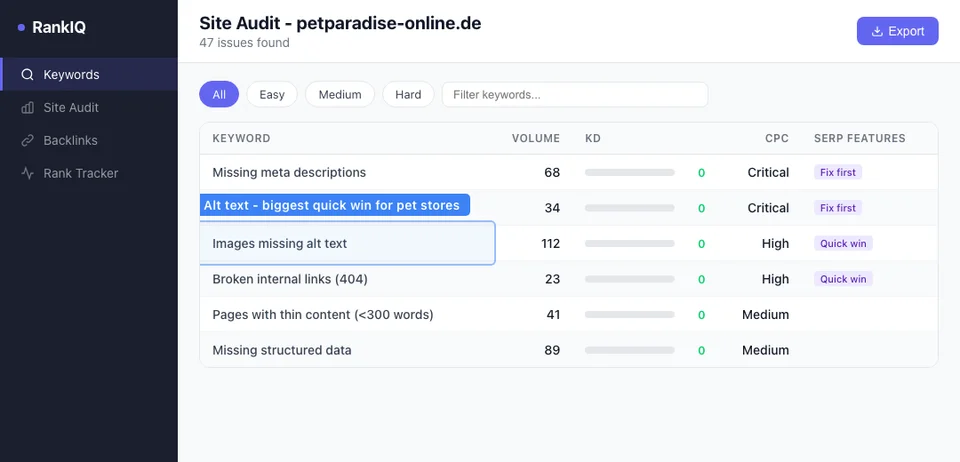
A full audit will generate a long list of issues. Trying to fix everything at once leads to overwhelm and nothing getting done. Use this priority framework instead.
| Priority | Issue Type | Impact | Effort | Examples |
|---|---|---|---|---|
| 1 - Critical | Indexing blockers | High | Low-Medium | Robots.txt blocking pages, noindex on important pages, sitemap errors |
| 2 - High | Technical errors | High | Medium | Broken links, redirect chains, HTTPS issues, missing H1 tags |
| 3 - High | Speed issues | High | Medium | Uncompressed images, render-blocking scripts, no caching |
| 4 - Medium | Content gaps | Medium | High | Thin product descriptions, missing meta data, duplicate content |
| 5 - Medium | Mobile experience | Medium | Medium | Tap target sizing, responsive layout issues, mobile speed |
| 6 - Lower | Local SEO | Medium | Low | Schema markup, NAP consistency, local keywords |
| 7 - Lower | Content quality | Medium | High | Updating old blog posts, expanding thin content, fixing cannibalization |
Start with Priority 1 and 2. These fixes often take less than a day and have the highest impact. A pet store that fixes its crawl errors and broken links will typically see ranking improvements within 4-6 weeks.
For a step-by-step roadmap that puts audit findings into action, see the pet store SEO strategy roadmap.
A Complete Pet Store Website Audit Checklist
Use this checklist every 6 months. Check each item and note the status.
Technical SEO
- All important pages are indexed in Google Search Console
- Sitemap.xml is submitted and error-free
- Robots.txt is not blocking important pages
- No crawl errors or redirect chains
- All pages load on HTTPS (no mixed content)
- Every page has a unique title tag (50-60 characters)
- Every page has a unique meta description (150-160 characters)
- Every page has exactly one H1 tag
- No broken internal or external links
- Canonical tags are correctly implemented
Content quality
- No product pages with manufacturer-copied descriptions
- No blog posts under 800 words (unless intentionally brief)
- No keyword cannibalization between pages
- All blog posts have 3-5 internal links to other pages
- Content is updated within the last 18 months
- All images have descriptive alt text
Local SEO
- NAP matches Google Business Profile exactly
- LocalBusiness schema markup is present
- Each location has its own dedicated page
- Local keywords appear in titles and headers naturally
Mobile and speed
- Google Mobile-Friendly Test passes
- PageSpeed Insights mobile score above 70
- LCP under 2.5 seconds
- CLS under 0.1
- All images are compressed and in WebP format
- Lazy loading enabled for below-fold images
On-page SEO
- Primary keyword in title, H1, and first paragraph
- Heading hierarchy is logical (H1, H2, H3)
- Internal links connect related content
- Product schema markup on product pages
- FAQ schema on pages with FAQ sections
This checklist covers the fundamentals. For E-E-A-T specific checks that are especially important for pet health content, see the guide on E-E-A-T for pet businesses. For detailed on-page optimization, read the on-page SEO guide for pet stores.
Scaling Your Audit Workflow with Petbase
A website audit tells you what to fix. But the biggest finding for most pet stores is the same: not enough original content. Thin product descriptions. Blog posts that stopped two years ago. Category pages with no supporting articles. Fixing these gaps takes consistent publishing - and that is where most store owners stall.
Petbase publishes 10 articles per month to your website for EUR 199/mo. Each article targets a keyword from your audit findings, builds internal links to your product and category pages, and strengthens the topical authority that search engines reward. Unlike generic writing tools, Petbase understands pet terminology, breed specifics, and the language your customers actually use.
With 53% of all website traffic coming from organic search[1] and 61% of small businesses still not investing in SEO[2], the opportunity is wide open for stores that publish consistently.
Start your free trial and turn your audit findings into rankings.
Frequently Asked Questions
How often should a pet store run a website audit?
Run a full audit every 6 months and a quick technical check every quarter. The full audit covers everything in this guide - technical SEO, content, local SEO, mobile, and speed. The quarterly check focuses on Google Search Console errors, broken links, and Core Web Vitals. If you make major changes to your site (redesign, platform migration, adding hundreds of products), run an audit immediately after. Regular audits prevent small issues from becoming ranking-killing problems.
Can I do a website audit myself or do I need to hire someone?
You can absolutely do it yourself using the free tools in this guide. Google Search Console, PageSpeed Insights, and Screaming Frog's free version (up to 500 URLs) cover the essentials. Most pet store websites have fewer than 500 pages, so the free tools are sufficient. Where professional help adds value is in interpreting the results and prioritizing fixes - especially for technical issues like server configuration, redirect mapping, or schema implementation. If your audit uncovers more than 50 issues, consider hiring an SEO specialist for a one-time consultation to create your fix plan.
What is the most common audit finding for pet store websites?
Uncompressed images and duplicate product descriptions. These two issues appear on nearly every pet store website. Images are the easiest fix - converting to WebP and compressing to 80% quality can cut page load time in half. Duplicate descriptions require more work because you need to write unique content for each product page. Start with your top-selling products and work down. Even rewriting 10 product descriptions per week adds up to 500+ unique pages in a year.
How do I know if my audit fixes are working?
Track three metrics before and after your fixes. First, check your Google Search Console "Pages" report to verify that indexing errors decrease. Second, monitor your Core Web Vitals scores in PageSpeed Insights - you should see improvement within days of fixing speed issues. Third, track your organic traffic in Google Analytics over 8-12 weeks. Technical fixes often show ranking improvements within 4-6 weeks, while content improvements take 8-12 weeks to fully reflect in traffic. Set a calendar reminder to compare your numbers 90 days after completing your audit fixes.
References
- BrightEdge via SEO Inc (2024). How Much Traffic Comes from Organic Search. seoinc.com
- Clutch (2025). SEO Statistics. clutch.co
- Taylor Scher SEO (2024). Ecommerce SEO Statistics. taylorscherseo.com
- Amra and Elma (2025). Top Schema Markup Statistics. amraandelma.com
- Magnet (2024). Understanding Google's Core Web Vitals. magnet.co
- BuzzStream (2024). Link Building Statistics. buzzstream.com
- BrightLocal (2024). Local SEO Statistics. brightlocal.com