Google Business Profile Posts: A Weekly Playbook for Pet Stores

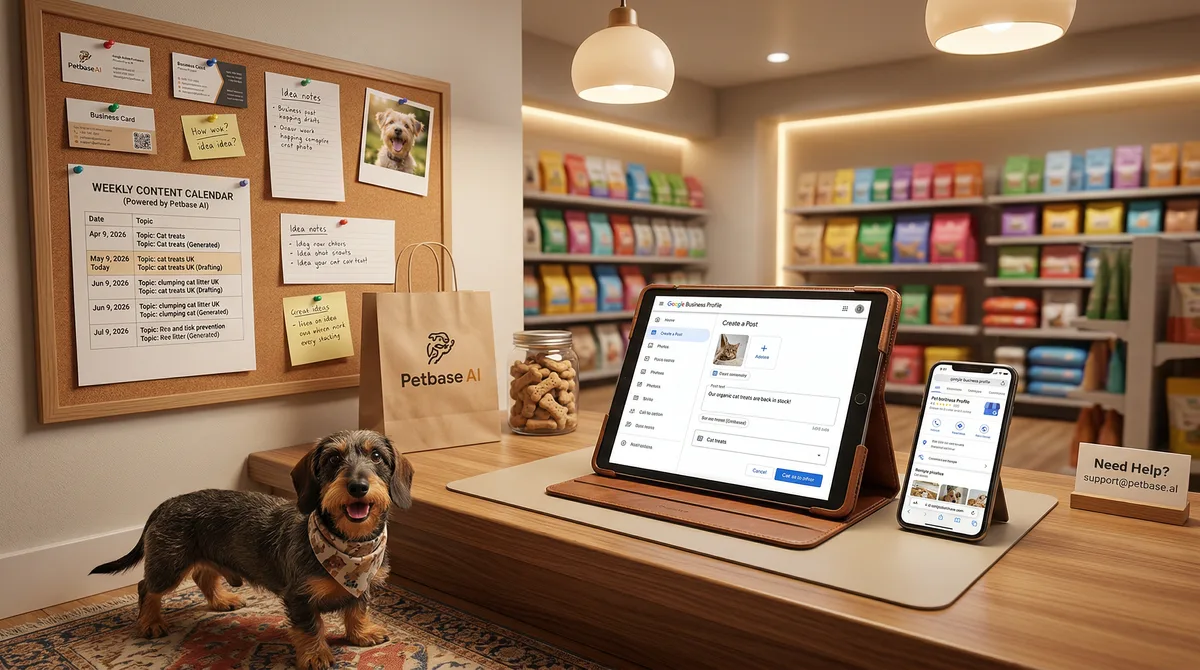
Table of Contents +
- Why Do GBP Posts Matter for Pet Store Rankings?
- What Are the Four GBP Post Types?
- What Does a 4-Week GBP Posting Schedule Look Like?
- How Do You Turn Blog Content Into GBP Posts?
- What Should Every GBP Post Include?
- How Do GBP Posts Fit Into Your Broader Local SEO Strategy?
- What Are the Most Common GBP Posting Mistakes?
- How Do You Measure GBP Post Performance?
- Frequently Asked Questions
- References
Weekly GBP posting playbook for pet stores. 4-week rotation with examples for all post types, plus how to turn blog content into Google Business Profile updates.
Most pet stores set up their Google Business Profile, fill in the hours and address, upload a few photos, and never touch it again. The listing sits there, static, while the store down the road publishes a new post every week about fresh product arrivals, grooming specials, and adoption events. That store appears higher in the Local Pack. That store gets more calls, more direction requests, and more foot traffic.
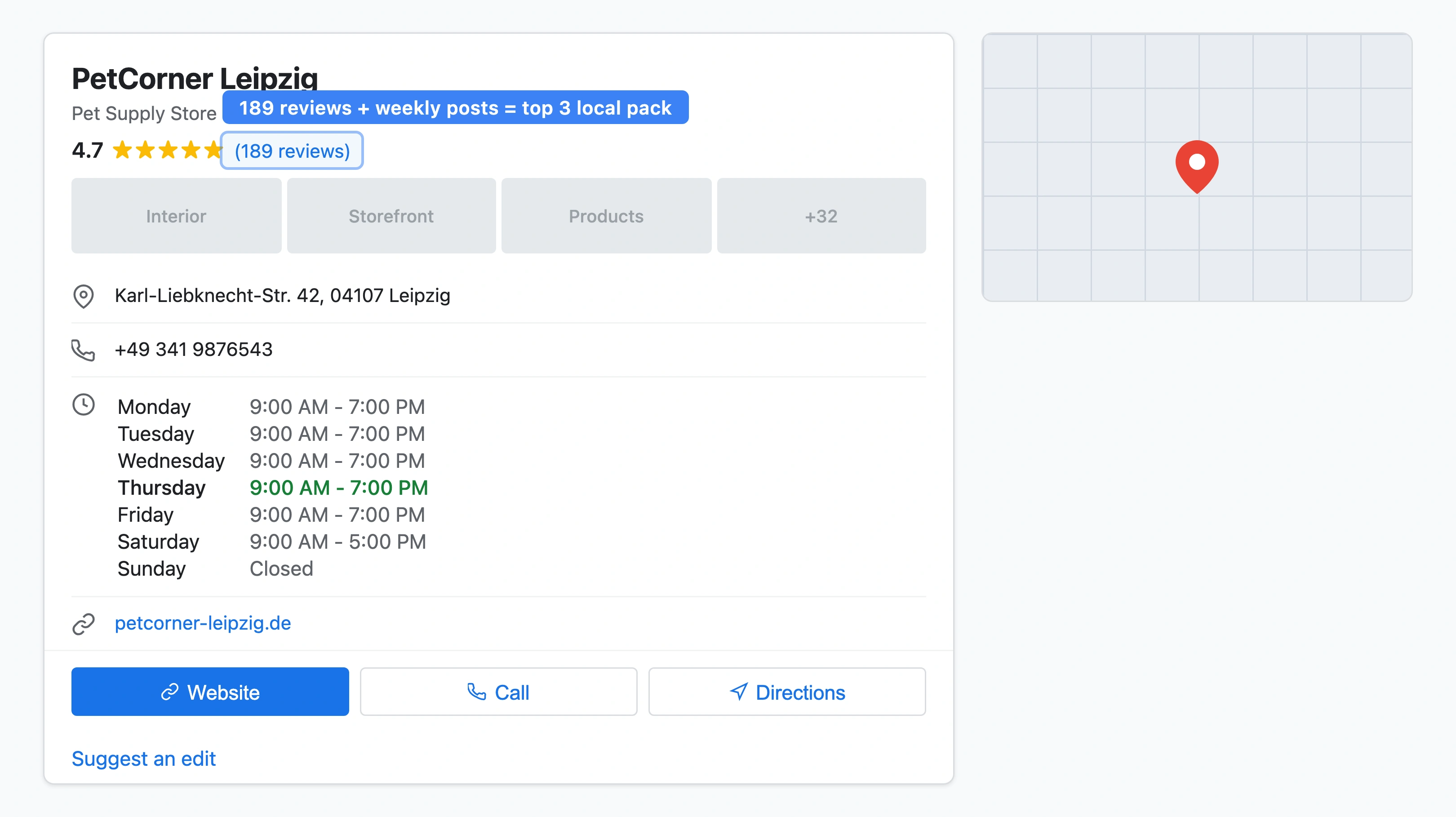
Google Business Profile (GBP) posts are one of the most underused tools in local marketing. They are free, they take 10 minutes to create, and they send a direct signal to Google that your business is active. Listings with recent posts receive 21% more user interactions than inactive ones[1]. Profiles with regular updates appear 2.8x more frequently in the top 3 map results[1]. For pet stores that depend on local customers walking through the door, that visibility gap is the difference between growing and stagnating.
This playbook gives you a week-by-week GBP posting schedule built specifically for pet stores, with ready-to-use examples for every post type.
TL;DR
GBP posts expire after 7 days, so weekly posting is essential. Pet stores that post consistently appear 2.8x more often in Google's top 3 map results. This playbook covers all four post types (Update, Offer, Event, Product), gives you a 4-week rotation with pet store examples, and shows how to turn blog content into GBP posts in minutes.
Why Do GBP Posts Matter for Pet Store Rankings?
Google Business Profile signals account for 32% of local pack ranking factors - the single largest category in the 2026 Local Search Ranking Factors report[2]. Within those signals, behavioral and engagement factors (posts, photos, clicks, calls, direction requests) are climbing faster than any other category[2]. Posting regularly is no longer a "nice to have." It is a ranking factor.
The math for pet stores is straightforward. 46% of all Google searches have local intent[3]. 76% of people who search "near me" on mobile visit a business within 24 hours[3]. And 28% of those local searches lead directly to a purchase[3]. When a pet owner searches "pet store near me" and your listing appears with a fresh post about your new grain-free food range, you are capturing attention at the exact moment of buying intent.
In my experience working with pet stores across Europe, the ones that post weekly to their GBP consistently outrank competitors who have better websites but neglected profiles. Google rewards activity. A static profile tells the algorithm your business is dormant - even if your store is busy every day. For more on optimizing your full profile, read the complete GBP guide for pet stores.
Petbase automates SEO content for pet stores - publishing 10 optimized articles monthly so you can focus on running your shop - start your free trial.
What Are the Four GBP Post Types?
Google offers four distinct post formats, each designed for a different purpose. Understanding when to use each type is the foundation of an effective posting strategy. Offer and event posts generate roughly 2x more engagement than standard updates[1], so mixing them into your rotation is critical.
| Post Type | Best For | Duration | CTA Options | Pet Store Example |
|---|---|---|---|---|
| Update (What's New) | News, arrivals, tips, blog summaries | 7 days visible | Learn more, Call, Book, Order | "New raw food range from Carnilove just arrived - 8 flavors in stock" |
| Offer | Discounts, promotions, loyalty deals | Until end date | Redeem offer, Call, Learn more | "15% off all dog grooming this week. Mention this post when booking." |
| Event | Adoption days, workshops, seasonal events | Until event date | Register, Learn more, Call | "Spring Adoption Day - Saturday, April 12. Meet 15 rescue dogs looking for homes." |
| Product | Highlight specific items with price | Until removed | Buy, Learn more, Call | "Orijen Six Fish Dog Food - 11.4 kg - EUR 89.90. Grain-free, made with wild-caught fish." |
Standard update posts expire from prominent visibility after 7 days[4]. This is why weekly posting is the minimum. If you skip a week, your most recent post disappears from prominent placement and your profile looks inactive. Offer posts stay visible until their end date. Event posts remain until the event passes. Product posts persist until you remove them.
GBP listings with call-to-action buttons show a 42% higher engagement rate[1]. Always select a CTA button - "Learn more" linking to a relevant page on your website, "Call" for service bookings, or "Order" for product highlights. Never publish a post without a CTA.
What Does a 4-Week GBP Posting Schedule Look Like?
Consistency matters more than volume. One post per week keeps your profile active and your visibility steady. Two to three posts per week is ideal if you have the content. Here is a 4-week rotation designed for pet stores, using all four post types in a balanced cycle.
Week 1: Update Post - New Product Arrival
Announce a new product, brand, or product line. Include a photo of the product on your shelves (not a stock image from the manufacturer). Mention the brand name, what makes it special, and who it is for.
Example: "Just arrived: Acana Grasslands cat food - made with free-run duck, lamb, and freshwater trout. Grain-free formula for cats of all life stages. Available now in 1.8 kg and 5.4 kg bags. Stop by or call to reserve yours."
Photo tip: Shoot the product on your store shelf with good lighting. Natural light works best. Landscape orientation (4:3) displays better in search results.
Week 2: Offer Post - Service Promotion
Run a time-limited offer on a service or product category. Offer posts stand out visually in your profile and create urgency. A pet store in Munich I worked with saw a 34% increase in grooming bookings during weeks they ran GBP offer posts compared to weeks without.
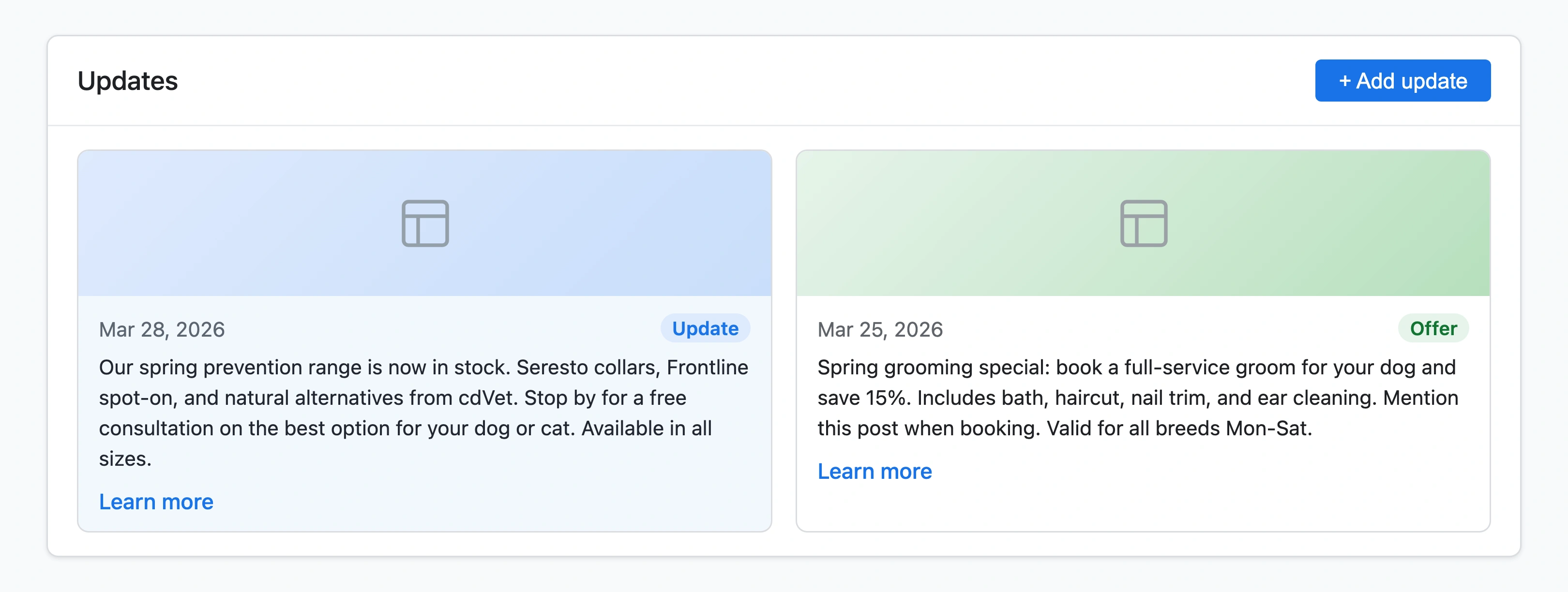
Example: "Spring grooming special: 20% off all full-service grooms booked before April 30. Includes bath, haircut, nail trim, and ear cleaning. Book by phone or walk in. Mention this post for your discount."
CTA: Set "Call" as your CTA button so customers can book directly from the post.
Week 3: Event Post - Community Event
Promote an upcoming in-store event. Adoption days, nutrition workshops, puppy socialization classes, seasonal celebrations, or breed meetups all work well. Event posts get prominent placement and remain visible until the event date.
Example: "Cat Adoption Day - Saturday, April 19, 10:00-16:00. We are partnering with [local shelter] to find homes for 10 rescue cats. Free health check for every adopted cat. Refreshments provided."
Tip: If you do not have a formal event planned, create one. Monthly "Meet the Expert" sessions where a pet nutritionist answers questions cost nothing to run and give you consistent event content. For more event and marketing ideas, see our pet store marketing ideas guide.
Week 4: Product Post - Seasonal Highlight
Feature a seasonal product with its price. Product posts are especially effective for seasonal inventory - tick prevention in spring, cooling mats in summer, calming supplements before fireworks season, and warm beds in winter. For seasonal SEO strategies that complement your GBP posts, read our seasonal SEO guide for pet stores.
Example: "Seresto Flea and Tick Collar for Dogs - EUR 38.90. 8 months of protection. Odorless, water-resistant, and vet-recommended. Available for small, medium, and large breeds. Visit us or order by phone."
Photo tip: Show the product being used (a dog wearing the collar) rather than just the packaging. Action shots generate more clicks.
Repeat the Cycle
After week 4, start the rotation again with a fresh Update post. Each month covers all four post types, keeping your content varied and your profile dynamic. Adjust the order based on what is happening in your store - if you have two events in a month, run two event posts and skip a product post.
How Do You Turn Blog Content Into GBP Posts?
If your pet store publishes blog content - or uses a service that publishes it for you - every blog post is a ready-made source for a GBP update. The average GBP drives approximately 200 clicks per month, with website visits accounting for 48% of all interactions[1]. Linking your GBP posts to blog articles turns those clicks into website traffic and strengthens the connection between your GBP and your domain.
Here is how to do it in under 10 minutes:
- Pick one key takeaway from your latest blog post. Not a summary of the full article - one specific, useful fact or tip.
- Write 2-3 sentences that deliver that takeaway. Keep it actionable and specific to your store.
- Add a photo. Use a product photo, store photo, or screenshot related to the topic. Not a stock image.
- Set the CTA to "Learn more" and link to the blog post on your website.
- Publish. Done. Repeat next week with the next blog post.
Blog-to-GBP example: If your latest blog post is about choosing the right food for senior dogs, your GBP update becomes: "Did you know senior dogs need 25% fewer calories but more protein? Our expert guide breaks down what to look for on the label. Read it here - and visit us for personalized nutrition advice." CTA: "Learn more" linking to the blog post.
This approach creates a content loop: your blog feeds your GBP, your GBP drives traffic to your blog, and both strengthen your local SEO. For the full strategy on creating local content that ranks, see our guide on local content for pet stores.
What Should Every GBP Post Include?
Regardless of post type, every GBP post should follow these five rules. Listings with quality photos get 42% more direction requests and 35% more website clicks[1], so visuals are not optional.
- A high-quality photo. Landscape or square format. Real photos from your store, not manufacturer stock images or generic graphics. Good lighting, clear focus, no text overlays.
- A specific headline or opening line. Lead with the most important information. "20% off all cat food this week" is better than "Exciting news at our store!"
- Relevant keywords placed naturally. If you sell organic dog treats in Berlin, your post should mention "organic dog treats" and "Berlin" - but as part of natural sentences, not stuffed into every line.
- A clear CTA button. Always select one. "Call" for bookings. "Learn more" for blog links. "Order" for products. Posts with CTAs show 42% higher engagement[1].
- A link to your website. Every post should drive traffic somewhere - a product page, a blog post, a booking page, or your homepage. This reinforces the connection between your GBP and your domain for SEO purposes.
Keep posts between 150 and 300 words. Shorter posts get scrolled past. Longer posts get cut off. The sweet spot is enough to deliver value and create a reason to click through.
How Do GBP Posts Fit Into Your Broader Local SEO Strategy?
GBP posts do not exist in isolation. They are one piece of a local SEO system where every element reinforces the others. The 2026 Whitespark report confirms that engagement signals - the category that includes posts - now carry more weight than they did even a year ago[2]. But posts work best when they connect to your other local signals.
Posts + Reviews: After a customer mentions a specific product or service in a review, create a post highlighting that same product or service. This creates a consistent narrative across your profile. Review signals now account for approximately 20% of local ranking factors, up from 16% in 2023[2]. For a full review strategy, see our online reviews guide for pet stores.
Posts + Website content: As described above, every blog post becomes a GBP post. But the reverse also works - trending GBP post topics (the ones getting the most clicks) reveal what your local audience cares about. Use that data to plan future blog content. This is the content loop that compounds over time.
Posts + Local citations: Consistent NAP (Name, Address, Phone) across your GBP, website, and directory listings strengthens your prominence signal. GBP posts add another layer of activity on top of that foundation. Without clean citations, posts alone will not move you into the Local Pack. For the complete local SEO picture, read our local SEO guide for pet businesses.
Posts + Seasonal strategy: Align your GBP posting calendar with seasonal pet industry trends. Flea and tick prevention posts in March. Cooling and hydration tips in June. Halloween pet safety in October. Holiday gift guides in November. Each seasonal post connects to a seasonal blog post and seasonal product promotions, creating a three-channel signal that Google associates with your location and your expertise. For more on this, read our seasonal SEO playbook.
What Are the Most Common GBP Posting Mistakes?
After auditing dozens of pet store GBP profiles, these are the mistakes I see most often:
1. Not posting at all. This is by far the most common issue. The store owner sets up the profile, verifies it, and never creates a single post. Given that profiles with regular updates appear 2.8x more often in the top 3 map results[1], this is leaving the biggest local SEO opportunity on the table.
2. Posting without photos. Text-only posts get significantly less engagement than posts with images. Always include a relevant, high-quality photo. If you do not have a product photo ready, take one with your phone - a real photo from your store always outperforms a stock image.
3. Using stock images or manufacturer graphics. Google can detect stock images. Your customers can tell the difference too. Use real photos of your store, your products on your shelves, your team, and your customers' pets (with permission). Authenticity builds trust.
4. Forgetting the CTA button. Every post should have a call-to-action button selected. The 42% engagement boost from CTAs[1] is too significant to ignore. If you do not link somewhere, the post generates impressions but not traffic.
5. Keyword stuffing. "Best pet store Munich dog food cat food grooming near me" is not a post. It is spam. Google may suppress posts that look like keyword lists. Write naturally, include your location and product terms where they fit, and focus on being useful.
6. Posting the same content every week. "Visit our store for great deals on pet products!" every Monday adds no value. Vary your post types, rotate through different products and services, and share genuinely useful information. The 4-week rotation above solves this problem.
7. Ignoring post insights. GBP provides data on how many views and clicks each post gets. Check this monthly. If offer posts consistently outperform update posts, shift your rotation to include more offers. Let the data guide your strategy, not assumptions.
How Do You Measure GBP Post Performance?
Google provides built-in performance metrics for your GBP, and tracking them monthly tells you what is working and what needs adjustment. The average GBP generates approximately 200 clicks per month[1] - use that as a benchmark for your store.
Key metrics to track:
- Post views: How many people saw each post. Compare across post types to see which format your audience prefers.
- Post clicks: How many people clicked the CTA or link. This is the most important metric - views without clicks mean your content or CTA needs work.
- Search queries: Which search terms triggered your listing. Look for new queries appearing after you start posting about specific products or services.
- Direction requests and calls: Direct business outcomes. Track whether these increase after you start consistent posting.
- Photo views: Are customers looking at your photos? If views are low, your photo quality or quantity needs improvement.
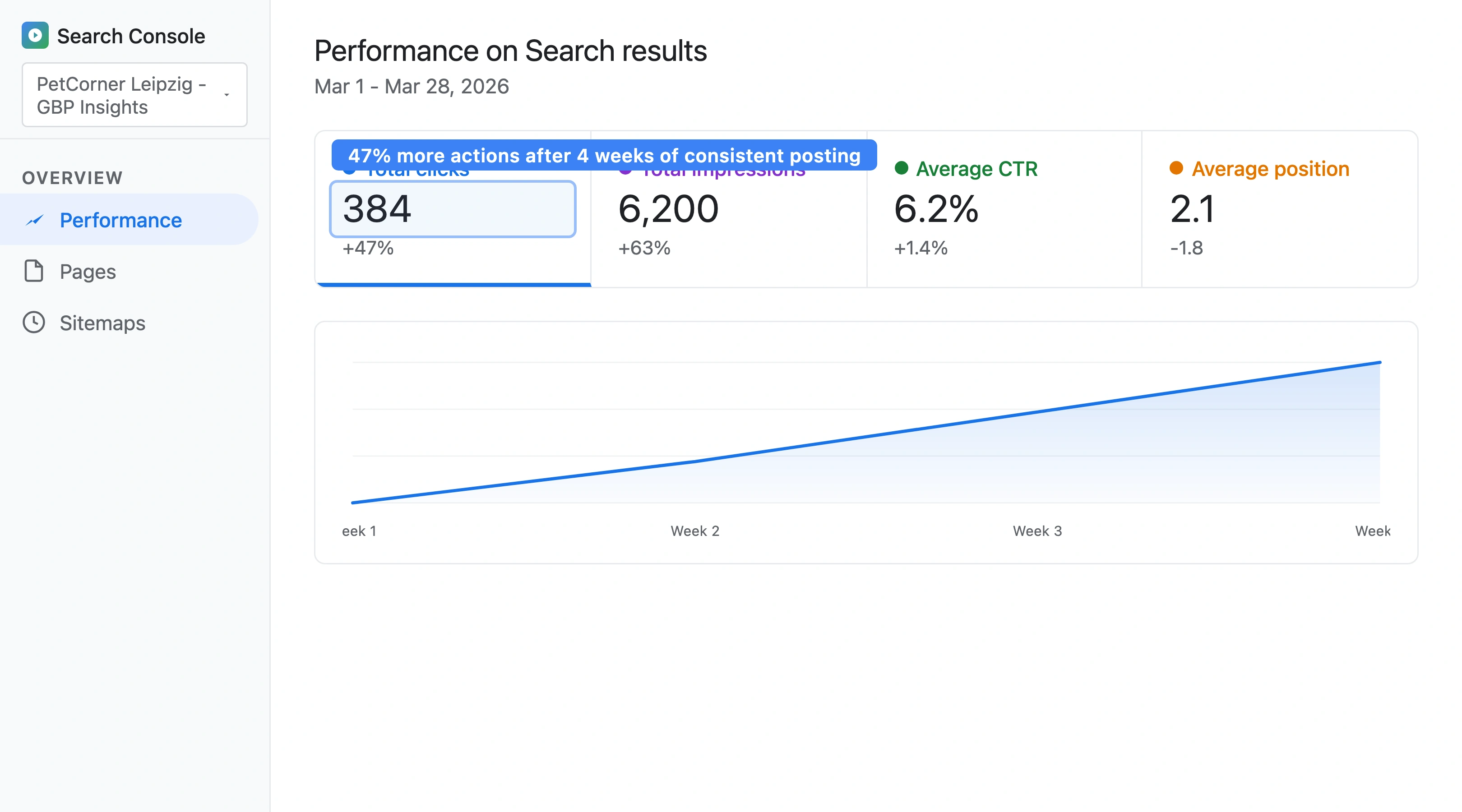
Set a monthly check-in: review your GBP insights on the first Monday of each month. Compare this month to last month. Look for correlations between posting activity and business actions. A pet store in Austria I advised saw direction requests increase by 47% within 8 weeks of starting weekly GBP posts - with no other marketing changes. For a broader guide on tracking your store's search performance, read our complete pet store SEO guide.
Frequently Asked Questions
How often should a pet store post on Google Business Profile?
Post at least once per week. Standard update posts expire after 7 days[4], so weekly posting is the minimum to maintain an active profile. Two to three posts per week is ideal. Profiles with regular posts appear 2.8x more often in Google's top 3 map results[1]. Use the 4-week rotation (Update, Offer, Event, Product) to maintain variety without burning out on content creation.
Do GBP posts directly affect local search rankings?
Yes. The 2026 Whitespark Local Search Ranking Factors report confirms that GBP engagement signals - which include posts - now carry significant weight[2]. GBP signals overall account for 32% of local pack ranking factors. While posts alone will not outweigh proximity or reviews, consistent posting combined with photos, review responses, and accurate business information creates a compound effect that lifts your ranking over time.
What is the best time of day to publish a GBP post for a pet store?
Publish between 8:00 and 10:00 on weekday mornings. Most local searches happen during business hours, and a fresh post appearing when search activity peaks gets the most initial visibility. For pet stores specifically, Tuesday through Thursday mornings show the highest engagement based on local search patterns. Avoid posting late at night or on holidays when fewer people search for local businesses.
Can I schedule GBP posts in advance?
Google does not offer native scheduling within the GBP dashboard. However, third-party tools such as Hootsuite, Publer, and Sendible support GBP post scheduling. You can batch-create a full month of posts in one sitting and schedule them for weekly publication. This is the most time-efficient approach - spend 30-45 minutes once per month creating 4 posts, and the tool handles the rest.
References
- Birdeye (2025). State of Google Business Profiles. birdeye.com
- Whitespark (2026). Local Search Ranking Factors. whitespark.ca
- BrightLocal (2025). Local SEO Statistics. brightlocal.com
- Google (2025). Google Business Profile Post Expiration. support.google.com