WooCommerce SEO for Pet Stores: Complete Guide


Table of Contents +
- Why Does WooCommerce SEO Matter for Pet Stores?
- What Are WooCommerce's SEO Advantages Over Shopify?
- How Do You Structure URLs for Pet Store SEO?
- Which WordPress Plugins Do Pet Stores Need?
- How Do You Optimize WooCommerce Product Pages?
- How Do You Optimize WooCommerce Speed?
- How Do You Handle Categories and Taxonomy SEO?
- What Content Strategy Works for WooCommerce?
- How Does Petbase Help WooCommerce Pet Stores?
- Frequently Asked Questions
- References
WooCommerce SEO for pet stores. URL structures, plugin stack, product schema, speed optimization, and content strategies to outrank competitors.
WooCommerce powers 45.6% of online pet stores[1] and holds roughly 28% of the broader e-commerce market[2]. Its open-source nature gives pet store owners something Shopify cannot: full control over URL structure, server configuration, schema markup, and technical SEO at the code level. But that flexibility comes with responsibility. Without proper setup, WooCommerce stores suffer from plugin conflicts, slow hosting, security vulnerabilities, and bloated databases.
This guide covers exactly how pet store owners optimize WooCommerce for search - from URL architecture and plugin stack to content strategies that turn organic traffic into orders.
TL;DR
WooCommerce gives pet stores full URL control, server-level speed optimization, and unlimited plugin flexibility for SEO. The trade-off is maintenance responsibility. This guide covers the exact permalink structure, plugin stack, schema setup, and content strategy that WooCommerce pet stores need to outrank Shopify competitors on product and category searches.
Why Does WooCommerce SEO Matter for Pet Stores?
43% of all e-commerce traffic comes from organic Google search[3]. For WooCommerce pet stores, the platform's flexibility means you can implement SEO at a deeper level than hosted competitors - if you configure it correctly.
WooCommerce's WordPress foundation gives you native blogging, full permalink control, and plugin-level access to robots.txt, sitemaps, schema, and server headers. These are not minor advantages. They let you build URL hierarchies that match how pet owners search, implement custom schema types Shopify cannot, and optimize server response times at the hosting level.
For broader e-commerce SEO context, see our pet store e-commerce SEO guide.
Petbase automates SEO content for pet stores - publishing 10 optimized articles monthly so you can focus on running your shop - start your free trial.
What Are WooCommerce's SEO Advantages Over Shopify?
| Feature | WooCommerce | Shopify |
|---|---|---|
| URL structure | Fully customizable (/dog-food/brand-name/) | Forced /products/ and /collections/ prefixes |
| robots.txt | Full control via file or plugin | Auto-generated, limited editing |
| Schema markup | Unlimited - plugin or manual JSON-LD | Theme-dependent, app-supplemented |
| Server optimization | Hosting-level caching, CDN, PHP tuning | Platform-managed (no server access) |
| Blogging | Native WordPress (strongest CMS for blogging) | Built-in but limited |
| Page speed control | Server, theme, plugin, and code level | Theme and app level only |
| Hosting cost | USD 20 to USD 200/month (your choice) | USD 32 to USD 384/month (fixed tiers) |
How Do You Structure URLs for Pet Store SEO?
WooCommerce lets you set custom permalink structures that match keyword hierarchy. Use this in Settings > Permalinks:
- Product base:
/shop/%product_cat%/produces/shop/dog-food/premium-chicken-kibble/ - Category base:
/shop/produces/shop/dog-food/ - Blog:
/blog/%postname%/produces/blog/best-food-for-golden-retrievers/
This gives Google clear category signals from the URL path itself - an advantage Shopify stores cannot replicate. Pet owners searching "dog food" or "cat supplements" find your category pages more easily when the URL structure matches the query.
Which WordPress Plugins Do Pet Stores Need?
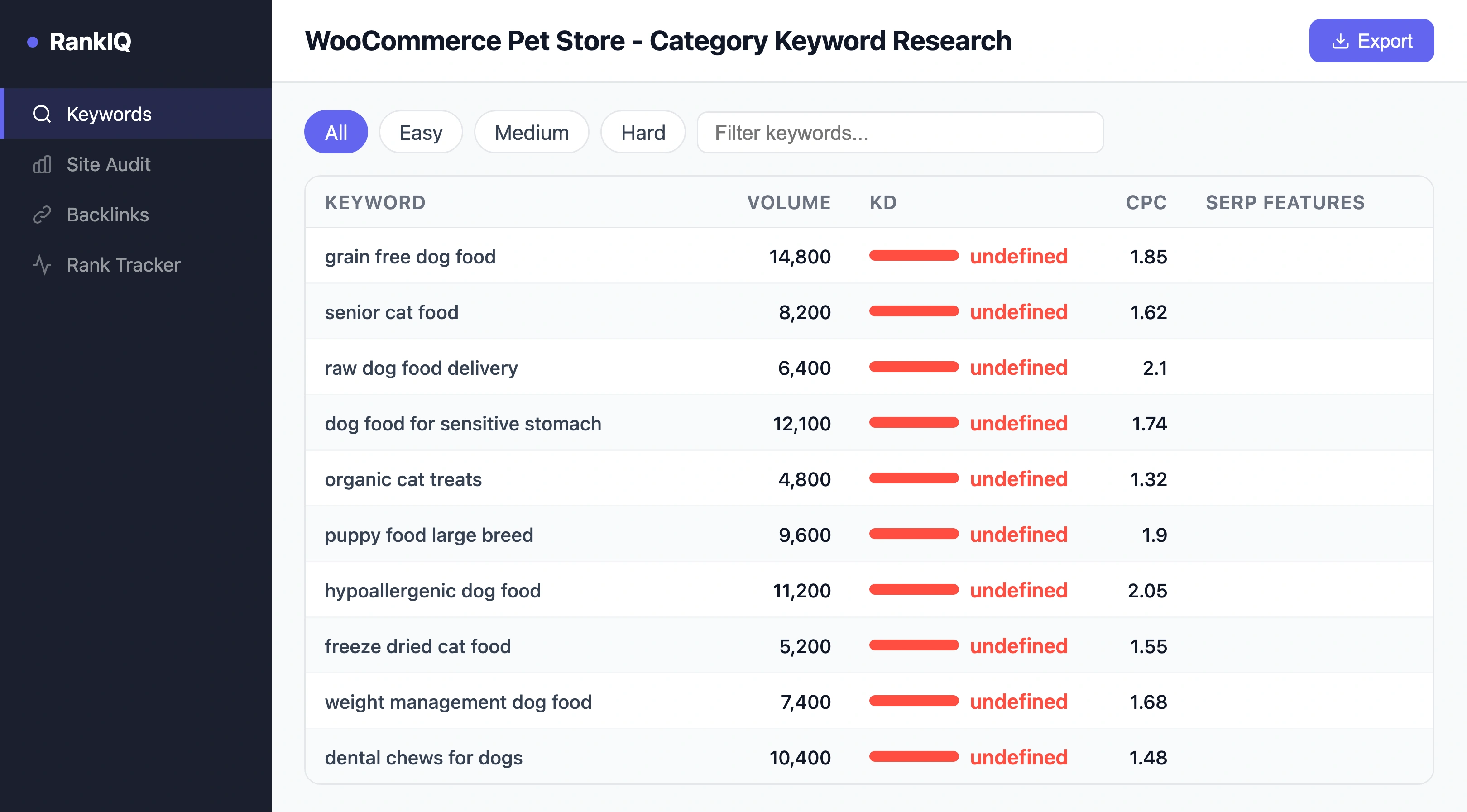
Keep your plugin stack lean. Every plugin adds database queries and potential conflicts. Essential SEO plugins:
| Plugin | Purpose | Why It Matters |
|---|---|---|
| Yoast SEO or RankMath | Meta tags, sitemaps, schema, breadcrumbs | Foundation - handles 80% of technical SEO |
| WP Rocket or LiteSpeed Cache | Page caching, minification, lazy loading | Speed is a ranking factor and conversion factor |
| ShortPixel or Imagify | Image compression and WebP conversion | Pet product images are large - compress or lose speed |
| Schema Pro or custom JSON-LD | Product, FAQ, HowTo, LocalBusiness schema | Product schema drives 4.2x Shopping visibility |
| WooCommerce Product Reviews Pro | Reviews with AggregateRating schema | Reviews drive 120.3% conversion lift |
| Redirection | 301 redirects for discontinued products | Preserve link equity when products change |
Avoid: page builder plugins for product pages (they bloat HTML), SEO plugins that duplicate Yoast/RankMath functionality, and any plugin that has not been updated in 12+ months.
How Do You Optimize WooCommerce Product Pages?
Product pages need three things to rank:
Unique Descriptions
87% of consumers say product content is the most important factor in purchase decisions[4]. Never use manufacturer defaults. Write benefit-led descriptions that answer pet parent questions: what is it, what breed or size is it for, what condition does it address, what are the ingredients, how do you use it.
Product Schema
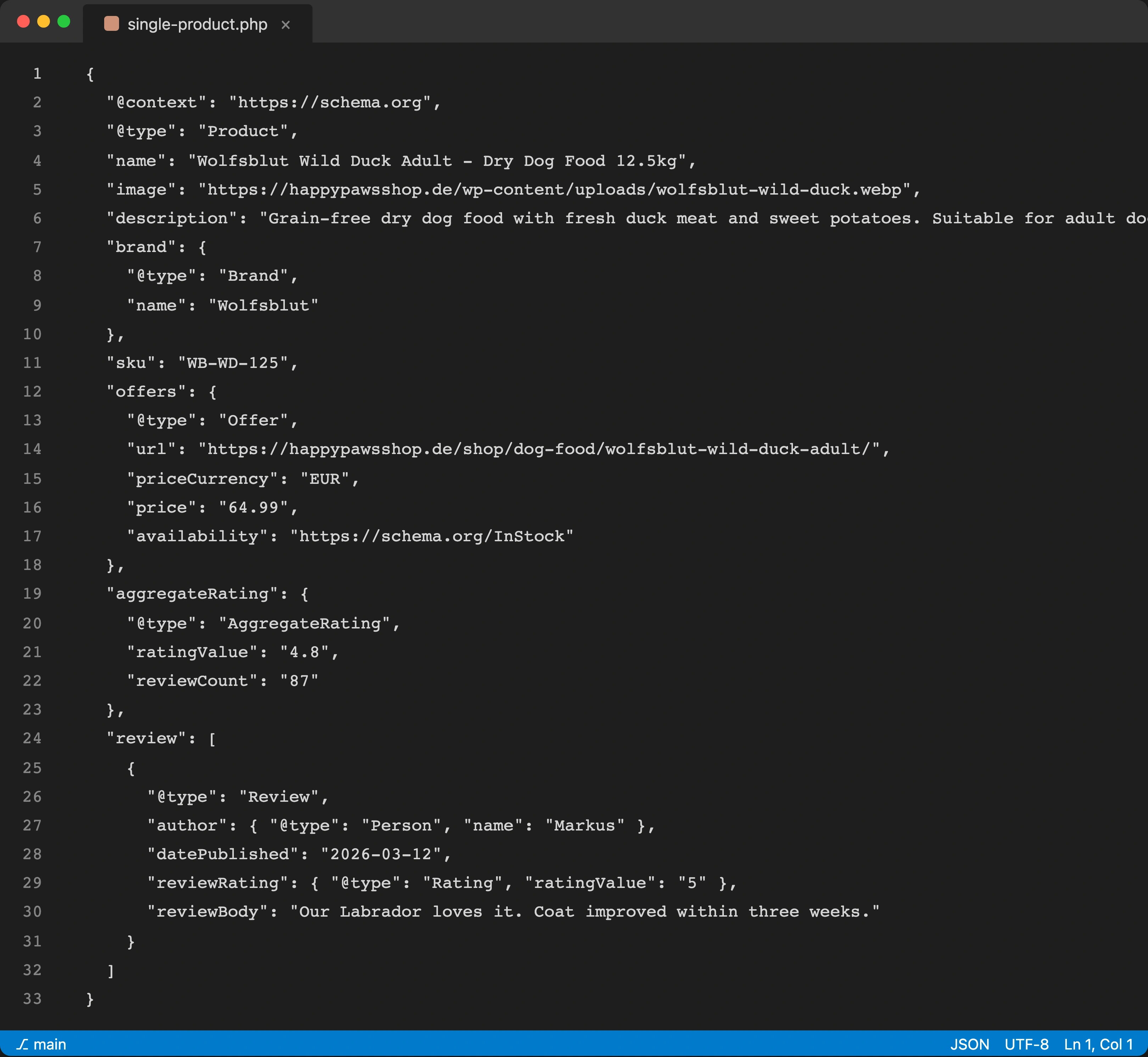
Product schema delivers 4.2x higher Google Shopping visibility[5]. Yoast and RankMath add basic schema. Extend it with AggregateRating, brand, SKU, weight (for pet food), and ingredient information. WooCommerce's custom fields make this straightforward - add structured data for every attribute that pet parents search.
Review Integration
Consumer reviews drive a 120.3% lift in conversion[6]. WooCommerce's built-in review system works for small stores. For larger catalogs, use a dedicated review plugin that outputs valid schema and supports review requests, photo reviews, and Q&A.
How Do You Optimize WooCommerce Speed?
WooCommerce speed depends on hosting, theme, plugins, and database optimization. Here is the priority order:
- Quality hosting. Shared hosting handles up to 500 products. Above that, use managed WordPress hosting (Cloudways, Kinsta, WP Engine) with server-level caching and PHP 8.2+.
- Caching plugin. WP Rocket or LiteSpeed Cache reduces server response from 800ms+ to under 200ms. Enable page cache, browser cache, and CSS/JS minification.
- Image optimization. Auto-compress all product images to WebP at upload. Pet product catalogs often have 2,000+ images. Use ShortPixel or Imagify with bulk optimization for existing images.
- Database cleanup. WooCommerce stores accumulate post revisions, transient data, and orphaned meta. Run WP-Optimize monthly to keep the database lean.
- CDN. Cloudflare (free tier) or your host's CDN serves static assets from edge servers, reducing load times for global customers.
How Do You Handle Categories and Taxonomy SEO?
WooCommerce's category and attribute taxonomies are powerful but need configuration:
- write unique descriptions for every product category (150 to 300 words)
- add category-specific FAQ sections for long-tail keyword capture
- use attribute pages (size, breed, ingredient) only when they have search volume - otherwise noindex them
- set canonical tags on paginated category pages to the first page
- add BreadcrumbList schema to every category and product page
One pattern I have seen repeatedly with WooCommerce pet stores: stores that write unique category descriptions and add FAQ schema to category pages rank 2 to 4 positions higher on average than stores with empty category pages.
What Content Strategy Works for WooCommerce?
WordPress is the world's best blogging platform, and WooCommerce inherits all of it. Use your blog to build topical authority around product categories:
- breed-specific feeding guides linked to food category pages
- ingredient explainers linked to products containing those ingredients
- seasonal care guides linked to seasonal product collections
- product comparison articles linked to both products being compared
- condition-specific guides linked to supplement and therapeutic food products
Each post targets a specific long-tail keyword and links to at least one product or category page. This is where WooCommerce has the clearest advantage over Shopify: WordPress's native CMS handles long-form content, categories, tags, and internal linking better than any competing platform.
For content structure guidance, see our content clustering guide.
How Does Petbase Help WooCommerce Pet Stores?
Most WooCommerce pet store owners manage their own hosting, plugins, security, and updates. Adding SEO content creation on top of that is unrealistic without automation.
Petbase generates optimized product descriptions, breed guides, condition-specific content, and educational articles tailored to the pet care industry. 10 articles per month, published directly to your website, for USD 199/month.
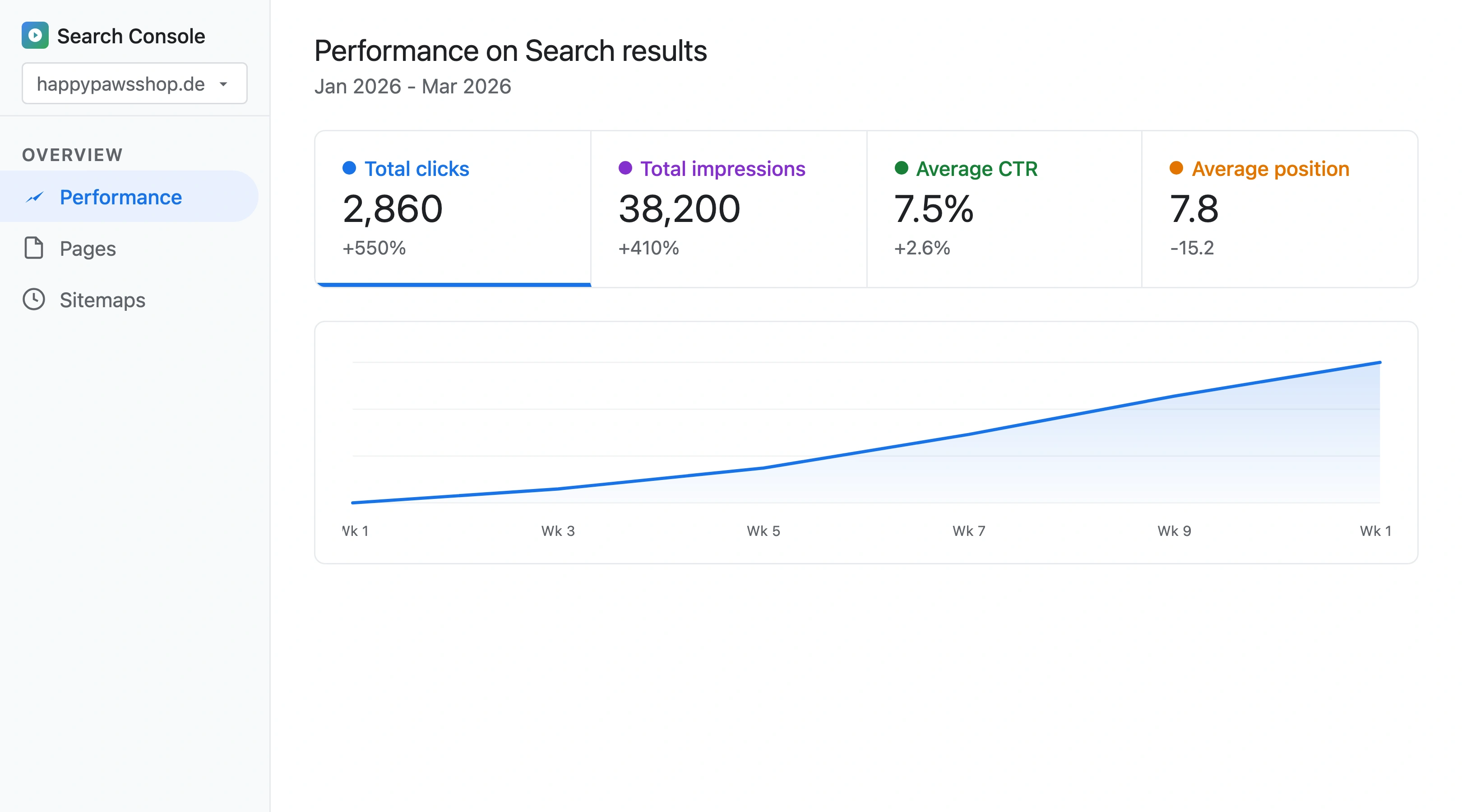
WooCommerce gives you the flexibility to rank. Petbase gives you the content to use that flexibility. 43% of e-commerce traffic is organic[3], and the WooCommerce stores that invest in unique content consistently outrank those relying on manufacturer defaults.
Start your 7-day free trial and see what consistent, research-backed content does for your WooCommerce store.
Frequently Asked Questions
Is WooCommerce better than Shopify for pet store SEO?
WooCommerce offers more SEO flexibility: custom URLs, full schema control, server-level optimization, and native WordPress blogging. Shopify is easier to maintain. For pet stores with technical confidence or a developer, WooCommerce produces better SEO outcomes. For stores prioritizing simplicity, Shopify with proper configuration is competitive.
Which WooCommerce theme is best for pet store SEO?
Storefront (WooCommerce's default theme), GeneratePress, and Astra score highest on PageSpeed while maintaining full WooCommerce compatibility. Avoid themes with built-in page builders, heavy animation libraries, or mega-menu frameworks. Test the theme demo on PageSpeed Insights before purchasing - aim for 75+ on mobile.
How many plugins should a WooCommerce pet store use?
Keep it under 20 active plugins. Each plugin adds database queries and potential conflict points. Typical lean stack: Yoast/RankMath, caching, image optimization, schema, reviews, redirects, security, backup, and WooCommerce extensions for shipping and payments. Audit quarterly: deactivate and delete anything unused.
How much does WooCommerce SEO cost for a pet store?
WooCommerce itself is free. Hosting costs USD 20 to USD 100 per month for managed WordPress. Essential plugins (SEO, caching, image optimization, reviews) cost USD 0 to USD 50 per month combined using free tiers. Content tools like Petbase (USD 199/month) handle ongoing content generation. Total: USD 220 to USD 350 per month for a complete SEO setup, significantly less than Shopify's equivalent with paid apps.
References
- EachSpy (2026). Pet Stores on Shopify. eachspy.com
- WPFactory (2025). WooCommerce Statistics 2025: Market Share, Growth & Global Adoption. wpfactory.com
- Charle Agency (2026). E-commerce SEO Statistics. charleagency.com
- 1WorldSync / Salsify (2024). Product Content and Consumer Behavior. convertcart.com
- Taylor Scher SEO (2025). E-commerce SEO Statistics. taylorscherseo.com
- CXL / PowerReviews (2024). User-Generated Reviews and Conversion. cxl.com